

Almost everything is smart these days. Our phones, our TVs, even our homes. A smart home isn't just made up of one devices, however. A smart home is all about interconnectivity, the devices in your home talking to one another. Your phone, your light bulbs, your heater, your speakers, even your washing machine. It's a puzzle you can put together in any number of ways.
This, of course, can make the process of setting up a smart home seem pretty intimidating. There are so many variables at play. With that in mind, we're going to go through exactly what a smart home is, why you might consider starting one, the types of devices you might want, and more.
What is a smart home?
Broadly speaking, we'd call a home "smart" when the devices in your house talk to one another, especially when it comes to traditional devices that normally don't interact. A smart home can be really simple. It might be as little as having a single smart bulb that you control with your phone, or set on a schedule. You might even have an Amazon Echo or Google Nest Mini that you use to turn your bulb on or off.
A smart home can also be far more complex. There are a myriad of internet connected devices that you can have interact with one another. Security cameras, motion sensors, smart plugs, and more. There are even ceiling fans that connect to your WiFi and smart fridges where you can remotely adjust the temperature from your phone.
If you want to delve down the rabbit hole, you could feasibly automate your entire house. But just because you can, doesn't mean you have to.
Why start a smart home?
Smart homes are a tempting proposition because they're a taste of the future, today. There's something very sci-fi about being able to ask a robot assistant to turn your living room lights a sickly shade of green. But as cool as it is having a disembodied AI that does your bidding, the novelty factor alone isn't a good reason to invest in a whole bunch of new gadgets.
There are however practical benefits to smart home technology: time saving and peace of mind.
Smart home devices won't necessarily save you a lot of time, but they still can save time. A smart home can minimise everyday tasks like hitting a light switch. My bulbs automatically light up at sunset, and then fade out at 11pm. I've also got a "smart switch" that turns off every single bulb in my house, while turning on the lamps on my bedside table at the same time. Instead of hitting four switches, I'm tapping one. It's kinda neat.
In winter, I connect a smart plug to my oil heater and schedule it to turn on about half-an-hour before I wake up. Not only do I wake up to a warm and toasty apartment, I don't immediately run back to bed after turning on the heater while waiting for it to heat up. That saves me at least 15 minutes a morning.
These are very much first world solutions to first world problems, but they're solutions nonetheless.
Smart home devices can also help with peace of mind. For example, there are now plenty of smart home security cameras you can remotely check on using your phone, from anywhere in the world. Or you can create the illusion that you're home, even if you're travelling, by having lights that switch on nightly thanks to an automation schedule.
Types of smart home devices
Here's a look at the kinds of devices you might find in a smart home.
Smart speakers
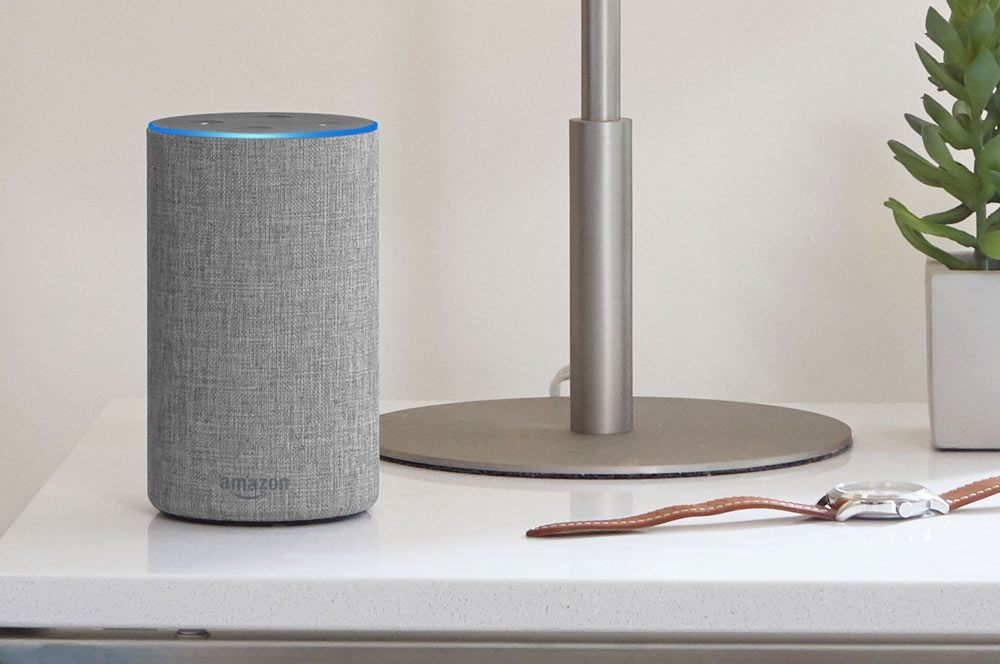
One of the main items associated with a smart home are smart speakers like Google Nest and Amazon Echo. Smart speakers are powered by virtual assistants you can talk to: Google Assistant in the case of Google Nest, and Alexa in the case of Amazon Echo. Newer Sonos speakers run both assistants, but you can only chat with one at a time.
There's also Siri on HomePod, if you're an Apple diehard, but you can also use Siri on your iDevice or Apple Watch for home automation options.
No matter what smart speaker you're using, the fundamentals are the same. You use the wake word - OK Google, Alexa, or Hey Siri - and then ask a question or issue a command. "OK Google, what's the weather going to be like tomorrow?", for example.
Smart speakers can be used to answer generic question such as the aforementioned, but they can also be used as an input device for interfacing with other smart home appliances, such as light bulbs or a pedestal fan you have wired into a smart plug.
Most smart devices are compatible with both Google and Alexa ecosystems, but this isn't a given when it comes to HomeKit - Apple's smart home platform. If you're considering building an Apple-centric smart home, you'll need to careful look at what other accessories you buy to ensure they'll be compatible.
Read more about smart speakers here.
Smart display

Smart displays are essentially smart speakers, but with a screen. In addition to providing verbal responses to your queries, they offer visual feedback. This can be especially useful when it comes to cooking instructions, watching video, or checking any compatible security cameras you own.
If you're after a smart display, Google and Amazon are your main choices, powered by Google Assistant and Alexa, respectively. There are however a small number of third party Google Assistant smart displays, from manufacturers such as Lenovo.
Smart bulbs
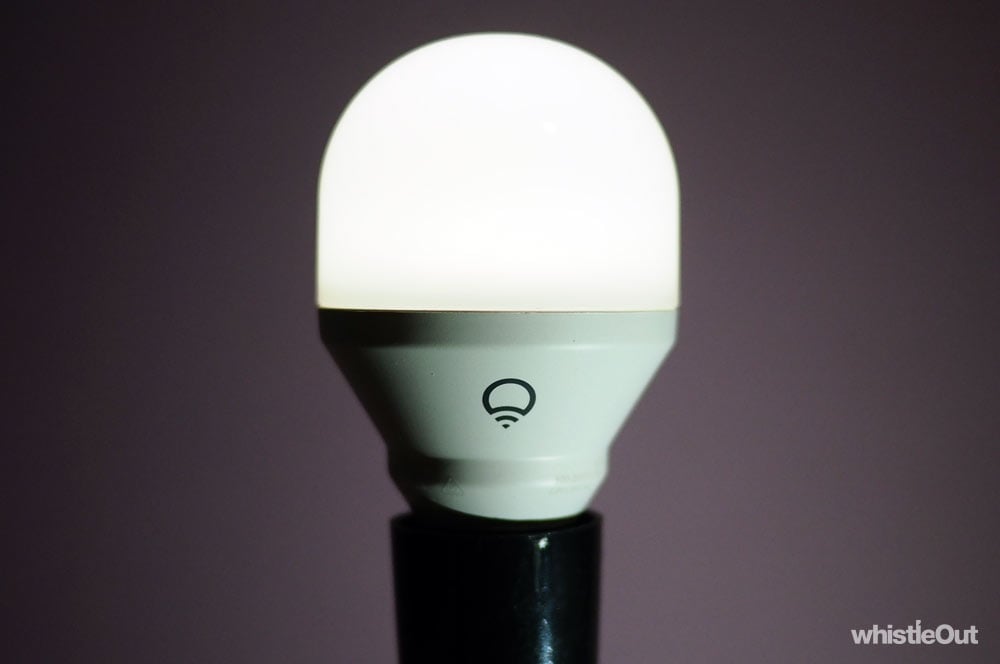
Smart bulbs are light bulbs controlled by your phone or a smart assistant. Some are colour changing, some change colour temperature, some are just white. Some require a dedicated hub, while others connect straight to your WiFi without the need for an intermediate device. Popular smart bulb brands include Hue and LIFX, but you can also get them from Ikea, Woolworths, and Xiaomi.
The biggest benefit of smart lighting is that you can automate your lights. For example, you could have your bulbs spring on at sunset, and then as it gets darker, shift to a warmer colour temperature. At 11pm, you could have them slowly dim as a reminder to stop bingeing Netflix and get some semblance of a proper night of sleep.
Read more about smart bulbs here.
Security cameras
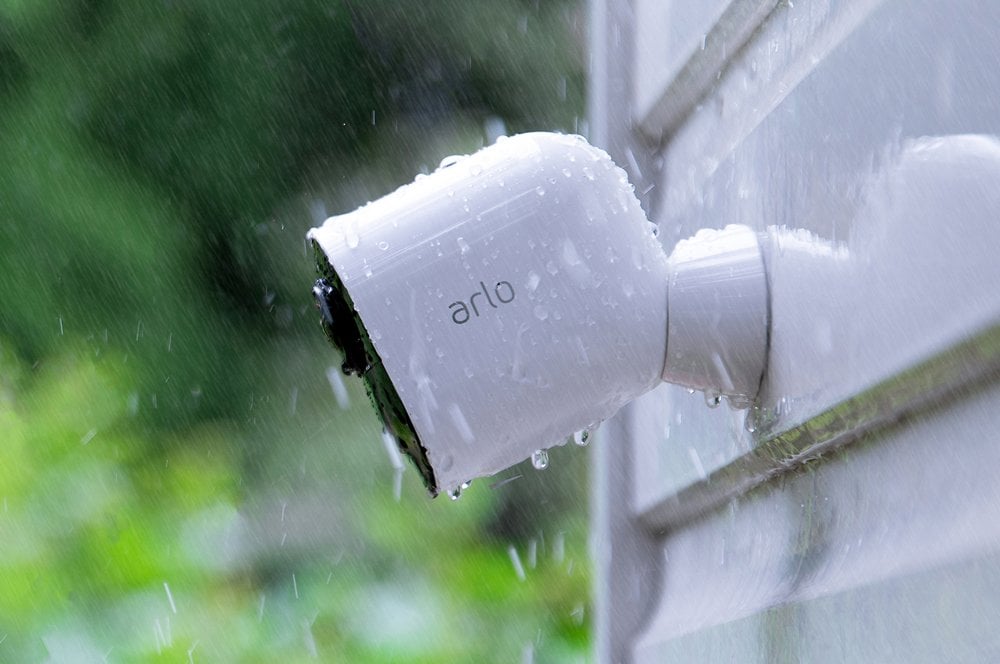
Plenty of internet connected security cameras have popped up in recent years, from manufacturers such as Arlo, Nest, Ring, and D-Link. There are completely wire-free options that use battery power, while others require mains power. In addition to keeping an eye on your home, these cameras can typically integrate with other smart home devices. For example, if your smart camera detects motion outside, it could automatically turn on a light bulb indoors.
Read more about smart security cameras here.
Smart locks
A smart lock replaces your existing door lock with a digital alternative. The exact setup varies from manufacturer, but these give you the ability to unlock your door using your smartphone. Almost every smart lock allows you to grant temporary access to other users - for example, a cleaner - or one time access to a friend if you're not home. Some smart locks have PIN pads that can be used to bang in a code in lieu of using an app, and some also still have a traditional key option as a fallback.
Smart plug

A smart plug is essentially an intermediary between a "dumb" appliance and a power point. You plug your smart plug into your wall, and then your appliance - such as a heater, fan, or lamp - into your smart plug. You're then able to turn these on and off remotely.
Manufacturers like TP Link, Eve, and Meross are some of your best bet for smart plugs.
Motion Sensors
A motion sensor is exactly what it sounds like - a sensor that detects motion. These are used to in conjunction with other smart home appliances. For example, you could use one to turn a light bulb or fan on if motion is detected. Alternatively, these can also be used to detect the absence of motion. For example, if motion hasn't been detected in a particular room for an hour, you'd use that as a trigger to turn the heater you've got hooked up to a smart plug off.
Smart TV

While smart TVs have "smart" in their name, they're not always part of a smart home ecosystem. The smart part of a smart TV refers to online connectivity - such as preinstalled apps for accessing Netflix, Stan, or YouTube.
There are however some exceptions. If you've got a Google Nest, you can use it to control a TV running Android TV (or with an Android TV device or Chromecast plugged into it). For example, you could say "Hey Google, play The Witcher from Netflix on my TV".
An Apple TV acts as a hub for devices that work with Apple's smart home ecosystem, HomeKit. iPhones and iPads also have hub functionality, but an Apple TV makes sense if you want a hub that never leaves the house.
Almost anything
We're now nearing that point where you can find a "smart" variant of almost anything. These devices aren't necessarily always useful, but if you can think of it, someone has probably shoved WiFi in it. Some washing machines will send you a notification when your laundry is done. There are smart sprinkler controllers to optimise watering your lawn. There are smart blinds that open and close on a schedule.
But there also weirder smart products. We're talking about products like smart fridges, smart coffee machines, smart kettles, smart toasters, smart irons, and more. Sure, there's a novelty to having an internet enabled toaster, but is it actually useful? Does it make your life easier? The answer is almost certainly no.
How much does a smart home cost?
A smart home can costs as much or as little as you want. It just becomes a question of working out what you want to achieve. Do you want to make one "room" smart, do you want to automate your entire house?
For example, there's potentially a huge difference in cost between putting smart bulbs in your living room and putting smart bulbs in every room. Even then, there are plenty of different kind of smart bulbs to choose from. If you want to be thriftier, the best option is a basic smart bulb that only operates at one colour temperature. A bulb like this might cost you between $15 and $20. If you're after a colour changing bulb, you might be up for around $90 depending on the model.
Some devices have integrated smarts out of the box. Big Ass Fans' Haiku can, for example, can integrate with Google Assistant and Alexa, but that means buying an all new ceiling fan. But if you have a floor fan or a pedestal fan, you could retrofit it using a smart plug. While it might not be as sophisticated as a device with integrated smarts, a smart plug will still let you toggle your fan using your phone, your voice, on a schedule, without buying an all new fan.
If you're thinking about starting a smart home, our recommendation is starting small. This way you can get a taste at a somewhat affordable price rather than committing a large amount immediately.
Will setting up smart devices damage your home?
In most cases, installing smart home devices is a dead simple process, and one that won't require damaging or modifying the internal structure of your house. This means most smart home tech shouldn't be a problem for renters
Smart bulbs just go into standard light bulb fittings, for example. You can take them with you when you move, and hope you've got the same kind of sockets at your new place.
Smart plugs just plug into your existing power points, a smart speaker just requires power, and motion sensors often run on batteries. Philips even has a Dimmer switch that you can slap on your wall using an adhesive backing - you don't need to screw it in unless you want to.
Security cameras can be a little trickier, especially if you want them outdoors. In some cases, you'll need both a way to power, and mount them, which could require professional installation. There are options that reduce the amount of work needed however. Arlo has completely wireless cameras for example - they run on batteries. You'll just need to ensure there's a way to securely attach them to your house.
There are of course times when you might need to modify your house to install smart home tech. For example, the downlights in my apartment all have MR11 connectors, but there are no MR11 smart bulbs. If I wanted to replace my downlights with smart bulbs, I'd need to get an electrician to modify the fittings to GU10. This might not be a problem if you own your own place, provided you're happy enough to go with the expense, but is much more complicated if you're renting.
Smart locks are another instance where you'll definitely need to modify your house or apartment. While most smart locks are designed for DIY installation, you'll definitely need permission from your real estate or landlord if you're renting.
What do you need for a smart home

The foundation of a smart home is a robust modem or router. You're going to be adding a whole lot more devices into your home, so you need to make sure your WiFi can handle it.
Even if smart home devices have fairly low data requirements, they still need to communicate with your modem or router, and they're ostensibly competing to do so. The more devices, the higher the chance of a collision between two of them, which in turn means that neither message gets through.
Think of it like a room of 50 people trying to talk to one another. Everyone has something to say, but every time two people talk at once, the whole room needs to be silent for a moment. It would take forever for everyone to have their say.
Overcrowding on a WiFi network can also affect streaming video quality, latency during gaming, and internet browsing speeds.
There's not necessarily an immediate need to upgrade, but there'll eventually be a point where the modem your telco gave you might not cut it, if you end up collecting enough smart home devices. If you're looking to upgrade your modem or router to help support a smart home some of the features you'll be looking for include WiFi AC and dual or tri band support.
You'll also want a reliable internet connection. Smart devices all rely on internet, and if you're in the situation where you regularly get outages, you'll end up with devices that don't function as intended. "Alexa, turn on my light bulbs" will be met with, well nothing.
One of the first big decisions you'll need to make is what smart home system you want to commit to: Google, Amazon, or Apple. Smart speakers like Google Nest, Amazon Echo, and Apple HomePod are among the easiest ways to interact with you smart home and get different devices talking to one another. You may already have the foundations for a smart home if you've ended up with an Amazon Echo or Google Nest through one of the countless giveaways they've been included in.
This is an important decision, because it dictates what devices you can kit out your smart home with. Philips Hue smart bulbs work with all three assistants, but Xiaomi's smart bulbs are only compatible with Alexa and Google Assistant, for example. On the other home, Eve's range of smart home accessories are only designed to work with Apple's smart home ecosystem.
Read more about picking your assistant here.
After you've picked your ecosystem you'll need to work out exactly what your smart home goals are. Once again, our advice is to start small and simple. Pick one room - maybe your living room or bedroom - that you'll tinker with home automation in. Smart bulbs are a natural starting point, but you might be more interested in a smart plug for something like fan or heater. Security cameras are good entry, and pair well with a smart display like the Google Nest Hub or Amazon Echo Show that lets you view the feed remotely.
Once you've spent a little bit of time tinkering with home automation in one room, you then might want to think about what else could work for you, whether that's smartening up another room or dreaming larger with a product like automated blinds. Just don't go out and replace your laundry situation with an internet connected washing machine from the get go.
How to secure a smart home
Home network security is always importantly, double so when your house is full of internet connected devices. There a few super simple tips you can follow to keep your home network safer, however.
- Make sure your WiFi network is secured (you need a password to connect) and ensure the password is strong.
- Ensure none of your devices - such as your router - are still using the default login credentials, such as password for their password.
- Use a unique password for every smart home device that requires you to create a new account.
- Buy devices from reputable manufacturers. No-brand smart home devices from who knows where are a sure-fire way to add a vulnerability to your home network.
- Regularly update the apps and firmware for your smart home devices (some should do this automatically) so that any vulnerabilities that may pop up get addressed.
Alex Choros

Find a better internet plan
Thousands of internet plans unpacked. All the facts. No surprises.

Related Articles


Internet Plans by State
- Internet Plans in ACT
- Internet Plans in NSW
- Internet Plans in NT
- Internet Plans in QLD
- Internet Plans in SA
- Internet Plans in TAS
- Internet Plans in VIC
- Internet Plans in WA


![[Hand-Picked] Best internet providers in Australia](https://r3.whistleout.com.au/public/images/articles/2026/07/man-and-woman-with-laptop-on-green-couch.jpg?w=280&h=280&usm=20&usmrad=0.8&fit=crop "[Hand-Picked] Best internet providers in Australia")

