

Apple HomePod Review: The Verdict
Apple's HomePod is the best sounding smart speaker around, but it's far from the smartest smart speaker. Truly excellent sound quality is offset by Siri's comparatively limited capabilities and how entrenched HomePod is in the Apple ecosystem. A few ifs-and-buts coupled with the $499 asking price mean Apple's first smart speaker is best suited to existing faithful. HomePod isn't something you buy on a whim.
What we love
- Fantastic sound quality
- Responsive microphones with long range
- HomeKit is a promising smart home platform
What could be improved
- Well and truly locked in the Apple ecosystem
- Limited third party support
- Voice isn't always the best option for specific music requests
The essentials
- Sound: Best in class
- Smarts: Handles basic requests, but doesn't have the same range of skills as Alexa and Google Assistant
- Ease of use: Super simple setup, and very easy to configure HomePod to work with compatible smart home accessories
80/100
$499
Apple's HomePod succeeds at being a smart speaker you'll actually want to listen to music on, but is a little limited when it comes to smarts. Whether or not this is forgivable depends on exactly what it is you want out of HomePod.
HomePod genuinely sounds great, as it should for $499. Yet, given the tiny size, this is surprising. If you want to get nerdy for a second, HomePod uses the brain of an iPhone 7 to ensure music sounds its best. It's able to crank up specific frequencies while reining in others on a track by track basis. This, for example, means you can get a massive bass hit while still retaining a sparkly distortion-free high-end. Even when you max out the volume.
Bass is easily the highlight when it comes to HomePod's sound palate. The overall mix is clear and balanced, but the speaker is capable of going deeper and lower than you'd expect. Bass frequencies feel richer and punchier than they have any right to, which results in what we'd call quite a full overall sound.
While HomePod doesn't have a great deal of stereo-separation, it makes up for this with presence. If you've got the HomePod against a wall, it will bounce certain elements off the surface to give a track a larger feel. It won't replicate a stereo speaker setup, but it means your music never feels flat.
Everything we played on the HomePod sounded excellent, whether it was pop, rock, hip hop, electronica, or death metal. It's easily the best small speaker we've listened to, and the best sounding smart speaker on the market. And HomePod is even better as stereo pair. We were only given a short demo of stereo functionality (this feature isn't available yet), but the combined might of two HomePods left the floor shaking. I'm not exaggerating.
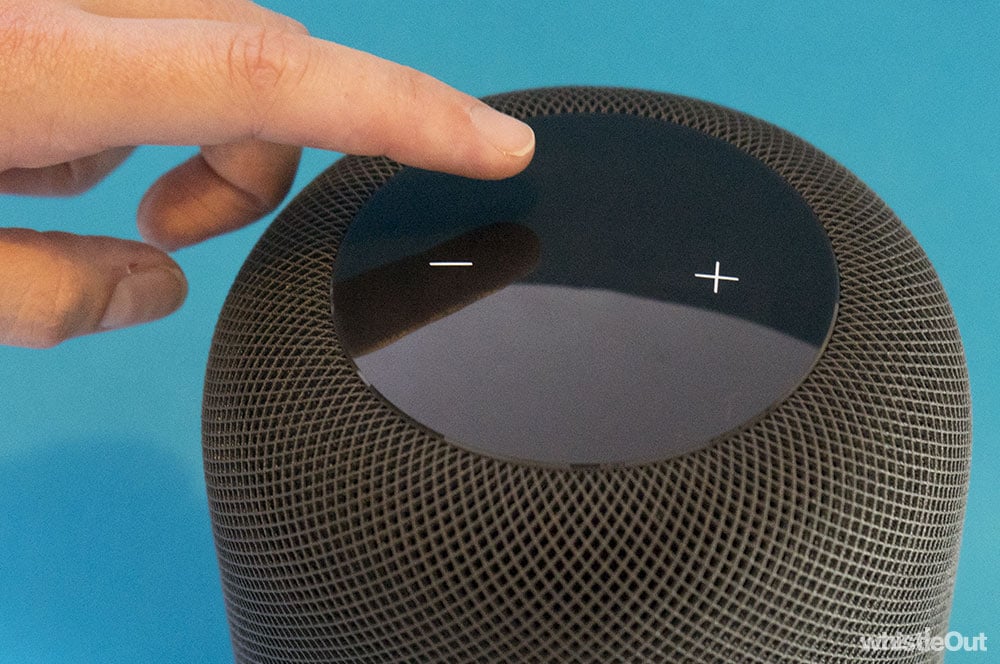
DJ Siri
The main way you'll interact with HomePod is your voice. Assuming you have an Apple Music subscription, getting tunes going is as simple as saying "Hey Siri, play me something I'll like".
I've been an Apple Music subscriber for a while now, so the Siri seems to have a good understanding of my taste (the first song she played was by industrial death metal titans, Strapping Young Lad, #bless). Better yet, these playlists don't just seem to be completely random. I could be imagining it, but the service appears to group songs by genre, by intensity, and by mood, which makes for a more cohesive listening experience.
I trust Siri as a DJ, which in turn has me playing music at home more. It removes that element of choosing what you want to listen to, while still ensuring you get tunes you enjoy. It's really nice to get home, shout out to Siri, and get music you like without having to think about it.
If you're in the mood for something a little more specific, you can use more descriptive commands, for example:
- "Play something calming"
- "Play something upbeat"
- "Play music from the 90s"
- "Play some death metal"
- "Play music like Run The Jewels"

Ifs and buts
There's a lot to love about HomePod, but you have to be an Apple lover to even consider the purchase.
You can't setup up HomePod without an iPhone or iPad, and you'll need an Apple Music subscription to get the most of it. At present, you're not able to use voice to play music from any other streaming service (although you can beam it to the speaker from your iOS device). This one's for the converted.
Next up is the price: $499. Again, HomePod is an excellent speaker, but it's expensive. You can almost pick up two Sonos Ones for the same price.
It doesn't help that HomePod is currently missing what we'd call important features. These are all coming in a future software update (soon, hopefully), but HomePod doesn't do stereo-pairing or multiroom audio for the time being. There's currently no way for a HomePod to talk to a second HomePod, or any other speaker; it's just so lonely.
Sure, you might only want one HomePod, but this functionality is present on all competing smart speakers as well as high-end Wi-Fi speakers such as the Sonos family of devices. And you may actually want multiple HomePods, because they sound incredible as a stereo-pair. Or if you're like me, you might just want speakers in more than one room.
(UPDATE 30/05/2018: AirPlay 2 and stereo-pairing is now available as a HomePod update through iOS 11.4)
Of course, the $499 price-tag could put this out of reach. Thankfully, Apple's upcoming multi-room standard - AirPlay 2 - is open. This means you should be able to use group a HomePod with any other AirPlay 2 compatible speaker to have them play the same song in different rooms.
While Siri does reasonable well with broader music queries, voice isn't always ideal as a primary method of input if you want to listen to something specific. Take, for example, this exchange from the other night.
"Hey Siri, play Cattle Decapitation." "Okay, here is 'Californication' by the Red Hot Chilli Peppers."
Close, but no cigar.
"Hey Siri, play Cattle Decapitation." "Okay, here is 'End Game featuring Ed Sheeran and Future', by Taylor Swift."
Well I have no idea how that happened.
"Hey Siri, play Cattle Decapitation." "Okay, here is 'Dead Set on Suicide' by Cattle Decapitation."
Third time lucky.
Cattle Decapitation is a reasonably simple band name. It only gets trickier when your taste in music is as troubled as mine. I still haven't had any luck in asking Siri to play Slugdge or Ihsahn or Drudkh. Sure, there's work arounds - in the case of Slugdge, you can just ask Siri to "play the album Esoteric Malacology" - but it adds friction.
To be fair, this isn't a HomePod specific issue; it's a problem with all smart speakers and the use of voice as an interface.
SmartHomePod
HomePod is a good speaker, but is a good smart speaker? The answer's complicated.
On one hand, Siri is responsive and HomeKit - Apple's underlying smart home architecture - is very good. On the other, Siri can't do as much as its rivals.
Let's start with the positives. Siri is good at picking up your voice over music and across large distances. I can ask Siri to turn on my lights when I walk in the front door without raising my voice, even though my HomePod is down a corridor and on a desk in my living room.
HomePod also acts as a HomeKit hub, which lets you entwine multiple smart home accessories from different manufacturers - such as light bulbs, switches, motion sensors, and more - into a single unified home. LIFX, Philips Hue, and Elgato are currently your main options for HomeKit compatible devices in Australia.
While there's not too many HomeKit accessories available in Australia, it's the platform to beat in terms of simplicity and ease of use. Adding new accessories is as close to plug and play as I've seen with smart home tech, and setting up automation is just as easy. It helps that Siri is speedy at responding to smart home related commands such as turning on lights. Ever so slightly faster than Amazon Echo, although both Siri and Alexa lap Google Home.
It's worth noting that you don't need a HomePod to use HomeKit accessories - an Apple TV can be used as a HomeKit hub, and you can use Siri on your iPhone to control appliances - but HomePod gives you a simple way to expose controls to anyone in your house.
Now to the bad. If you're hoping to use Siri for more than playing tunes or controlling smart home appliances, you're out of luck.
This is compounded by the fact that Siri can't learn your voice (unlike Siri on the iPhone), so if you've got her enabled, anyway in your house can ask HomePod to read your latest message or check your calendar appointments. You can disable this, but then you forego the functionality entirely.
On a similar note, there's no multiuser support. HomePod is linked to one iPhone and one iPhone only. This means HomePod:
- Can only access one calendar.
- Is only linked to one Apple Music profile, so song preferences will only reflect user. Song requests by others may then alter what Apple Music thinks you like, although you can turn this feature off.
- Can only save notes to the linked iPhone.
- Will only send and read messages from the linked iPhone.
This can make it hard for households with multiple iPhones to take advantage of all of the "smart" functionality HomePod offers.
HomePod Siri isn't quite as smart as iPhone Siri. While Apple has slowly been opening Siri to developers on iOS, this isn't the case on HomePod. You can't use Siri to book an Uber, you can't use Siri to order a pizza, it can't interface with your Apple TV, hell, you can't even use Siri to place a phone call. We're hoping that this is something that gets better with time, but as it stands, Siri pales in comparison to Alexa and Google Assistant in terms of breadth of functionality.

Who is HomePod for?
HomePod is genuinely a great sounding speaker, and that alone makes it worth considering, assuming a great sounding speaker is what you're after. If you're predomiantly after smarts, HomePod is limited when compared to the likes of the Echo Dot and Google Home, and there's very little on offer in terms of third party integrations.
If you are considering a HomePod but have concerns as to the smart side of things or multiroom, it might be worth giving it a couple of months to see what Apple's approach to updating and or opening up its little speaker is. Especially because the company's developer conference is right around the corner.
The fact HomePod actually delivers on sound quality is a big tick though. If you get bored of asking Siri about traffic on your way to work or sports scores, you'll still be left with a speaker you enjoy listening to. This makes HomePod a solid choice if you're after an awesome speaker that you can also talk to, provided you're well and truly committed to the Apple ecosystem.
I don't want a HomePod, what else can I buy?
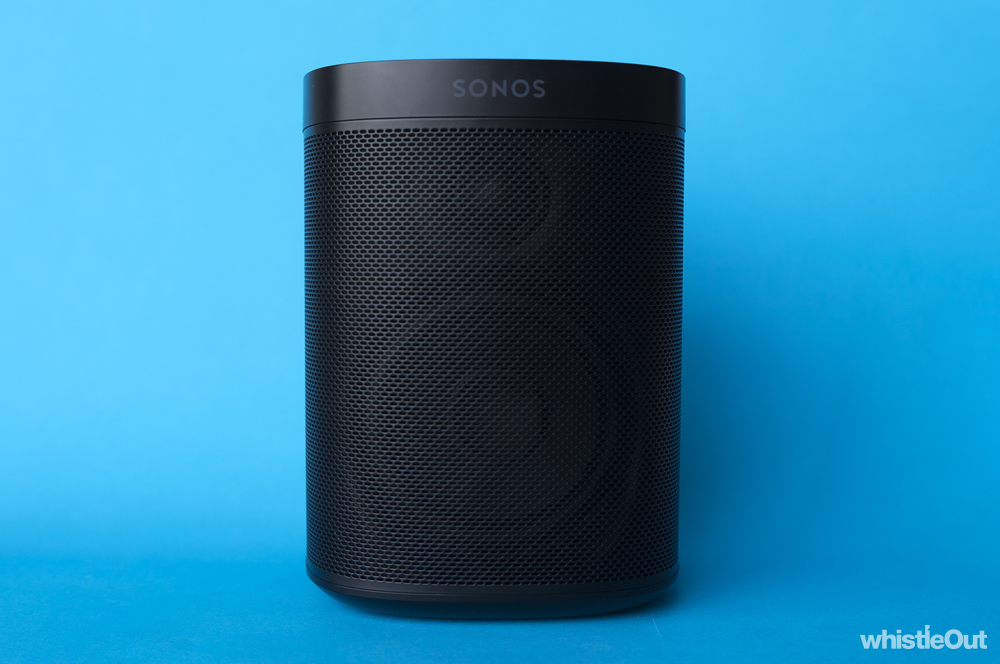
Sonos One
If your primary concern with a smart speaker is sound quality but you don't want to fork out for a HomePod, the Sonos One is an excellent choice. It doesn't sound quite as a good as HomePod, at least in terms of lower end frequencies, but it's still one of our favourite speakers.
The Sonos One supports Alexa, and the company says it will add Google Assistant and AirPlay 2 in the future. Sonos' approach to openness is also evident when it comes to myriad of music streaming services it supports.
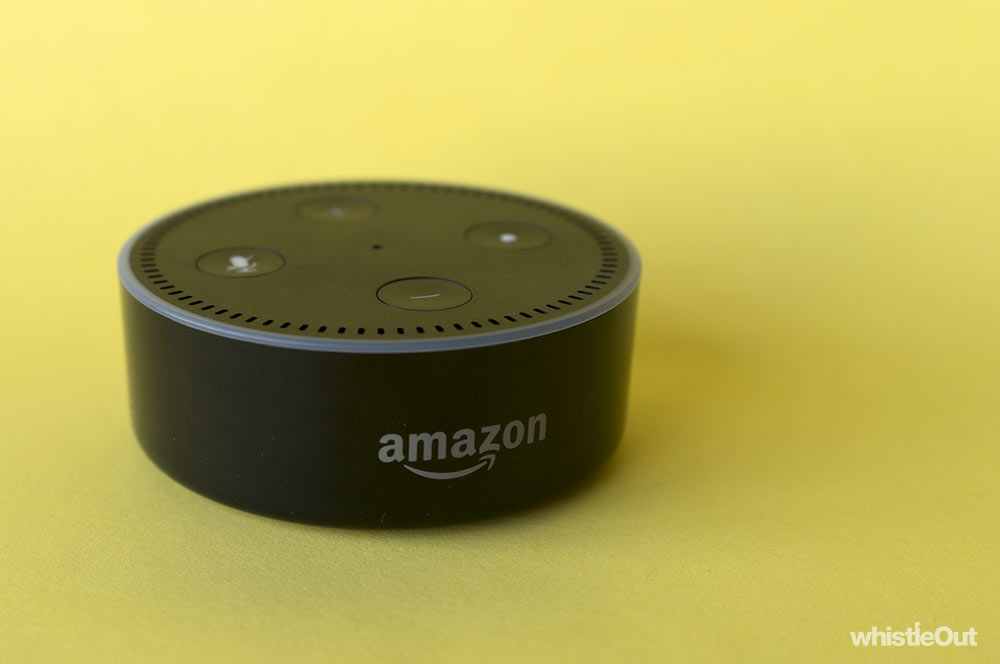
Amazon Echo Dot
If you just want a smart speaker to test the waters, it's hard to go past the Echo Dot. Alexa has a sizeable list of third party integrations, and the $79 asking price isn't too harsh. The Echo Dot is kinda terrible as a music speaker, but you can use Bluetooth or line-in to connect it to something better.
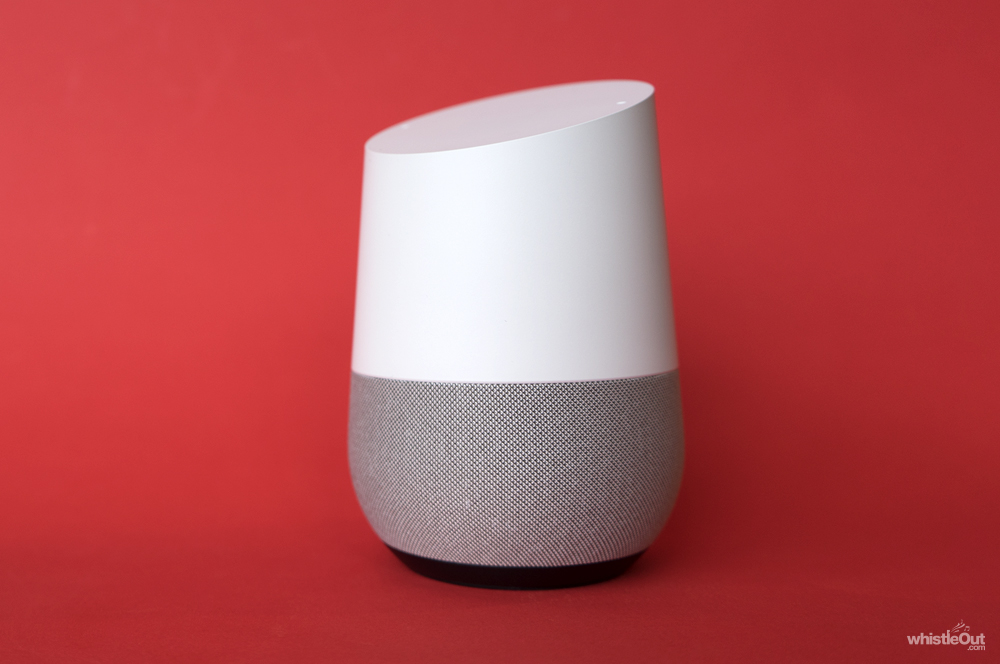
Google Home
Google isn't quite as restrictive as Apple in that it hasn't locked down in its smart speaker to just Android users. If you want to check out the whole smart speaker thing and are already in the Google world in terms of services or other hardware (Chromecast, for example), it's worth considering a Google Home over an Echo in terms of entry-level devices.
Alex Choros

Find a better internet plan
Thousands of internet plans unpacked. All the facts. No surprises.

Related Articles


Internet Plans by State
- Internet Plans in ACT
- Internet Plans in NSW
- Internet Plans in NT
- Internet Plans in QLD
- Internet Plans in SA
- Internet Plans in TAS
- Internet Plans in VIC
- Internet Plans in WA


![[Hand-Picked] Best internet providers in Australia](https://r3.whistleout.com.au/public/images/articles/2026/07/man-and-woman-with-laptop-on-green-couch.jpg?w=280&h=280&usm=20&usmrad=0.8&fit=crop "[Hand-Picked] Best internet providers in Australia")

