

LIFX Smart Bulbs Review: The Verdict
LIFX's range of smart bulbs are an easy go-to option if you want to experiment with smart home technology. They're easy to setup, reliable, customisable, and highly interoperable. And since LIFX doesn't require a hub (which reduces upfront costs), it's easy to start with just a single bulb to see if smart lighting is your thing.
What we love
- Fast, simple setup
- Compatible with every major smart home ecosystem
- No hub requirement
- Great companion app
What could be improved
- Occasional connectivity quirks
- Buying multiple bulbs gets exepnsive fast
- More user friendly with a control mechanism that isn't your phone
80/100
From $35 per bulb
As we inch closer to achieving The Jetsons home automation dream, "smart home" is a buzzword that you're going to keep hearing. You might be anxious about replacing good old fashioned devices with internet enabled ones for the sake of "convenience", but if you want to dip your toe in, smart lighting is one of the easiest ways to do so.
Smart bulbs are light bulbs that connect to the internet. This, for example, lets you turn them on or off where ever you are in the world, from the comfort of your phone. There's so much more to smart bulbs though, and we'll get in some of the reasons you might want to tinker with them later on.
LIFX is one of the major players in the smart bulb space, and has a decent spread of bulbs to pick from. The three standard bulbs are the LIFX Mini, the LIFX A19, and the LIFX + A19 with Night Vision. All three are available in a choice of Bayonet (B22) or Edison (E27) fittings. There's also a range of downlights, light strips and more to pick from, but for this review, we've focused on the Mini and the A19s.
Here's a quick overview of the differences:
- The LIFX Mini is the smallest bulb in the LIFX family, but it's roughly the size of a regular light bulb. It's 800 lumens, and it comes in three different models: white only, "Day & Dusk" (these offer a range of white tones, rather than a single white or a full colour pallete), and Colour. These are $34.99, $44.99, and $69.99 per bulb, respectively.
- The LIFX A19 is a larger, brighter bulb. It's 1,100 lumen and will set you back $89.99.
- The LIFX + A19 with Night Vision is almost identical to the standard A19, but it can emit infrared light at night. This can be used in combination with a security camera to increase its range. You'll pay $109.99 for this one.
Setting up a LIFX bulb is pretty easy. After you've popped in the bulb into its socket and installed the LIFX app on your phone or tablet, the process is as follows:
- Go to your device's Wi-Fi menu and connect to the network emitted by the bulb
- Return to the LIFX app
- Enter the password to your wireless network
Pairing will take a minute or two, but after this, you're finished. Since LIFX bulbs don't use a hub, you'll need to repeat this process for each bulb.
If you're in the Apple ecosystem, you're able to use the "Home" app on your iPhone or iPad to setup LIFX Mini bulbs and this makes the process even easier (the A19 supports HomeKit, but the process is a little longer). After you've powered up your bulb, you simply hit "Add Accessory" in Home, and scan the code you get in the LIFX Mini box. It's as close to plug and play as I've seen a smart home accessory get. Setting up a bulb in Home also gives you access to it in the LIFX app.
Once you've got your bulbs setup, you leave them on at the wall, and then use your phone, tablet, or another device to control them.

So what can you do with LIFX?
The "smarts" in LIFX bulbs means you can control your bulbs over the internet. On a basic level, this means you can turn them on and off, dim them, or change their colour from your phone, even if you're not a home.
The LIFX app also makes it very simple to automate your bulbs with an incredible amount of customisation. It's not just about setting a time for a bulb to turn on or off (but you can do that too). Options include:
- What time the automation occurs. Sunrise and sunset can be used as a basis for this too. For example, one hour before sunset at your location.
- What the light does; whether it turns on, off, dims, or changes colour.
- The amount of time the automation takes; you can have your light fade off over a single minute, or as long as over the course of an hour.
- What days the automation runs; an automation can occur every single day, or just on Tuesdays, for example.
With this is mind, you might configure your bulbs to turn on at sunset set to a bright, white light. You could then have a second automation that kicks in at 10pm that slowly turns them off over an hour, with the colour temperature shifting to something more incandescent. For weekends, you could set the automation to trigger at midnight instead.
You get even more options when you pair LIFX bulbs with other devices. The bulbs work with Amazon Echo, Google Home, and HomePod, which means you can ask your smart speaker to turn them off or on or dim them. You could pair them with a smart motion sensor to have them turn on when motion is detected at home after a certain time.
I've got a button on my Apple Watch watch-face that gives me quick access to lighting controls, so I can adjust my lights from my wrist.
Alternatively, you could connect LIFX bulbs to IFTTT (a website for connecting disparate appliances and services) and configure them to respond to your phone's GPS. If you're getting close to home, your lights will turn on. IFTTT also has a few fun "recipes" that can be used to trigger LIFX bulbs on other events. For example, you could have a bulb flash when you get a new email, although this could get annoying quickly. But hey, the possibilities are there.

Who are LIFX bulbs for?
LIFX bulbs are a great option for anyone who wants to start tinkering with a smart home. They're easy to setup, reliable, highly customisable, and can integrate with almost any smart home platform. And since you don't need a hub, you can even start with just a single bulb to place in a lamp, for example. But before you commit, there's a few things you should consider.
Firstly, which lighting fixtures you want to make "smart" and whether this will add utility. I like having smart bulbs in my living area, but found them less convenient in my bedroom. While I keep my living room lights for most of the evening, this isn't the case for my bedroom. Grabbing my phone, or asking Alexa or Siri to "turn on the bedroom" (phrasing aside) became particularly awkward when just popping into a room for a few seconds. Flicking the physical switch in these situations is just so much easier. Of course, this could be addressed by putting a motion sensor near my bedroom door, but this brings me to my second point.
You'll need to consider how you want interact with your lights. Turning off the lights at the wall completely kills smart functionality, so you'll need to work out a different solution. You can use your phone, but this means opening an app or a widget on your phone every time you want to turn a light on or off. And this also means everyone in your household needs the app setup on their device, which in turn can be annoying if you have guests. I feel smart bulbs make more sense when you have a smart speaker to go with them (so that you can ask Alexa or Google or Siri to turn a room on or off). Other options include smart switches and motion sensors.
And lastly, while I've found LIFX bulbs to run smoothly for the most part, there's been times I've had to troubleshoot (which is understandable, given who that smart home tech is in its infancy). I've been testing the current generation of LIFX bulbs for a just over a month now, and I've had about three instances where I've had to reset a bulb because it stopped responding. At the worst, this has meant toggling a physical light switch; it's a minor hassle, but it can make the smart home experience a little less seamless. As an early adopter, I'm willing to accept this, but if you're not in the same boat (or are living with others who aren't), you might want hold off from going smart for now.
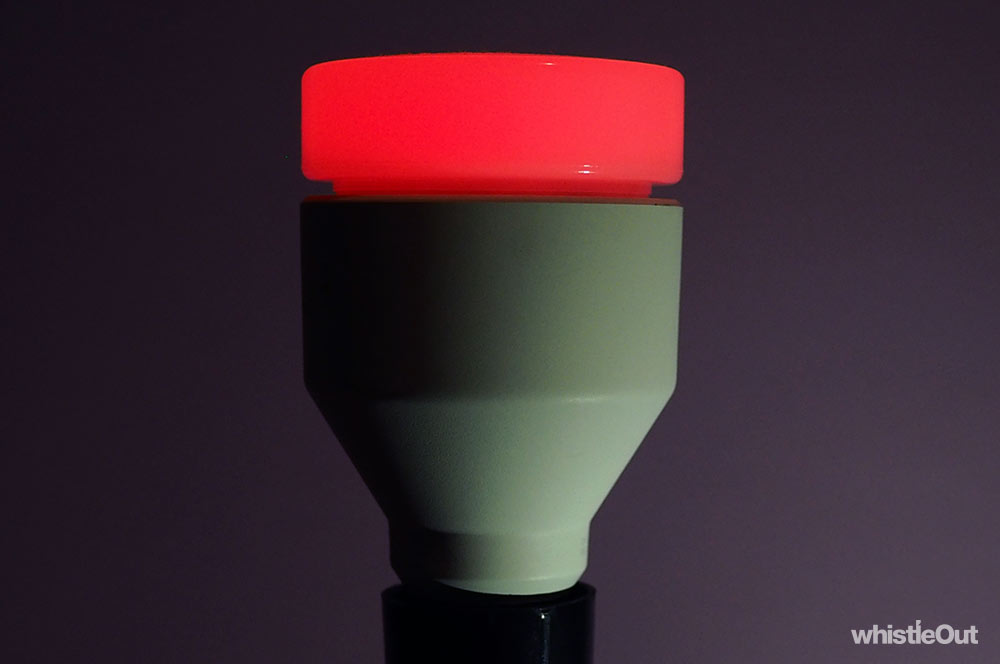
Which LIFX bulb should you buy?
If you're ready to make your home a little bit smarter and are sold on LIFX, you've now got to make the choice of which bulb to buy. In most cases, we think the LIFX Mini is the best pick. Specifically, the $44.99 Day & Dusk model.
While being able to adjust the colours on your smart lights is nifty, it's not something I've done a lot in my years of testing smart bulbs. I might do it about once a month when I've got friends over, but I'm not sure coloured globes are worth paying a $25 premium for. At least not for every single socket.
On the other hand, the Day & Dusk bulbs are a bit more versatile when compared to plain, old white, and make the smart functionality a bit more versatile. For example, you could have them switch on at a cool, bright white at sunset, but have them slowly shift to a warmer hue as the evening progresses. (Warmer lights are said to be more relaxing, and in turn, help us sleep better.)
If you need a brighter bulb, the 1,100 lumen LIFX A19 is worth considering instead, especially if you've only got a single socket in a decent sized room. 800 lumen can feel a little dim when it's just a single bulb. The A19 is also fine to use in outdoor fixtures that aren't directly exposed to water, while the Mini family isn't.
The LIFX + A19 is LIFX's priciest standard bulb, and it's a bit niche. If you've got security cameras in your house (or a planning to get some), the infrared light could be useful in extending their range, but you'll want one of the other LIFX bulbs otherwise.
I don't want LIFX bulbs, what else can I buy?
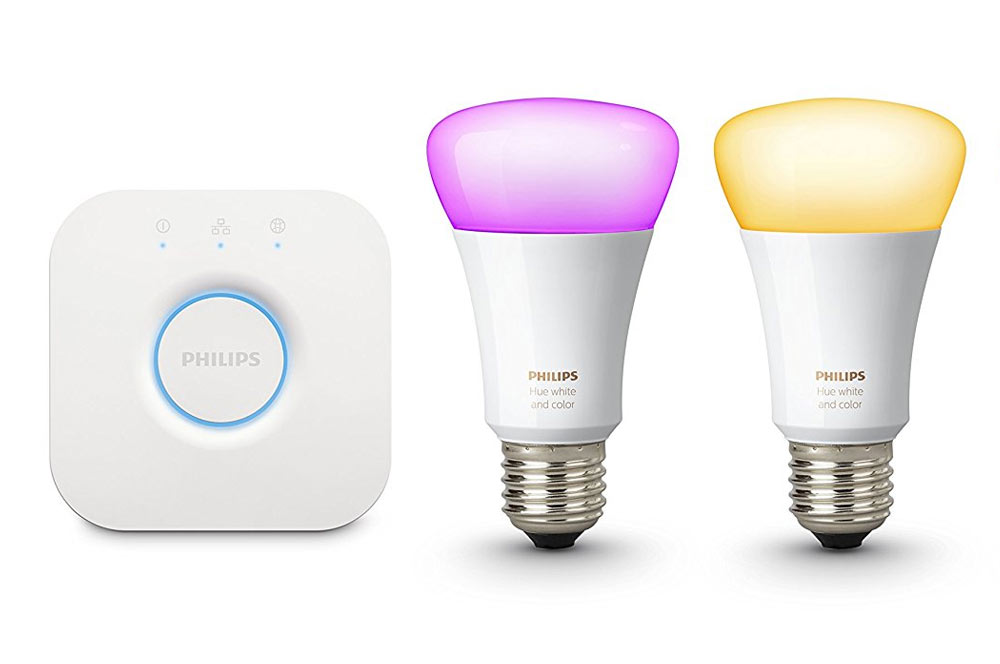
Philips Hue
Philips' range of Hue bulbs are the other big player in the smart lighting space. The key difference between Hue and LIFX is that Hue bulbs require a central hub. This makes the initial upfront cost higher, but Philips has a larger product family including motion sensors and smart switches. Hue bulbs also work with Amazon Echo, Google Home, and HomePod.

Xiaomi Yeelight
Yeelights are some of the cheapest smart bulbs around - you can get a colour bulb for around $28 - but they're not sold in Australia. As such, your only option for testing these out is importing (there are plenty of sellers on eBay). Much like LIFX bulbs, Yeelights don't need a hub, but they're not as bright as options from LIFX or Hue. Yeelights work with Amazon Echo and Google Home, but not with HomePod.
Alex Choros

Find a better internet plan
Thousands of internet plans unpacked. All the facts. No surprises.

Related Articles


Related Topics
smart home smart bulbPopular Topics
NBN Telstra Optus Streaming Internet Broadband smart home 5G Foxtel modemInternet Plans by State
- Internet Plans in ACT
- Internet Plans in NSW
- Internet Plans in NT
- Internet Plans in QLD
- Internet Plans in SA
- Internet Plans in TAS
- Internet Plans in VIC
- Internet Plans in WA


![[Hand-Picked] Best internet providers in Australia](https://r3.whistleout.com.au/public/images/articles/2026/07/man-and-woman-with-laptop-on-green-couch.jpg?w=280&h=280&usm=20&usmrad=0.8&fit=crop "[Hand-Picked] Best internet providers in Australia")

