
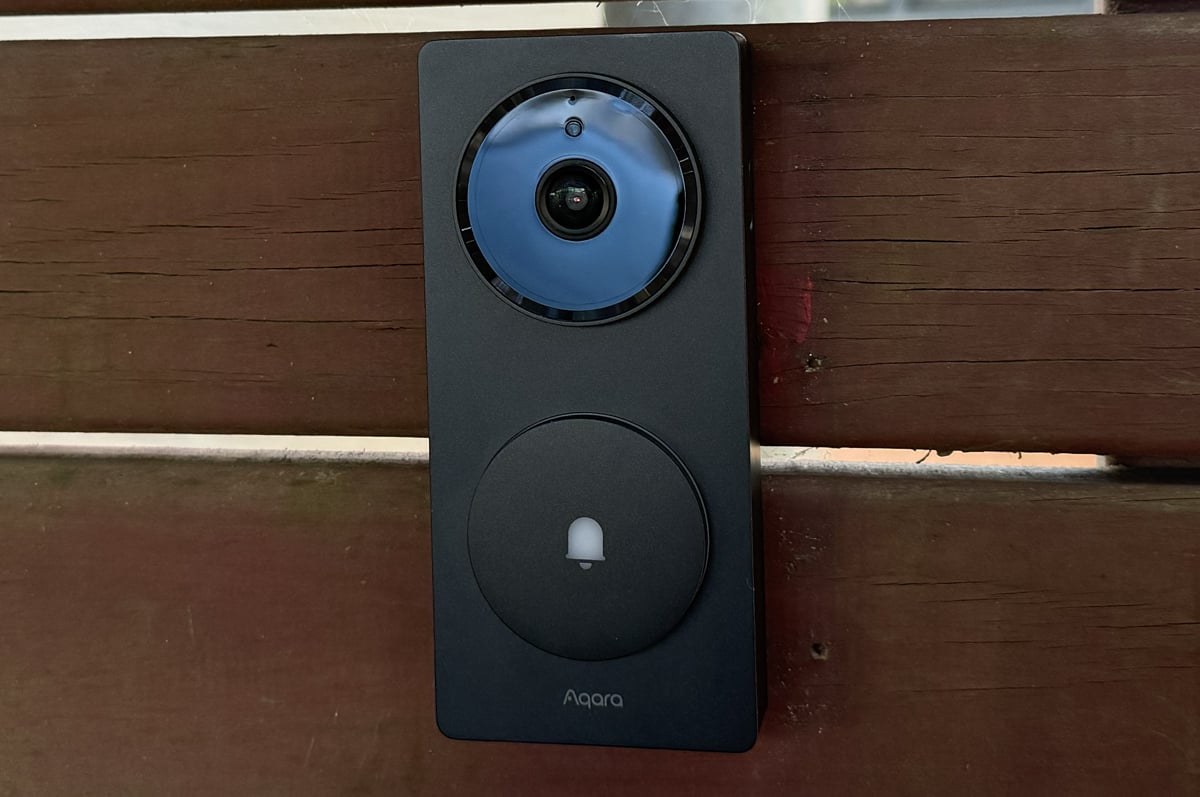
- A wireless HomeKit doorbell you can actually buy in Australia!
- Easy to install
- Full-featured without the need for a subscription
- Slow to start recording
- Can burn through battery very quickly unless you adjust settings
- Not water-resistant
Wireless smart home doorbells are a dime a dozen now. Amazon sells them as cheap as $99 as part of its budget Blink range. What's much harder is finding a wireless doorbell that works with Apple's HomeKit ecosystem.
There are a small number of wired options in the US, but Aqara makes some of the only wireless doorbells that actually support HomeKit. It launched the G4 video doorbell a few years ago, and now it has followed up with the G410. Aqara is your only choice.
I'm glad that Aqara is doing so - in 2021, there wasn't a single wireless HomeKit doorbell you could buy in Australia - but G410 has areas that could use improvement. And a bit of competition in that regard certainly couldn't hurt.
None of this is to say the Aqara G410 is bad. Setup is very easy if you plan on using the doorbell with battery power. You scan a QR code in the Apple Home app, and follow a few prompts. Physical installation is reasonably easy, too. There's a base plate you screw into whatever surface you're mounting the Aqara G410 to, and then the doorbell clips in. There's an extra screw on the side to keep someone from just running off with your doorbell.
In addition to the doorbell, the Aqara G410 package comes with a chime. This also acts as a Thread Border Router and Matter Bridge, and it also has a microSD slot if you want to save footage directly to the device. Footage can also be saved to your iCloud via HomeKit, or alternatively, Aqara has its own subscription too. A subscription isn't required to store footage like it is with many other video doorbells, however, which his a big plus.
HomeKit integration is the clear selling point for the Aqara G410. This allows it to interact with any product in your Apple Home. This can be as simple as having the HomePods in your house ring when someone hits the doorbell, or as complicated as recording rules based on whether or not you're home, based on where your iPhone is. The more HomeKit accessories you have, the more potential for tinkering there is. If you have smart lights out front of your house, you could have them turn on if the Aqara G410 detects motion, for example.
While many will largely interface with the G410 through the Apple Home app, it is still worth installing the Aqara app. This gives you access to extra settings around battery management, such as detection range and anti-theft options.
The Aqara G410 is pretty good in terms of video quality. I'm certainly not expecting cinematic footage from a doorbell, but there's more than enough detail at both day and night. It has a wider field of view than its predecessor, increasing the top and bottom of the shot. This can make it easier to see objects like packages. While the Aqara G410 can do 2K video, this only works if you solely use it through the Aqara app. Video quality is limited to 1200p if you've got the doorbell set up in Apple Home, but this hasn't been an issue.
The Aqara G410 is a little slower to start recording than other doorbells I've tested. If I'm leaving home, it doesn't always start recording or throw a notification, but my previous Ring would. It consistently works when people are approaching my home, however, and starts recording by the time they've reached the doorbell. I don't think this is an issue in most cases, but it may be less ideal if you're relying on it as a primary security system.
When it comes to battery, my experiences have been a little inconsistent. After I first set the Aqara G410 up, it lasted around a month or so on the six AA batteries it came with. I switched to rechargeable batteries after it died, and in some cases, they were running flat after a week.
I eventually made the recording settings more specific; instead of recording on all motion, it only records when it sees people, vehicles, or packages. This has resulted in greatly improved battery life - I'm currently about three weeks in since my last swap. My best guess at the issue was the Aqara G410 detected motion like wind and kept recording for extended periods of time, running it dry in days.
One other related issue is the Aqara G410 doesn't seem to accurately report its battery in either the Home app or the Aqara app. I had instances where it said 20% and then it was dead a few hours later, and currently, the battery is allegedly still at 100% despite weeks of use. I also haven't gotten any notifications about the battery being low from either app. These would have been much preferred compared to just noticing the doorbell being off when I've left home for the gym in the morning.
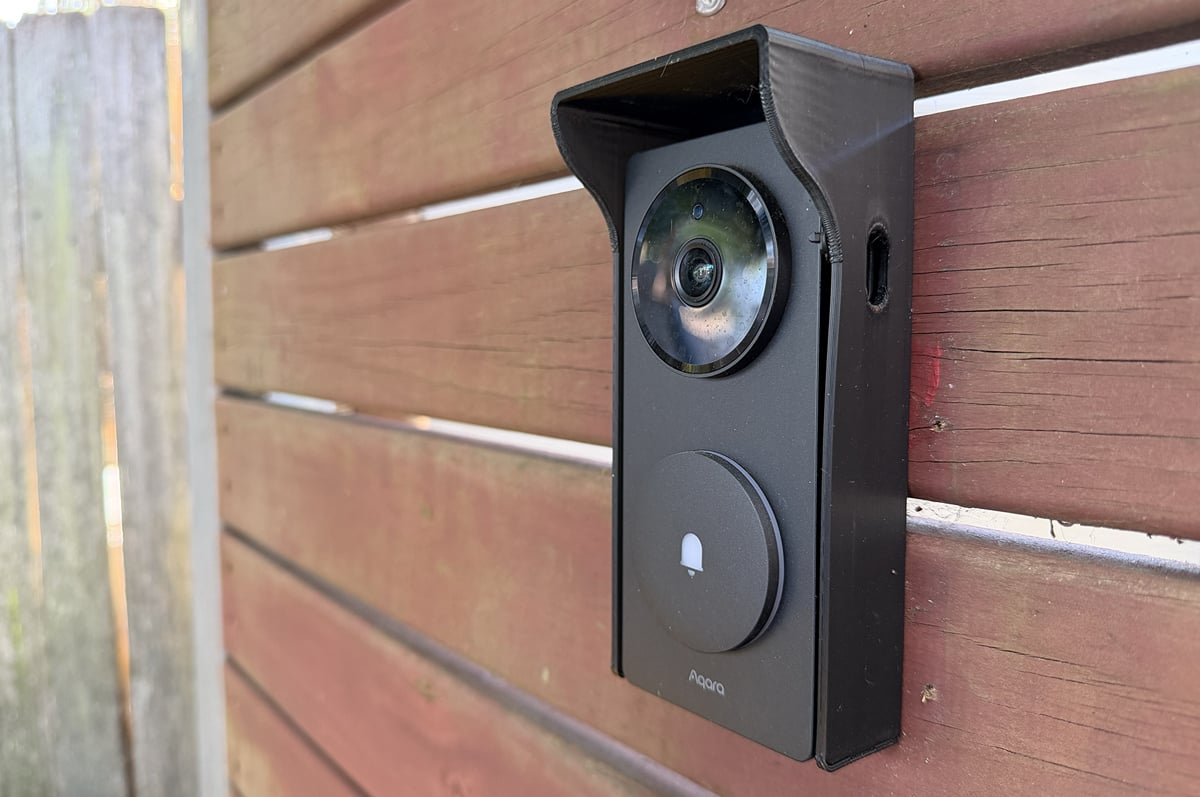
Another area for improvement is water-resistance. The Aqara G410 doesn't have a formal IP rating, which is an odd choice for a product designed to be used outdoors. Aqara recommends you keep it under an alcove. In my case, this wasn't possible, so my partner built a little wooden structure to protect it. Unfortunately, this collapsed in a downpour, but I found a 3D printed case on eBay that does the trick. My unit survived a bit of rain in between the initial cover collapsing and getting the replacement, and it's fine, but I wouldn't recommend the Aqara G410 if you don't have adequate shelter or are keen to get a case.
Note that Aqara sells a case for the previous generation G4 that technically fits the G410, but the design will partially obscure the camera's field of view.
Aqara G410 video doorbell - Final Thoughts
For better or worse, the Aqara G410 is the default choice if you're after a wireless HomeKit doorbell. The video quality is solid, the design is nice, and I love that you can use it without a subscription. I would have liked proper water-resistance, however, and for it to be just a little quicker to start filming. You will also want to invest in some rechargeable AA batteries.
If you're willing to put up with some compromises, the Aqara G410 is a seamless addition to a HomeKit smart home. I can see how some of these may be too big of an ask, however. For some, it might simply be easier to buy a video doorbell that doesn’t integrate with HomeKit, even if it is less convenient.
Alex Choros

Find a better internet plan
Thousands of internet plans unpacked. All the facts. No surprises.

Related Articles


Internet Plans by State
- Internet Plans in ACT
- Internet Plans in NSW
- Internet Plans in NT
- Internet Plans in QLD
- Internet Plans in SA
- Internet Plans in TAS
- Internet Plans in VIC
- Internet Plans in WA


![[Hand-Picked] Best internet providers in Australia](https://r3.whistleout.com.au/public/images/articles/2026/07/man-and-woman-with-laptop-on-green-couch.jpg?w=280&h=280&usm=20&usmrad=0.8&fit=crop "[Hand-Picked] Best internet providers in Australia")

