
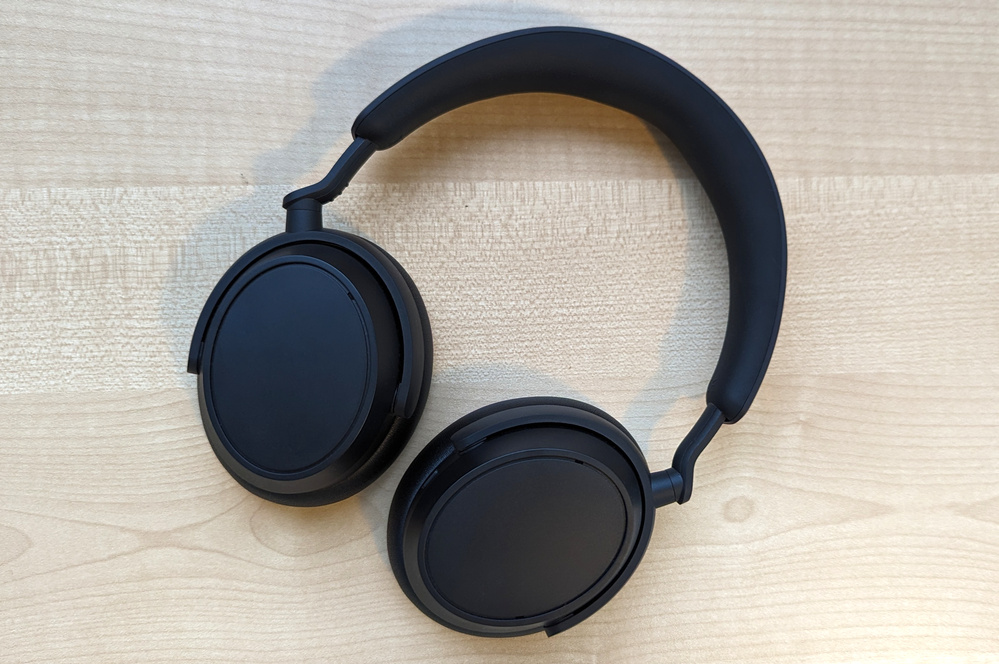
- Comfortable, lightweight design
- Rich bass and sub-bass
- Decent ANC for this price point
- Solid battery life, with caveats
- Controls are over-sensitive
- In-app settings are inconsistent
- Can't turn off ANC/transparency
- Variable sound quality for higher tones
At around $400, the Sennheiser Accentum Plus headphones live up to their mid-range status in an interesting way. Rather than consistently performing well (but not too well), they impress in some areas and seriously underwhelm in others.
The result is a pair of headphones that some listeners will doubtless love, and whose name may be cursed to the sky by others.
What we like about the Sennheiser Accentum Plus
Weight and comfort
Thanks to a weight of under 230 grams, you shouldn’t feel neck strain after long periods of use. The ear cups are generous without being ungainly, and the flexible headband allows hefty heads like mine to have a firm-but-not-too-firm fit, while also catering to base-model humans.
The EQ, mostly
If you’re familiar with standard equaliser (EQ) controls, you should find Sennheiser’s Smart Control app’s EQ settings more effective than most app-based alternatives. Excessive tinkering can affect volume a bit, but in general we found it offered a wide range of audio tuning.
Just make sure you save the default settings as a custom profile to quickly roll back any changes you make – Sennheiser neglected to include it among the presets.
If you’re not an EQ geek, there’s also a Sound Personalisation feature that auto-generates a custom sound profile based on a quick sound test of bass, strings and drums. It’s a great idea for the EQ-uninitiated, with almost great implementation.
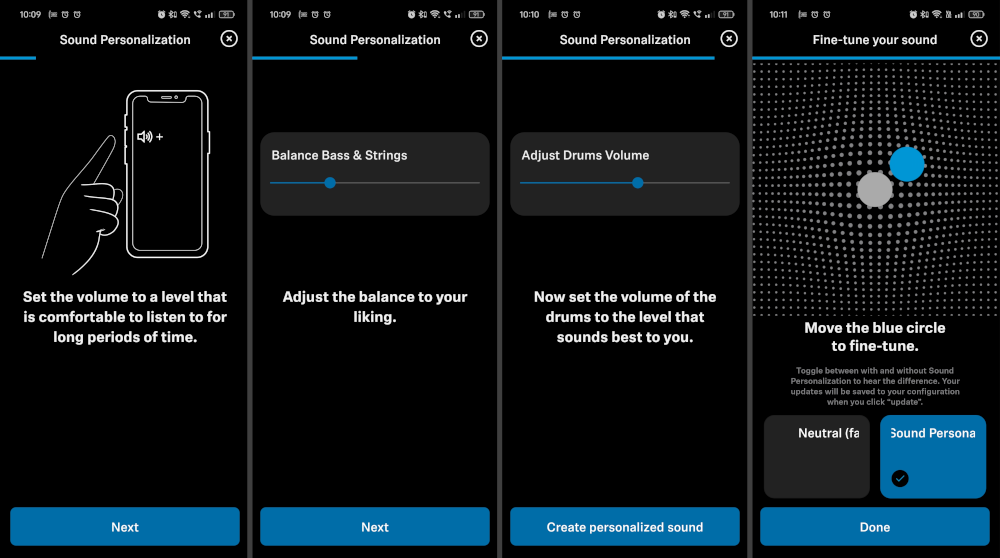
Where it falls short is refining its results after it’s created your profile. Instead of standard EQ sliders that can be intuitively tweaked (even by the novice), Sennheiser leaves you with an obtuse grid of dots, around which you slide a blue circle. A standard EQ interface could potentially make this a game-changing feature. Instead, it’s hit-and-miss at best.

What we almost like about the Sennheiser Accentum Plus
The app, sort of
Sennheiser’s Smart Control app has a lot of features that we’ll cover in their own sections, most of which work well and have responsive, simple controls.
But some settings, ANC strength in particular, can suddenly revert to default. For us, it only happened when the headphones were connected to two devices at once – e.g. a phone and a laptop. But we never quite nailed down the exact trigger.
This got frustrating enough that I stopped re-adjusting the offending settings after a while and resigned myself to the life of a Default Darrel.

The audio, sort of
Depending on your taste in music, even a short session with these headphones might leave you wanting more, or have you find them wanting.
The audio strengths lie towards the bass end of the spectrum. Sub-bass provides a gratifying rumble that’s more felt than heard (though on occasion is a bit over-tuned), and bass tones come through strong. But despite this bassy backbone, there’s not much punch, lacking some distinction between sharper notes, like when your favourite death metal group decides they need a new bass drum, but want an insurance payout for the current model (i.e. every death metal song ever, fight me).
Mid and low-mid tones, like vocals, come through balanced and clear for the most part. But once you get to the higher end of the spectrum, such as electric guitar and high-mid vocals, the audio is generally lacklustre, with a few islands of frequency that are genuinely uncomfortable.
For example, go ahead and jam out to some Carly Rae, but steer clear of "While My Guitar Gently Weeps" by The Beatles. "Emotions" by Mariah Carey won’t give you goosebumps (in a good or bad way, even if she’s your spirit animal), while the guitar solo of "All Along the Watchtower" by Jimi Hendrix might cause the occasional wince. The EQ lets you address these problems to a degree, but we couldn’t eliminate them without messing up the rest of the sound balance.
If you stick to predominantly bassy or low-mid genres like drum and bass, UK grime, bassier rap or hip-hop, or generally chill vibes, you should be in for a good time. But if your beloved tunes also include brighter tones like sharp snare kicks, electric guitar, or vibrant synth, you’ll be better served by something like the Bose QuietComfort headphones.
Sound zones, sort of
This is a feature you’ll appreciate if you need it, and never think twice about if you don’t. Sound Zones use geofencing to switch between ANC settings and preset EQ profiles, based on your location. Create a zone between 100m and 1km in radius, and entering or exiting it will trigger your custom settings – in theory.
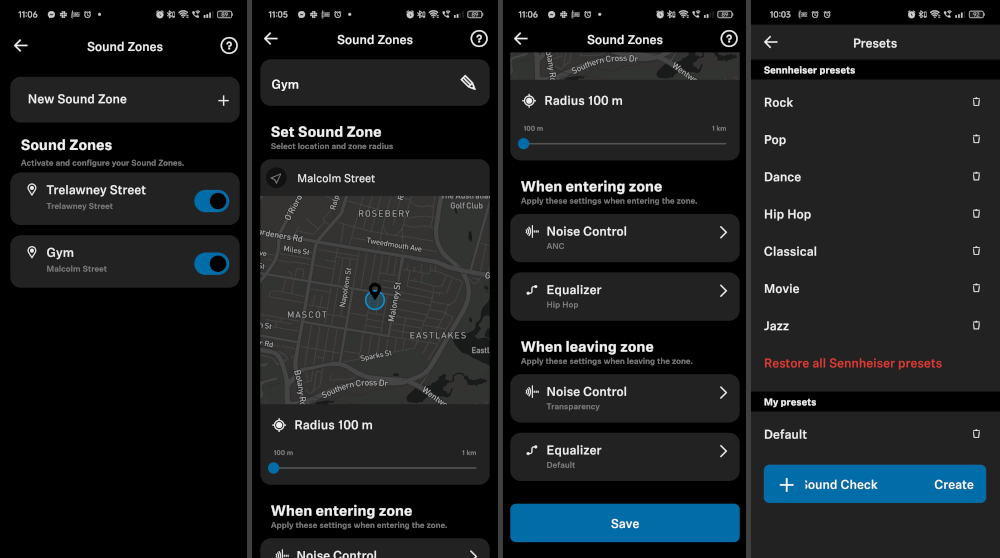
We found the EQ adjustments worked reliably, but whether ANC settings changed was more miss than hit.
Active noise cancellation, sort of
The noise cancellation of the Accentum Plus is good for this price bracket. It won’t block all sound, but it reduces a chunk of traffic and other background noise. Yet this effectiveness comes at a price. While all ANC creates pressure between your eardrums and the driver, it’s stronger than normal with the Accentum Plus – enough that it will likely be a deal breaker for listeners who are sensitive to it, but not so much that ANC aficionados will be turned away.
Why not turn off the ANC? You can’t. You can customise ANC strength via the app on a spectrum between full ANC and transparency modes, but it’s still always on.
Speaking of which, transparency mode is decent – unless you have a fan aimed in your general direction, in which case it sounds like a jet's taking off. You can reduce 'wind noise' in settings, but with only moderate success.
Bluetooth or wired listening, sort of
There’s a headphone cable included, but it doesn’t seem to affect sound quality at all (i.e. no lossless listening), so I will personally judge you if you needlessly use it with a Bluetooth device. This cable only seems intended for connecting to non-Bluetooth devices or listening to your phone while in flight mode.

If you do decide to abandon Bluetooth for madness, be careful if you’re using a USB-C to 3.5mm adapter, which almost all modern smartphones need. With an adapter in play, unplugging the cable in the wrong order before switching back to Bluetooth causes problems. The headphones develop terrible sound quality, lose touch controls, and have whisper-quiet volume until you plug the cable back in and remove it in the ‘correct’ order (on Android, at least).
Thankfully, the order is pretty simple: disconnect the headphone cable from the adapter first, then go with whatever your loony, cable-loving instincts tell you. And the problem only seems to happen with smartphones. We didn’t have any issues when testing with a laptop.
Battery life, sort of
Sennheiser claims 50 hours of playback, which sounds about right, for the most part. This is a pretty solid chunk of use between charges and well worth your attention.
That is, as long as you don’t fall afoul of some idiosyncrasies, which we’ll get to shortly.

What we don't like about the Sennheiser Accentum Plus
The controls, very much so
The Accentum Plus headphones provide both good and bad examples of how to implement touch controls and on-head detection.
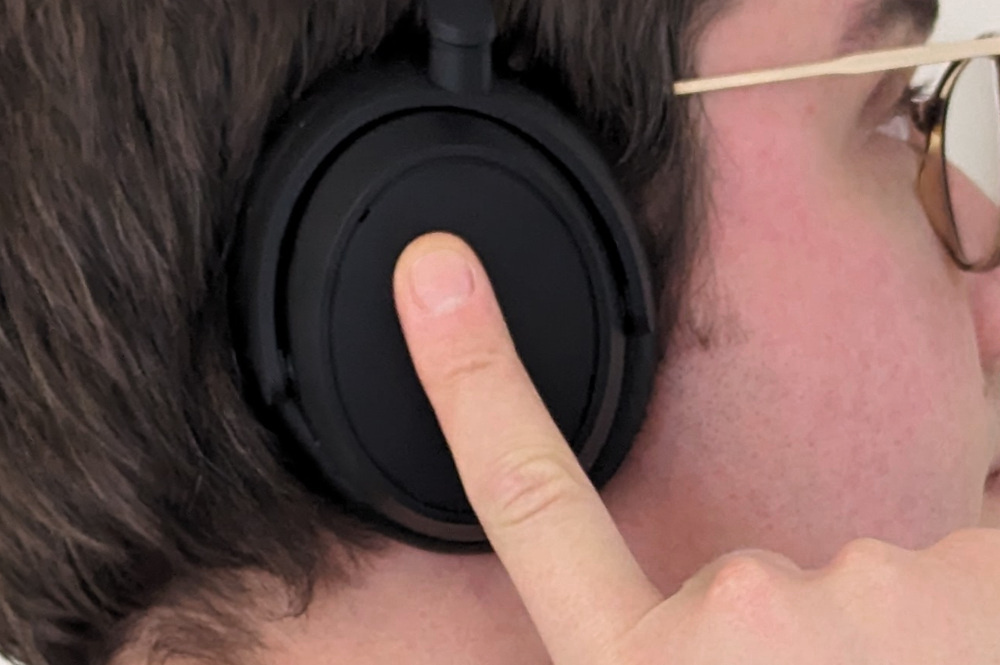
The touch-based playback and ANC controls are all on the right-side ear cup. Tap once to play/pause, twice to switch between ANC and transparency modes, swipe front-back or back-front to skip track, and up or down to adjust volume. So far, so good.
The problem is the size of the touch-sensitive area, which makes it a faff to remove or even adjust the fit without inadvertently activating some command. Accidentally tapping Play while taking them off is all to easy, which can be a big drain on battery if you don't notice.
The on-head detection exacerbates the issue – but you can at least address this via settings. This common feature detects when you’re wearing your headset so it can pause playback when removed or activate sleep mode effectively.
But on the Accentum Plus, even a broad smile, clenched jaw or yawn can trigger the ‘smart pause’. Annoying at first, [censored] after a couple of weeks. There’s also only one on-head sensor, meaning one-ear listening has to be done with the right ear and never the left (assuming you want smart pause enabled).
Mercifully, Sennheiser lets you disable smart pause without turning off on-head detection. Without this, your only option would be turning the sensors off, which means the headphones pretty much never go to sleep. More mercifully, these weren't among the settings that periodically reverted to default.
Sennheiser Accentum Plus - Final Thoughts

Sennheiser is close to a winner with the Accentum Plus, but falls short on ease of use and upper-range audio.
These headphones are light, comfortable, deliver buttery bass, and many of the audio issues can be fixed with manual EQ tweaks. Even so, for some tracks, the degree to which we had to adjust the EQ threw everything else out of whack (and you still might wince, here and there).
Mid-range Bluetooth headphones should be straightforward. You turn them on, they play decent sound, you turn them off. They might also have ANC or some funky app features, but getting things working right shouldn’t need to be your passion project.
Sound balance aside, the real problems stem from the over-eagre controls and default settings resets, which were daily annoyances.
If you’re a fiend for bass or your personal taste just happens to nimbly skirt the islands of frequency where the Accentum Plus fail to deliver, you can tune these into a good pair of headphones and let the sub-bass turn your brain to jelly. But if ease of use out of the box is important, or you listen to music with higher tones, you might want to look elsewhere.
These are the most popular SIM-only mobile plans with WhistleOut users this week:
|
#1
|
SpinTel

Editor's Pick
$23 Mobile Plan
$12.00/mth
Min. cost $12
|
|
#2
|
Boost Mobile

$39 Prepaid
$39.00
Per 28 Day Renewal
|
|
#3
|
Dodo

Editor's Pick
Medium Mobile Plan
$30.00/mth
Min. cost $15
|
|
#4
|
TPG

Editor's Pick
30GB Small Plan
$15.00
Per 1 Month Renewal
Link not supplied
|
|
#5
|
Yomojo

Starter 29GB Plan
$24.90
Per 30 Day Renewal
Link not supplied
|
|
#6
|
Tangerine Telecom

30GB 5G Mobile SIM
$30.00/mth
Min. cost $15
|
|
#7
|
Pivotel

25GB Mobile Swift Plan
$11.45/mth
Min. cost $11.45
|
|
#8
|
Swoop

30GB SIM Only 5G
$14.00/mth
Min. cost $14
|
|
#9
|
Vodafone

$58 Small SIM Only Plan
$45.00/mth
Min. cost $45
|
|
#10
|
felix mobile

felix 25GB Mobile Plan
$30.00
Per 1 Month Renewal
|

Alex Angove-Plumb
Digital Content Editor

Related Articles


