
Apple’s iPhone 14 was an excellent phone in its time – but its time was back in 2022, which means that it’s just starting to hit the point where a lot of people start considering a smartphone upgrade.
Apple has just lifted the veil on the iPhone 17, and when there’s a new iPhone in the offing, it’s a good time to assess whether it’s time to treat yourself to an upgrade.
First stop; let’s compare the specifications of both models of iPhone, working off the baseline lowest storage variants.
| iPhone 17 | iPhone 14 | |
|---|---|---|
| Display | 6.3-inch OLED | 6.1-inch OLED |
| Resolution | Super Retina XDR | Super Retina XDR |
| Refresh Rate | 120Hz | 60Hz |
| Rear Cameras | 48MP + 48MP | 12MP + 12MP |
| Front Camera | 18MP | 12MP |
| Processor | A19 | A15 |
| Storage | 256GB - 512GB | 128GB - 512GB |
| Water-Resistance | IP68 | IP68 |
| 5G | Sub 6 | Sub 6 |
| SIM | Physical + eSIM | eSIM |
| Price | From $1,399 | No longer available |
iPhone 17 vs. iPhone 14: Price
The first and most logical matter to consider is how much you’ll pay for each model of the new iPhone 17.
Here’s the outright price that you’ll pay for each model variant of the iPhone 17, including the Pro variants if your budget permits:
| Phone | RRP | Check price on |
|---|---|---|
| iPhone 17e (256GB) | $1,149 | Amazon |
| iPhone 17e (512GB) | $1,549 | Amazon |
| iPhone 17 (256GB) | $1,549 | Amazon |
| iPhone 17 (512GB) | $1,849 | Amazon |
| iPhone Air (256GB) | $1,899 | Amazon |
| iPhone Air (512GB) | $2,299 | Amazon |
| iPhone Air (1TB) | $3,099 | Amazon |
| iPhone 17 Pro (256GB)* | $1,999 | Amazon |
| iPhone 17 Pro (512GB)* | $2,399 | Amazon |
| iPhone 17 Pro (1TB)* | $2,799 | Amazon |
| iPhone 17 Pro Max (256GB)* | $2,199 | Amazon |
| iPhone 17 Pro Max (512GB)* | $2,599 | Amazon |
| iPhone 17 Pro Max (1TB)* | $2,999 | Amazon |
| iPhone 17 Pro Max (2TB)* | $3,799 | Amazon |
*iPhone 17 Pro and iPhone 17 Pro Max were discontinued in September 2026. While the iPhone 17e, iPhone 17, and iPhone Air got price increases when the iPhone 18 Pro launched, this wasn't the case for the iPhone 17 Pro and iPhone 17 Pro Max. As such, we're still listing their launch pricing here. You should be able to find them cheaper, however.
If you were thinking of more simply replacing your iPhone 14, it’s all but certain you wouldn’t be able to buy an actual new example, though you might be able to acquire one through a merchant selling refurbished iPhones.
If you’re after an iPhone 17 on contract, here’s how much the lowest cost iPhone 17 costs on a 36-month term through Vodafone, Telstra and Optus:
iPhone 17 256GB Plans

|
Optus

$60 Optus Choice Plus Plan
$77.86/mth
Min. cost $1,437.96
|
|
Vodafone

$58 Small Plan
$88.02/mth
Min. cost $1,593.72
|
|
Vodafone
$68 Medium Plan
$93.02/mth
Min. cost $1,598.72
|
|
Vodafone
$78 Large Plan
$98.02/mth
Min. cost $1,603.72
|
|
Optus
$69 Optus Promo Plan
$107.86/mth
Min. cost $1,467.96
|
|
Optus
$70 Optus Choice Plus Plan
$108.86/mth
Min. cost $1,468.96
|
|
Telstra

$84 Essential Upfront Mobile Plan
$117.02/mth
Min. cost $1,622.72
Link not supplied
|
|
Telstra
$74 Basic Upfront Mobile Plan
$117.02/mth
Min. cost $1,622.72
Link not supplied
|
|
Telstra
$99 Premium Upfront Mobile Plan
$127.02/mth
Min. cost $1,632.72
Link not supplied
|
|
Optus
$90 Optus Choice Plus Plan
$128.86/mth
Min. cost $1,488.96
|

iPhone 17 Pro 256GB Plans

|
Vodafone
Editor's Pick
$58 Small Plan
$92.18/mth
Min. cost $2,043.72
|
|
Optus
$60 Optus Choice Plus Plan
$94.52/mth
Min. cost $2,037.72
|
|
Vodafone
$68 Medium Plan
$97.18/mth
Min. cost $2,048.72
|
|
Vodafone
$78 Large Plan
$102.18/mth
Min. cost $2,053.72
|
|
Optus
$69 Optus Promo Plan
$124.52/mth
Min. cost $2,067.72
|
|
Optus
$70 Optus Choice Plus Plan
$125.52/mth
Min. cost $2,068.72
|
|
Telstra
$84 Essential Upfront Mobile Plan
$129.52/mth
Min. cost $2,072.72
Link not supplied
|
|
Telstra
$74 Basic Upfront Mobile Plan
$129.52/mth
Min. cost $2,072.72
Link not supplied
|
|
Telstra
$99 Premium Upfront Mobile Plan
$139.52/mth
Min. cost $2,082.72
Link not supplied
|
|
Optus
$90 Optus Choice Plus Plan
$145.52/mth
Min. cost $2,088.72
|
iPhone 17 Pro Max 256GB Plans
|
Vodafone
$58 Small Plan
$97.74/mth
Min. cost $2,243.88
|
|
Optus
$60 Optus Choice Plus Plan
$100.08/mth
Min. cost $2,237.88
|
|
Vodafone
$68 Medium Plan
$102.74/mth
Min. cost $2,248.88
|
|
Vodafone
$78 Large Plan
$107.74/mth
Min. cost $2,253.88
|
|
Optus
$69 Optus Promo Plan
$130.08/mth
Min. cost $2,267.88
|
|
Optus
$70 Optus Choice Plus Plan
$131.08/mth
Min. cost $2,268.88
|
|
Telstra
$84 Essential Upfront Mobile Plan
$135.08/mth
Min. cost $2,272.88
Link not supplied
|
|
Telstra
$74 Basic Upfront Mobile Plan
$135.08/mth
Min. cost $2,272.88
Link not supplied
|
|
Telstra
$99 Premium Upfront Mobile Plan
$145.08/mth
Min. cost $2,282.88
Link not supplied
|
|
Optus
$90 Optus Choice Plus Plan
$151.08/mth
Min. cost $2,288.88
|
iPhone 17 vs. iPhone 14: Camera

The dual lens arrangement on iPhones hasn’t changed markedly, with Apple often opting for a single wide and ultra-wide lens to take care of your photography needs. For the iPhone 14, that comprises a simple dual 12MP set of rear cameras, plus a 12MP sensor at the front for selfies and FaceID verification.
At the rear of the iPhone 17, you’ll find dual 48MP sensors (wide and ultra-wide) that, as you’d expect, should shoot better than an iPhone from three years ago, partly due to the improvements in the lenses and sensors, but also due to the image processing power of the Apple A19 processor found in the iPhone 17. The bigger technical upgrade is at the front, where the iPhone 17 features an 18MP front-facing camera that should upgrade its clarity for all your selfie needs.
There’s a rather obvious visual change for the iPhone 17 compared to the iPhone 14 as well; where the latter places its rear cameras in a diagonal arrangement, the iPhone 17 has them placed vertically. This doesn’t affect how you take photos with either phone – they’ll still turn out horizontally or vertically depending on how you hold the phone when taking a shot, however. For your purposes, it’s just a style change, effectively.
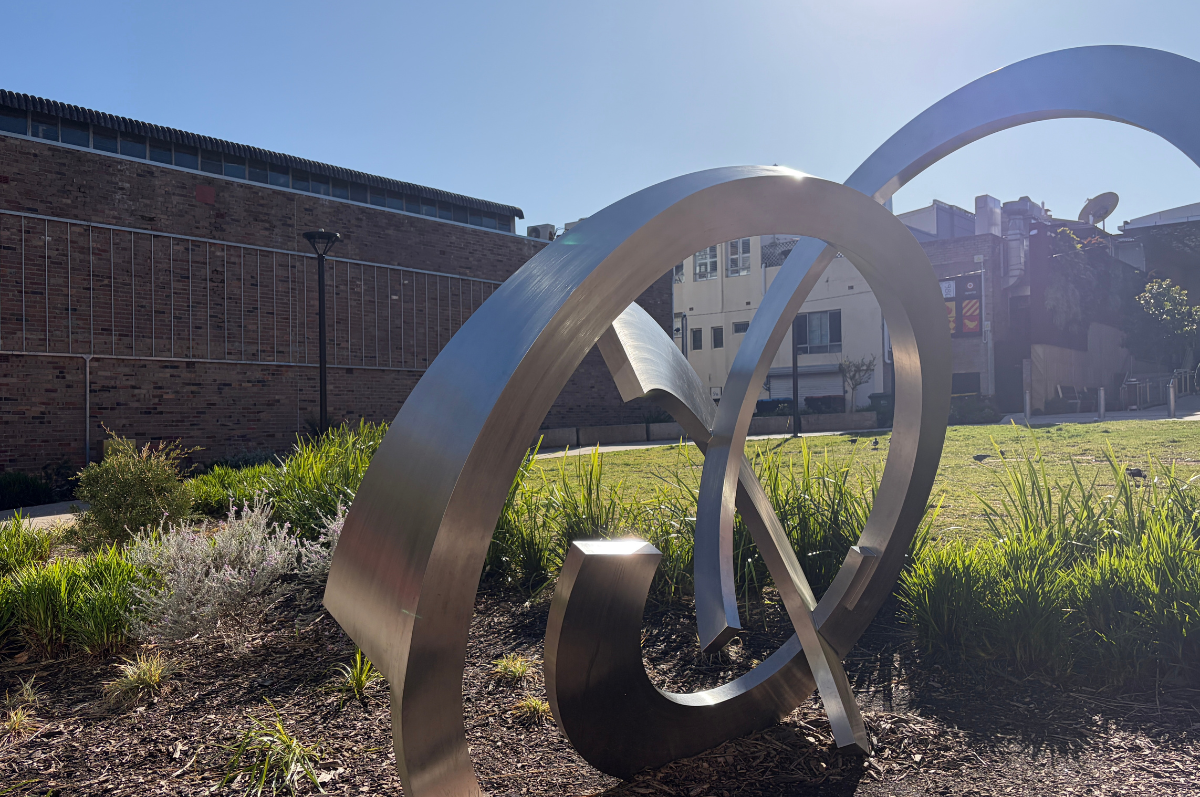
iPhone 17 camera samples
Check out these camera samples taken on the iPhone 17. Click or tap on any photo to see a larger version.












iPhone 17 vs. iPhone 14: Connectivity
The iPhone 14 was Apple’s last generation of iPhone to rely on its own proprietary Lightning connection prior to the iPhone 15 shifting iPhones to USB-C connectivity, which is what the iPhone 17 relies upon as well. If you’re upgrading to the iPhone 17 that does mean your older Lightning cables will no longer work with the newer model, and any other charging or connection accessories would need upgrading as well.
In online connectivity terms, both the Australian models of the iPhone 14 and iPhone 17 support Sub 6Ghz 5G via single Nano SIM as well as via eSIM, though in some markets (such as the USA and Canada) Apple’s opted for an eSIM-only approach if you did opt to import one.
iPhone 17 vs. iPhone 14: Design
The iPhone 17 is sold in Black, White, Mist Blue, Sage or Lavender colours, compared to the Midnight, Starlight, (PRODUCT)RED, Blue, Purple and Yellow finishes that Apple offered the iPhone 14 in.
Coming from the iPhone 14 to the iPhone 17, you’ll also gain access to a couple of additional controls on the iPhone 17, though they’re not new to this model.
On the left-hand side, the ring/silent rocker has been replaced with the Action Button. Don’t panic if you’re a big fan of muting your iPhone, as one of the actions it can do easily is muting, but it’s also a highly flexible input that can be used to control a wide range of iPhone functions.
On the right-hand side, you’ll find the Camera Control, a semi-recessed button that makes it easy to fire up the iPhone 17’s camera and control just how your shot is taken. Again, this isn’t new to this generation of iPhones, but it will be new to you if you upgrade from an iPhone 14.

Dodo's NBN 500 Unlimited plan is our pick for the best NBN 500 plan for September.
|
Dodo

FTTP, HFC
Editor's Pick
nbn500 Unlimited Plan
$62.99/mth
Min. cost $62.99
|
iPhone 17 vs. iPhone 14: Display
The iPhone 14’s features Apple’s 6.1-inch “Super Retina XDR” OLED display with a 2532‑by‑1170-pixel resolution at 460 ppi, whereas the iPhone 17 has a 6.3-inch 2622x1206 pixel OLED.
The display on the iPhone 14 runs at a fixed 60Hz, because at the time, the only way you could get a faster 120Hz capable screen (“ProMotion” in Apple’s language) was to buy one of the pricier Pro-designated handsets. That’s no longer the case, with Apple adding ProMotion displays to the entire iPhone 17. Faster refresh rates allow for smoother on-screen motion, whether that’s in an Apple Arcade game or just scrolling down a web page.
Where the baseline iPhone 14 omitted the Dynamic Island display feature that presents a variety of contextual information at the top of the display, it’s very much a feature of the iPhone 17, though once again that’s not a new feature only for this generation of iPhone; it’s just that when Apple introduced the iPhone 14, the Dynamic Island was reserved for the Pro models that year; it’s now filtered down to the baseline models as well.
Apple has also done some work to try to protect the iPhone 17 a little better with Ceramic Shield 2 display, which is three times more scratch-resistant than the Ceramic Shield glass that Apple used on the iPhone 14. As always, it’s still a risky matter to drop your iPhone, and the use of a case and maybe a screen protector is a wise investment, especially given the cost of official screen replacements if something does go awry.
iPhone 17 vs. iPhone 14: Performance
The Apple iPhone 14 is powered by the Apple A15 Bionic chip, which was a fine performer for its time, but Apple’s made some significant performance strides since then, and its claims around the Apple A19 processor found in the iPhone 17 is that it should offer a significant increase in performance over its older rival, with up to 2x the GPU performance alone.
What that should equate to is apps that load faster and respond more promptly, as well as better support for more performance-intensive tasks such as higher-end apps and Apple AI features.
iPhone 17 vs. iPhone 14: Battery
Apple never officially releases direct figures for their iPhone range, preferring instead to talk around typical usage scenarios. For the iPhone 17, Apple’s claim is that it’s good for up to 30 hours of video playback.
At a direct comparison level, the claim for the iPhone 14 is that it is capable of up to 20 hours of video playback… but there’s a likely catch here.
If you’ve owned your iPhone 14 from new, then you’ve also got three years of not only battery usage but gradual battery degradation to deal with, which means it’s highly likely that you would not be able to hit that 20-hour figure in day-to-day usage. One of the key advantages to upgrading an iPhone (or any smartphone) is getting a truly fresh battery to use.
In our testing, we've found the iPhone 17 is able to get up to seven hours of screen time per charge. That's a full day of moderate usage with a comfortable buffer, and between an hour or two better than what we found when we when we reviewed the iPhone 14 when it first launched.
Should you upgrade to iPhone 17?
The gap between the iPhone 14 and the iPhone 17 is three years, and while that’s a fair amount of time between phone upgrades – you’ve got to be seriously dedicated or perhaps seriously clumsy to want or need to refresh your iPhone with only a one or two-year gap – it’s not a huge timespan either. At one level, if your iPhone 14 is still doing everything you need it to, there’s an argument to stay that you could stick with what you’ve got and wait out this generation.
However, the counterpoint to that is that the iPhone 14 generation is the last of the Lightning-based iPhones, and shifting upwards gets you more convenient USB-C charging as well as new features such as the Dynamic Island, Action Button, and Camera Control to use right away.
The fact that the iPhone 14 isn’t that old also means that it’s more suitable to get a decent trade-in price if you wanted to make something of your existing phone to drop the price of the iPhone 17 even further, something that won’t be quite as true in a year’s time when the iPhone 18 will presumably break cover.
iPhone 17 256GB Plans
|
Optus
$60 Optus Choice Plus Plan
$77.86/mth
Min. cost $1,437.96
|
|
Vodafone
$58 Small Plan
$88.02/mth
Min. cost $1,593.72
|
|
Telstra
$84 Essential Upfront Mobile Plan
$117.02/mth
Min. cost $1,622.72
Link not supplied
|
iPhone 17 Pro 256GB Plans
|
Vodafone
Editor's Pick
$58 Small Plan
$92.18/mth
Min. cost $2,043.72
|
|
Optus
$60 Optus Choice Plus Plan
$94.52/mth
Min. cost $2,037.72
|
|
Telstra
$84 Essential Upfront Mobile Plan
$129.52/mth
Min. cost $2,072.72
Link not supplied
|
iPhone 17 Pro Max 256GB Plans
|
Vodafone
$58 Small Plan
$97.74/mth
Min. cost $2,243.88
|
|
Optus
$60 Optus Choice Plus Plan
$100.08/mth
Min. cost $2,237.88
|
|
Telstra
$84 Essential Upfront Mobile Plan
$135.08/mth
Min. cost $2,272.88
Link not supplied
|
Alex Kidman
Freelance Contributor

Related Articles


