

Verdict
Arlo does a fine job making cameras which are as easy to use as they are attractive to look at. The Ultra 4K kits are expensive, and there are plenty of cheaper options including older Arlo models, but for many the combination of features and its aesthetic will justify the price.
What we love
- Good image quality
- Spotlight is super bright
- Compatible with all major voice assistants
- Magnetic mount makes for simple installation
What could be improved
- Comparatively expensive
- Not enough magnetic mounts for the number of cameras in the box
- Setup took several attempts
80/100
It wouldn’t be too far off the mark to describe Arlo as the Apple of the home security cameras industry, and this would be both a compliment and a criticism.The Arlo Ultra 4K cameras lead the industry in a number of areas, including in specs and features, but also in the recommended retail price.
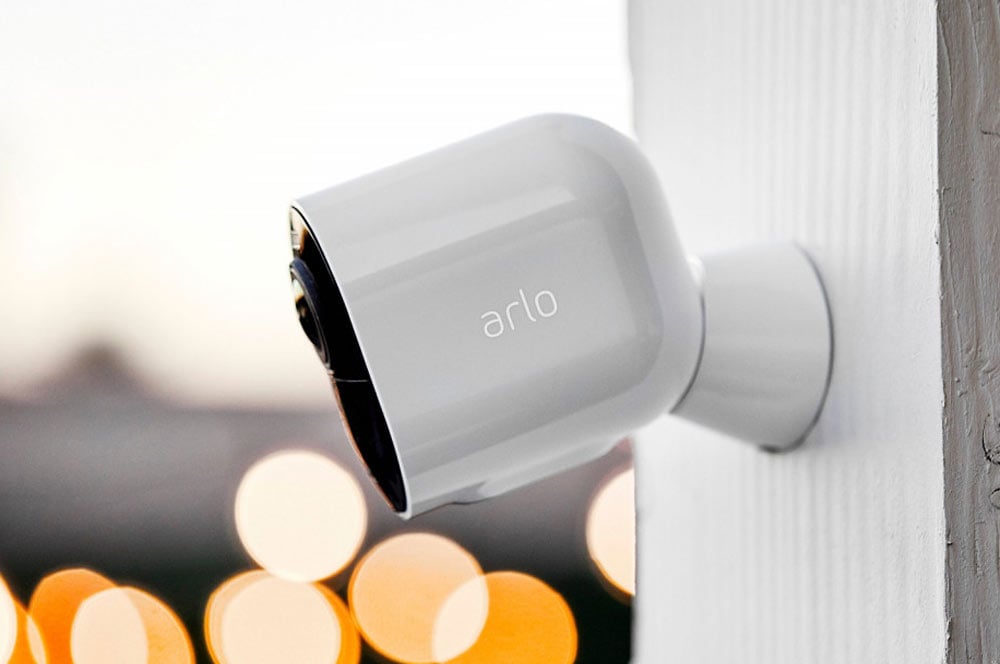
If Apple were to release a range of security cameras we imagine the design of these cameras would look a lot like the Ultra 4K units. Arlo Ultra cameras are glossy, porcelain white, like an Apple Airpods charging case. The design is sleek and seamless, and each unit has a pleasing heft, thanks mostly to the chunky battery you slide inside.
The new Ultra Magnetic Wall Mount included with the Ultra 4K cameras is also rather Apple-esque. Rather than attaching the Ultra cameras to your house with big, ugly screws, the magnetic mount needs just a single (hidden) screw and the camera snaps into place with a powerful magnet. You can turn and tilt the camera on the mount, and the magnet locks it in place.
The comparison was at the front of my mind while I was setting up the cameras with the Arlo app you use to monitor the video output and access recordings and settings, etc. It seems like the setup process is supposed to be as easy as setting up a new iPhone. The app walks you through a few simple steps and promises to do all of the heavy lifting, but it falls short of Apple’s ‘it just works’ mantra. In my experience, I had to reset the app and cameras several times before both of the cameras connected.
The thing is, this isn’t the first time I’ve come across this. I also have an Arlo Baby camera set up at home, and have struggled with this a few times. I know this is a process more complex than it seems on the surface, but if Arlo would like an army of loyal fans, like rabid Apple fans, it needs to continue working out the kinks in these systems.
Now you see me
The big selling point of the Arlo Ultra 4K is right there in the name. 4K resolution may be common in TVs and smartphone cameras, but it is actually an uncommon feature of Arlo security cameras. Arlo isn’t the only company with a 4K product, but major competitors like Google’s Nest only currently sell Full HD (1080p) cameras.
Is this a big deal? It really depends on how you want to use your cameras. The (millions) of extra pixels mean the cameras should be able to capture a lot more detail. Arlo's marketing boasts that the cameras can read the number plates of cars passing your house, or of the getaway car after your home is burglarised.
The higher resolution improves digital zooming too, which is important for the new automatic motion tracking feature. With this mode switched on in the settings, the software will zoom in on moving objects and follow them as they pass through the frame. This is a neat trick when it works, though it doesn’t always nail it. After using the cameras for a short while, I opted to switch the mode off.
The camera also offers a 180-degree field of view mode, which takes advantage of the extra pixels too. This is something that security-minded homeowners will love. The extra wide view means that you may only need one camera cover a large space where you may have needed a second camera previously.
We also love the built-in spotlight on the Arlo Ultra, which is impressively bright. The light is activated by a motion sensor and I’d argue that the surprise of the light blasting on would do more to deter a would-be burglar than about anything else this camera has to offer.
With the spotlight the Arlo cameras are capable of what Arlo calls ‘colour night vision’. What this actually means is that with enough light the cameras don’t need to switch to night vision to capture a clear image.
What’s in the box (and what’s not)
What is easier to factor is the effect that the 4K camera tech has on the price. An Arlo Ultra 4K pack including the base station and two cameras sells for about 50% more than its closest competitors, with an asking price currently over $1000.
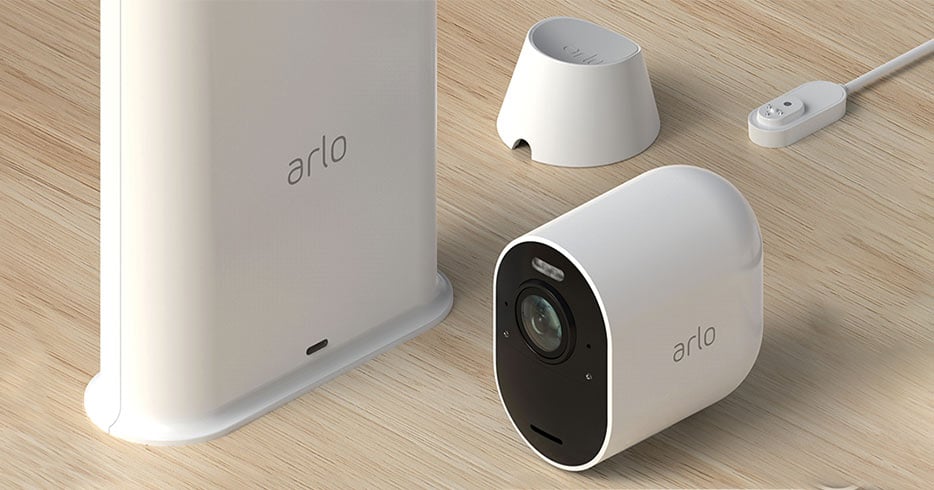
And this is where the comparisons to Apple return, not just in the price premium you’re asked to pay, but in what is included in the box. For some reason, if you choose the pack with two Ultra 4K cameras, you only get one Magnetic Wall Mount and one charging cable. If you opt for the three camera pack, you get two Magnetic mounts and still just a single charging cable. That’s the kind of penny-pinching Apple shareholders would heartily approve of.
If you want an extra Magnetic Mount, you can’t have one. Instead you need to buy two and it costs $69. I’m sure there’s an argument there that you might want to have several mounts installed so you can move the cameras around your house, but I’m not buying it. When you’re paying over $1000 for security cameras, the least you can expect is to have all of the accessories you need to set them up.
You do get a 12-month subscription to Arlo Smart Premier, the mid-tier plan in the Arlo cloud storage service. With the Premier tier plan you can connect up to 10 cameras and store 30 days of rolling video footage. Ordinarily you pay $13 per month for this, so it is a nice bonus.
Who is the Arlo Ultra system for?
Arlo has done a fantastic job designing a security system you’ll be proud to attach to your house. The cameras are small and unobtrusive, and the new Magnetic Mount removes most of the work of installing the cameras and makes it easy to whip them down when you need to recharge the batteries.
The app and online services are easy to learn and use, and though we struggled with the setup process, it has been smooth sailing since.
We’ve focused a lot on the price of the Arlo Ultras in this review, not because we think the cameras are too expensive, but because we wonder whether the extra money pays for meaningful extra functionality. 4K video is nice to have, especially as it gives you more pixels to zoom in on. Software features like motion tracking is cool too, when it works. But whether this is worth a few hundred dollars more is ultimately up to you. If money is no object, then we highly recommend Arlo Ultra cameras.
Joseph Hanlon

Find a better internet plan
Thousands of internet plans unpacked. All the facts. No surprises.

Related Articles


Internet Plans by State
- Internet Plans in ACT
- Internet Plans in NSW
- Internet Plans in NT
- Internet Plans in QLD
- Internet Plans in SA
- Internet Plans in TAS
- Internet Plans in VIC
- Internet Plans in WA


![[Hand-Picked] Best internet providers in Australia](https://r3.whistleout.com.au/public/images/articles/2026/07/man-and-woman-with-laptop-on-green-couch.jpg?w=280&h=280&usm=20&usmrad=0.8&fit=crop "[Hand-Picked] Best internet providers in Australia")

