

Fitbit Versa Review: The Verdict
The Fitbit Versa is a combination fitness tracker and smartwatch for those who want a device that can do it all. Unfortunately, while the Versa is great at being a Fitbit, it's not very good at being a smartwatch.
What we love
- Multi-day battery life
- Water-resistant enough to take in the pool or ocean
- Great fitness and health tracking
What could be improved
- Smartwatch features not user-friendly
- Phone-free music loading very buggy
- Fitbit Pay compatible with limited banks
- Sleep tracking seems to lack insights
70/100
$299.95
I'm not a gym junkie. When it comes to fitness, I try to do the minimum required to not die an early death. I'm not interested in tracking my step count or making sure my workouts push my BPM into the cardio zone. So why on earth did I want a Fitbit?
The answer is, I didn't want a Fitbit. I wanted a Fitbit Versa. I wanted a device that could do it all. A little bit of fitness tracking because sure, why not? Sleep tracking because I really do want to improve my rest. And smartwatch features like phone-free music, tap-and-pay and phone notifications because that would make life just that little bit easier.
But the Fitbit Versa is not a device that can do it all. It's not a good smartwatch. It's not even a very helpful sleep tracker, despite its industry-leading status in that department. In the end, it's really only good at being a Fitbit. And far from getting my dream all-rounder experience, the only thing I really got out of the Versa was learning that I'm not very fit.
The Fitbit Versa learning curve

This was my first wearable device and as such, I was expecting a little bit of a learning curve. But I was also expecting features to be relatively intuitive. And they were, when I was using the actual fitness features. I put on the Versa and it immediately began to count my steps, monitor my heart rate and track my calories burned so it could provide insights into my health and make suggestions for improvements. The Fitbit app kept all this information in an easy to understand interface with default daily goals that I was able to easily adjust to suit my needs.
My problems arose when I tried to use Fitbit Pay and phone-free music. In this regard, the Fitbit Versa app was mystifying. After a solid hunt on day one, I found the set-up for these features. Then I got distracted, forgot where they were and took an actual fortnight to find them again. (They're behind the little symbol of the Versa at the top of the screen.)
It's not that the settings for these features were impossible to find. It just took that extra minute or two of thinking to work out where they were. And when I was busy that minute felt like way too long. Especially given the fact that when I finally found the settings they were weirdly complicated.
- ANZ
- Bendigo Bank
- Commonwealth Bank of Australia
- Latitude Financial Services (Mastercard)
- National Australia Bank
- Westpac (Mastercard)
For example, when I finally found the Fitbit Pay settings and clicked on the link to find out if my bank was compatible, it took me to a Fitbit blog post that didn't actually answer that question. And when I finally found the phone-free music setting it turned out to be just instructions to download a different app onto my computer. And then that app turned out to be super buggy. I got to transfer a total of three songs onto my Versa before the desktop app flat-out refused to work. Ever again.
So, there are three songs on my Versa. And after some Googling it turns out my bank isn't compatible with Fitbit Pay. What fun.
Then we come to the Fitbit notifications feature which allows you to see your texts and calls right on your wrist. This feature worked. But I found it frustrating that Fitbit notifications can only work with one message service at a time. I use three services for my messaging: Facebook Messenger, WhatsApp and good old-fashioned text messages. When I was forced to choose only one, I found myself wondering why I should even bother. I had to keep checking my phone for the other messages anyway.

Sleep tracking lacks insights

Fitbit enjoys a reputation as one of the best wearables for sleep tracking. And indeed the data my Fitbit Versa collected on my nightly rest was pretty impressive. Every morning I'd wake up to a detailed and easy-to-read sleep map on my phone showing how often and how long I was in light sleep, deep sleep, REM sleep and awake.
And this was all very interesting. But I don't really need a wearable to tell me that on Wednesday night it took me a good two hours to nod off. I know that. I was there. What I really need is a wearable that will take that information and tell me what I can do to get better sleep next time.
Fitbit Versa seemed to promise that with offers of "personalised guidance on how to improve your sleep for better overall health." This feature is what Fitbit calls 'sleep insights', and it was the main thing that I wanted to get out of the Versa's sleep tracking functionality. However, it's been more than a month now and I've yet to receive a single sleep insight.
It's possible that I haven't let enough time pass yet. Fitbit does specify that the sleep insights feature relies on your sleep logs. But I'd have expected to see something by now.
But it's a really good Fitbit

I'm being harsh on the Versa. It really is a great Fitbit. Smartwatch and sleep tracking features aside, if you're mainly after a device that will help keep you fit, the Versa does the job, and does it pretty well.
Once I put on the Versa, it started working on my health. By default the Fitbit Versa comes with reminders to move that let me know when I'd been sedentary for too long. These didn't really suit me as my exercise regime isn't step-focused, but I found I was easily able to turn these reminders off and change my main goal to burning calories instead. (Other 'main goal' options for the Versa are distance, active minutes and staircases.)
The Fitbit Versa comes with 15 exercise shortcut options, of which up to 7 can be loaded onto the device. The exercise shortcuts include running, biking, swimming, weights, pilates, yoga, golf, interval training and more. Each loads a customised dashboard onto the Versa to give you insights into your exercise as it happens.
For example, I used the weights workout dashboard for my home resistance training program. The Versa gave me real-time information on how long I'd been working out, my BPM zone (for example, the 'fat burn zone' or the 'cardio zone') and how many calories I'd burned. I could tell this would all be useful information for me to use to motivate and challenge myself if and when I decide to up my resistance training game.
The automatic exercise tracking feature on the Versa was pretty handy, logging not just my actual workouts but also long periods of walking (to and from public transport, for example) which helped give me a clearer sense of how active I am throughout my week.
The Versa has been advertised as having a 4 day+ battery life, and this was definitely my experience. I ended up charging my Versa daily, as it seemed like chucking it on the charger while I was showering would be a good habit. I generally found I had about 85% battery life after one day of use, maybe down to around 70% if I'd used it to run an on-screen workout.
On top of all that,
the Versa also tracked my resting heart rate over time and used it to compare
my fitness level to other women of in my age group. And, oh lord, the results were worse than I'd expected. I was hoping for a score of "average". Turns out I'm on the cusp between "poor" and "fair".
So that's how the Versa got me. Despite the fact that it disappointed me on the major features I wanted it for, I'm going to have to keep using my Versa. Because it gave me tips on how to improve my fitness rating, plus data so that I can track my progress over time. And I think I'll have to do those things, because it turns out once you know your fitness score, you can't unknow it.
Who's the Fitbit Versa for?
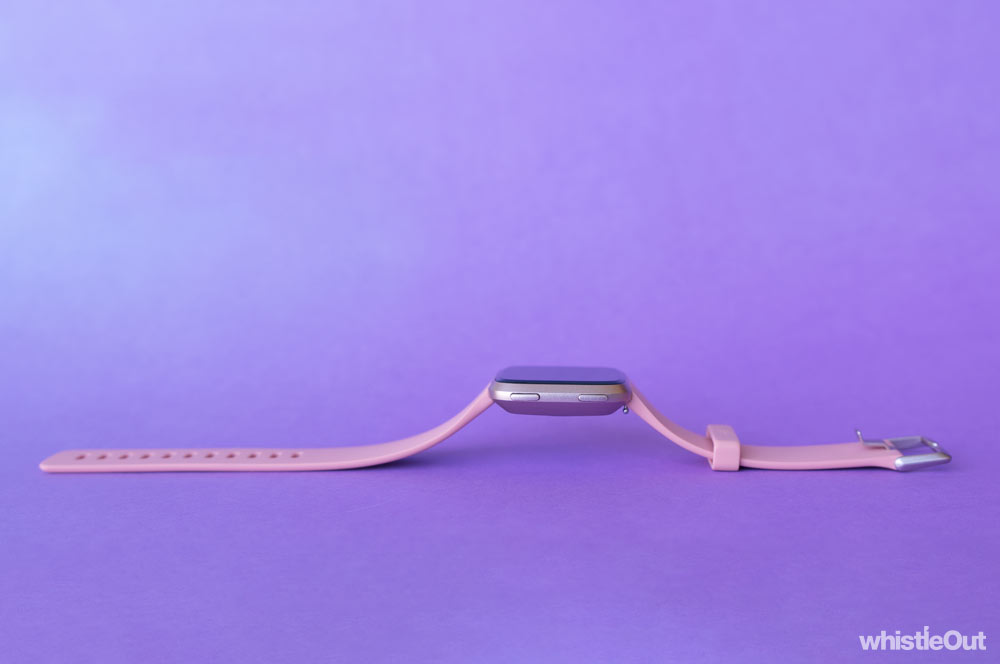
The Fitbit Versa is a great choice for anyone who primarily wants an exercise tracker and wouldn't mind some smartwatch-style extras like phone notifications and Fitbit Pay on the side. (But check your bank is compatible.)
But if you're more interested in smartwatch features than getting or staying fit, choose something else. You won't get the experience you want and you'll end up seriously considering a new, more challenging workout routine. I know I am.
Jacqui Dent
Editorial Strategist

Related Articles


