
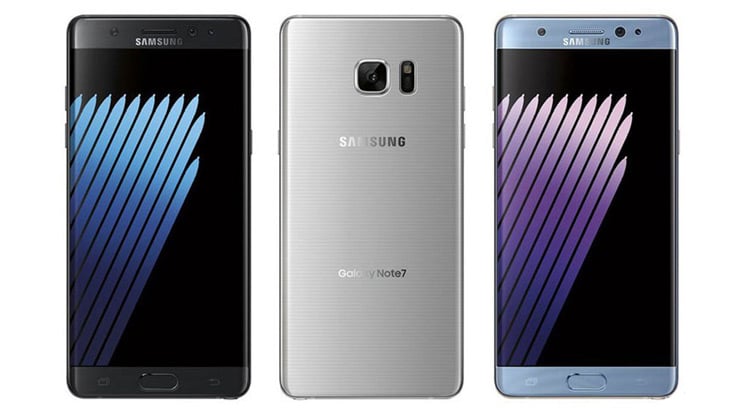
By now, you’re probably aware of Samsung’s decision to recall its recently-released Galaxy Note7 due to safety concerns. Thanks to ‘faulty components’, there’s a risk of your Note7’s battery cells overheating, catching fire and even exploding - and with about 35 reports of phone explosions so far, Samsung isn’t taking any chances.
As well as ceasing new sales of the Note7, the company is asking customers to hand back their already-purchased devices ASAP. If you’re a Note7 owner wondering what to do next, here’s what you need to know.
Firstly, wipe it and turn it off
You may not feel like this is an urgent issue, but it recommended that you stop using the Note7 and return it. The percentage of exploding phones compared with the total number of phones sold is miniscule, but it is better to be safe than sorry. There have been reports of Note7 handsets exploding in Australia, so it could definitely happen to you.
Before you hand the phone back in to Samsung, you should backup your data and factory reset the phone. There are a number of ways to backup built into the phone; either using Google services or you can use Samsung's Smart Switch app to backup the data to a PC or Micro SD card.
How to send your phone back and get another
Samsung is offering all Note7 customers a chance to send the phone back in and the choice of a remedy: either you can wait for a replacement or ask for a refund. If you choose a replacement, Samsung will try and get the new phone to you within 3 or 4 weeks, and in the meantime you can loan a different phone to use until the permanent replacement arrives.
Samsung has set up a webpage where you can request your phone be recalled, and Samsung will organise a courier to bring you the replacement and take away your Note7. If you'd like a speedier resolution, you can take your phone back into the store where you bought it and swap it over on the spot. This applies to all of the telco stores, as well as electronic stores like JB HiFi.
If you have bought your phone from an overseas retailer, your best option is to fill out the form on the Samsung Australia website.

Related Articles


