
Submerging your smartphone in cold water might seem like the obvious answer to overheating, but that seemingly simple solution can do more harm than good.
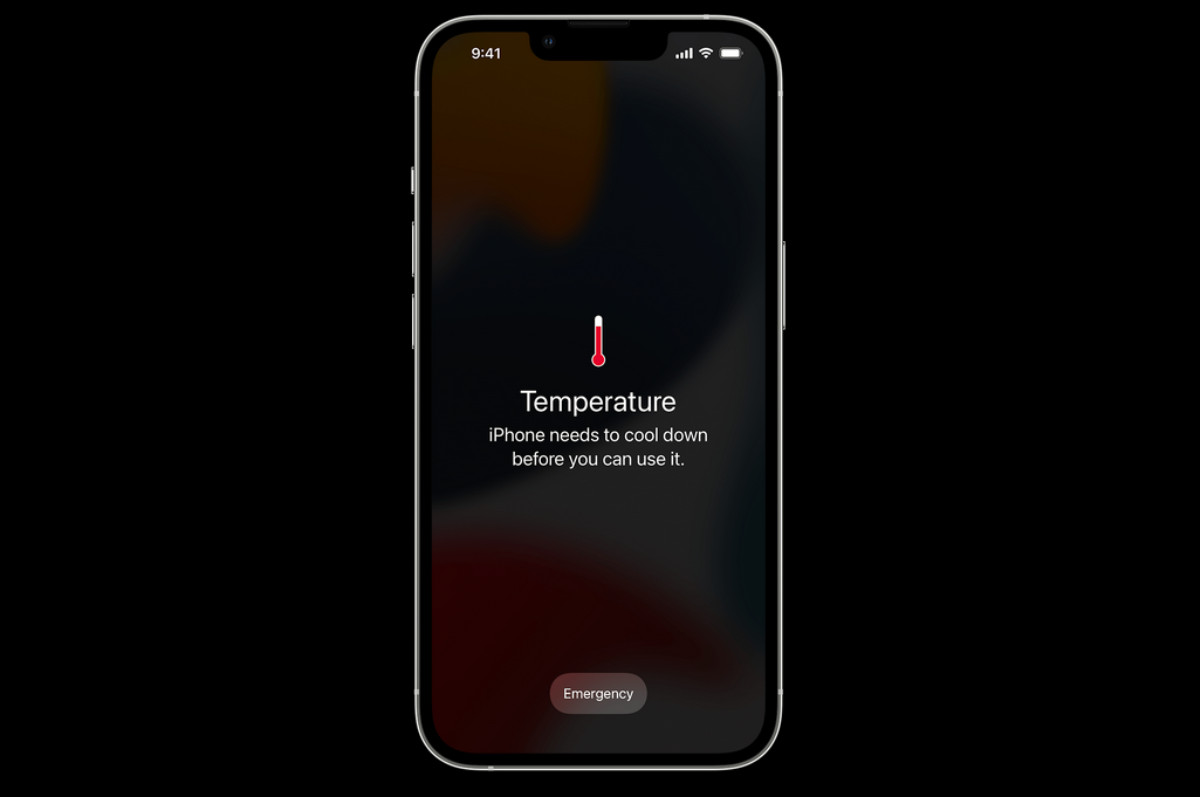
If you’ve ever left your iPhone on the dashboard of your car or next to an open window on a sunny day, you’re probably familiar with the temperature warning screen. Found on both modern Android and Apple devices, this safety feature typically kicks in when your device detects a change in the temperature that’s significant enough to affect its own internal integrity.
While most smartphones can be used in a wide variety of environments, more extreme climates can have a negative impact on the overall health of the battery inside your smartphone. For instance, Apple’s official recommendation is that the iPhone can be used in ambient temperatures between 0º and 35ºC but shouldn’t be left alone when it’s colder than -20ºC or warmer than 45ºC.
Regardless of whether your smartphone is actively in use or sitting in your pocket, it’s always both producing and dissipating some amount of heat. In extreme temperatures, the ability of your device to do that effectively becomes compromised.
If left unchecked, the heat inside your smartphone will build up – which can then cause further problems. In the short term, overheating may affect the performance of your smartphone as the parts within it might not be able to work as intended or might suffer unseen wear and tear under the additional thermal strain.
In the long run, overheating can permanently shorten battery life. In some circumstances, it could even cause something more dangerous to occur as it doesn’t take much to turn an overheating battery into an explosive one.
In a bid to try and prevent outcomes like the above, most smartphones now feature temperature sensors. When these get triggered, features that produce extra heat will get disabled as a precaution. Then, if the temperature continues to rise, your device might temporarily disable itself to minimise further damage.
If your smartphone gets too hot to the handle, your best option is to wait things out. As previously mentioned, most modern devices are already designed to expel heat in the most optimal way under ordinary circumstances. There’s only so much you can do to really improve on or accelerate that process.
Taking your phone out of its case, turning it off, or putting it in front of a fan are all great ways to bring your device’s temperature down to regular operating conditions. However, throwing it in your freezer or a glass of cold water is likely going to create more problems than it solves.
Even if the device in question has some form of waterproofing or water-resistance, the rapid shift in temperature can cause condensation. While the worst case scenario here isn’t as incendiary as what you might get from an overheating battery, any build-up of moisture within your device can cause serious damage to the critical components inside it.
Cooling the ambient temperature around your device can help speed things along, but it’s always better to let an overheating phone cool down on its own rather than submerging it in a cold liquid and hoping for the best.
Did you like this article? Good! Why not make us a preferred source in Google? Click below, tick the box, and WhistleOut stories will show up more often when you search for related content.
Fergus Halliday
Digital Content Editor

Related Articles


