

If you're looking for a new tablet. You've certainly got choices. They might all be fancy rectangles with big displays, but not all tablets are built equal. Of course, not every tablet is meant for every user. Maybe you want a cheap tablet to stream Netflix on, or maybe you want something for creative work on the go. With that in mind, we're going to take a look at the best tablets you can buy right now.
In this guide:
- The best tablet for most
- The best tablet for power users
- The best budget tablet
- The best affordable tablet
- The best rugged tablet
The best tablet for most: iPad Air

If you're struggling to pick a tablet, the new iPad Air is our recommendation for most. It has the same modern design as the iPad Pro, a beefy A14 processor, a USB-C port for charging and accessories, and supports the latest Apple Pencil and Magic Keyboard.
When compared to the base level iPad, you get a nicer display, better connectivity, and wider accessory support. When compared to the iPad Pro, you miss out on the higher refresh rate display, the chip inside is a tad slower, and you'll use a fingerprint reader to unlock your tablet instead of facial recognition. The iPad Air also only has one rear-facing camera, rather than the two (and LiDAR sensor) you’ll find on the iPad Pro.
The performance difference between the iPad Air and iPad Pro won't even be noticeable, for most. Facial recognition is a little faster than a fingerprint reader, but is much of a muchness. The 120Hz high refresh rate display is lovely on the Pro - and a boon for artists working with the Apple Pencil - but it's not crucial for anyone else. LiDAR can help make augmented reality apps more accurate, but that’s still a niche field, and we’d argue you shouldn’t really be taking photos with an iPad anyway, so the ultra-wide camera omission isn’t critical.
For reference, the iPad Pro starts at $1,199 and the iPad Air at $899. If you opt for an iPad Air, you're essentially getting 90% of an iPad Pro for 75% of the price. That's a compelling proposition.
Even if you tend to be a Google fan, we'd recommend an iPad over an Android tablet, especially if you're looking to use it as more of a consumption device. The iPad app ecosystem is much stronger than what you'll find on Android. Many Android apps simply haven't been optimised for tablets, which somewhat defeats the point. Twitter, for example, is just a big version of the phone app. This also makes it a bit more challenging if you're trying to use an Android tablet for productivity.
In addition, Apple offers better software support for its tablets. iPadOS 14, the latest version of the iPad operating system, runs on devices as old as 2014's iPad Air 2. That's seven years of support, software, and security upgrades. At most, Samsung's Android tablets get three years of major operating system and security updates. Given many of us keep our tablets longer than our phones, the extended support you get with an iPad is definitely worth considering.
The best tablet for power users: iPad Pro

All iPads run the same app, but some iPads are just a little bit beefier when it comes to performance. The beefiest is the iPad Pro, and some of its souped-up features make it a great pick for creative professionals and power users.
Firstly, there’s a little bit of extra horsepower under the hood. If you’re trying to edit high-resolution video on an iPad, the iPad Pro’s M1 processor will definitely make it a smoother experience. It can also help speed up more demanding filters and effects in Photoshop.
If you’re a drawer or illustrator, the 120Hz screen can make a pronounced difference in how responsive the Apple Pencil feels. It makes the experience a little more like putting pen to paper, thanks to some bonus fluidity.
And lastly, the iPad Pro also supports Thunderbolt 4 accessories over USB-C, which could be helpful for those with external drives that support the lightning-fast connection standard.
An iPad Pro certainly isn’t the best tablet pick for everyone, but many of its niche features make it a great pick for those who want the most out of their device.
The 11-inch iPad Pro starts at $1,199, while the 12.9-inch model will set you back at least $1,649.
The best budget: iPad

The 8th generation iPad is the cheapest iPad you can get, and priced at $499 outright. It's not petty cash, but it's clearly on the budget side of the tablet spectrum.
Your money gets you the classic iPad design, featuring a reasonable amount of bezel and a fingerprint reader touting home button, an A12 processor inside, and a sizeable 10.2-inch display.
While it's clearly a less flashy budget-friendly pick, the 8th generation iPad is still a great tablet choice. All you're really missing out on is a bit of extra grunt and a more modern design. The grunt won't matter if you're just using it to send emails, write documents, browse the web, and stream video, and the aesthetic doesn't really change how you use your iPad.
While the iPad starts at $499, it only has 32GB of storage. If that could be an issue, you may want to consider the $649 128GB model.
If you're looking to save further, you could always consider a refurbished iPad instead.
The best affordable tablet: Samsung Galaxy Tab A7
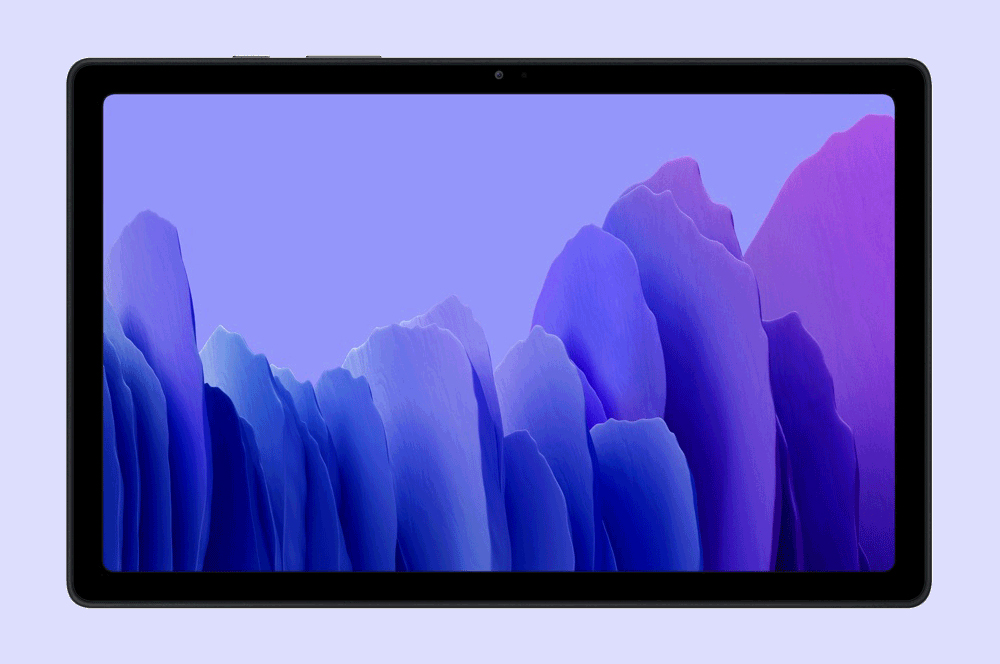
While $499 is more palatable than what you'd pay for most other iPads, it might not be affordable for everyone. If you're looking for something cheaper, we'd recommend Samsung's Galaxy Tab A7. It starts at $379 for a WiFi-only version, or $529 if you're after 4G connectivity. Either way, you're paying a good chunk less than the equivalent iPad. Better yet, we've seen prices for it drop as low as $300.
The Galaxy Tab A7 might be on the cheaper side, but it still has a metal build rather than relying on plastic. You also get USB-C rather than micro USB, and there's a quad-speaker setup. Don't expect miracles from the Tab A7 processor, but if you're just looking for a cheap tablet to stream Netflix and scroll through the web, Samsung's affordable option will do the job.
The best rugged tablet: Samsung Galaxy Tab Active Pro
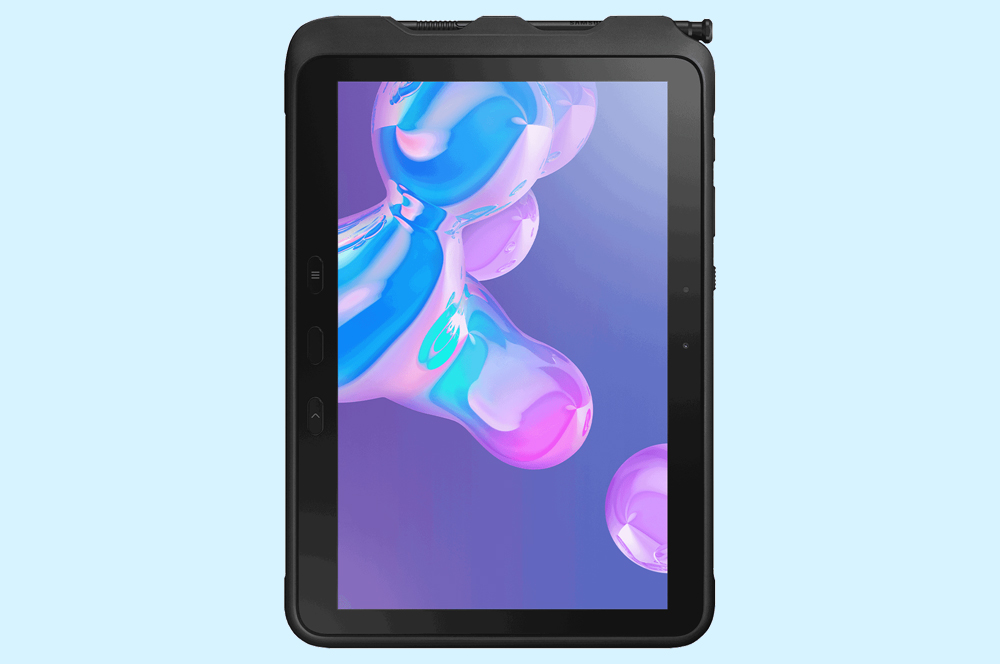
If you're looking for a tablet you just can't break, it's hard to go past the Samsung Galaxy Tab Active Pro. Durability features are rare on tablets, but the Tab Active Pro has the whole lot, including IP68 dust-and-water resistance and MIL-STD 810G drop resistance. There's even a user-replaceable battery.
The Tab Active Pro is far from the prettiest device around, but it's built to take a beating.
Other things you should consider when buying a tablet
If you're thinking about picking up a new tablet, there are a few factors you should consider.
The first is storage size. Many tablets come in multiple storage sizes, ranging from as little as 32GB to as much as 2TB. How much storage you need will depend on what you use your tablet for. If you're mostly storing data in the cloud or just using your tablet to stream entertainment, a smaller model might suit. On the other hand, if you want to download heaps of games, expect to work with large files, or have a sizable photo library you want to store on the device, you're better off going for a minimum of 128GB.
You'll also need to decide whether you want a tablet with cellular connectivity. Most tablets come in Wi-Fi only models or 4G models that can connect to mobile networks. Slotting a SIM card in your tablet means you can use it on the go without having to tether to your phone, but will make it a more expensive purchase.
You'll also need to factor in the monthly cost of a data-only mobile plan. Of course, if you're thinking about buying a 4G-ready tablet, you can always buy it on a plan from Telstra, Optus, or Vodafone and pay it off over 12, 24, or 36 months.
Alex Choros


