

Huawei Mate 30 Pro: The Verdict
The Huawei Mate 30 Pro is an excellent piece of hardware unfairly hobbled by geopolitics.
What we love
- Brilliant camera
- Top-tier battery life
- Excellent performance
What could be improved
- No Google apps or services out of the box
- No physical volume rocker
The essentials
- Performance: Top-tier.
- Battery: Excellent, should last about two days per charge.
- Screen: A lovely display, although may be too curved for some.
- Camera: One of the best smartphone cameras around. It can take a great photo in almost any situation.
Unscored
$1,599
The difference between courage and stupidity is survival.
The Mate 30 Pro is Huawei's first smartphone to ship with a Google-less version of Android. Android without YouTube. Android without Google Maps. Android without an easy way to install the apps we all know and love.
It's easy to argue that bringing a phone like the Mate 30 Pro to a Google-dependent market like Australia is suicide. After all, without easy access to apps, the Mate 30 Pro is akin to a $1,599 feature phone. Out of the box, you can send texts, but only texts. Messenger, WhatsApp, and the rest are all missing. You can take photos. Great photos. But you can't gram them.
So much of what we use our phones for relies on apps - apps that the Mate 30 Pro is missing.
There are, of course, ways around this. By bringing the Mate 30 Pro to Australia, Huawei is making the bet that its hardware is good enough that at least a few customers are willing to jump through hoops to get their hands on it - and make it usable.
We've not quite seen anything like this before.
Editor's Note: Given the unusual circumstances regarding Huawei and the US Government, we've left this review unscored.
In May, Google suspended its relationship with Huawei in light of a US government executive order that prevented American companies working with businesses deemed a "national security risk". This effectively cut Huawei off from Android - the operating system powering its smartphones.
The Mate 30 Pro is the first Huawei smartphone launched in Australia affected by this decision.
You can read more about the dispute between Huawei and the US government here.

Do Androids dream of app stores?
- 6.53-inch 1080p+ displays
- Kirin 990
- 256GB storage, 8GB RAM
- 40MP + 40MP + 8MP + ToF rear-facing camera
- 4,500mAh battery
Out of the box, the Mate 30 Pro is a completely Google-less experience. It may technically run Android (Android Open Source Project, or AOSP) with Huawei's EMUI 10 skin on top, but it's devoid the of the Google apps and services we've come to expect from an Android smartphone. The Play Store, Google Maps, YouTube, Gmail, and more are all missing as a result of the ongoing dispute between Huawei and the US government.
Instead, the Mate 30 Pro ships with Huawei's app store on board. The Huawei app store has about 45,000 apps available for download, but that's a drop in the water when compared to the 2.5 million apps you'll find on the Google Play Store.
Quantity rarely means quality, but there's no two ways about this: the Huawei app store is bleak. Google apps are obviously absent, but so is almost every big name app. Facebook, Messenger, Twitter, Instagram, Netflix, Spotify, Uber, Tinder, and more are all missing. The only familiar social networking app I found was TikTok, and since I'm not a teenager, I'm officially too old for that.
For most, the app situation will make the Mate 30 Pro little more than a feature phone with an incredible camera. Hell, at least the Nokia 8110 has WhatsApp out of the box. But where there's a will, there's a way. Thanks to Android's open source nature, it's relatively simple to get the Mate 30 Pro to feel a bit more like a standard smartphone.
You've got a few options. You can install individual apps - APKs - directly through third party websites, although some might not work if they rely on a Google service like the Google Maps API. You can install the Amazon App Store, which provides an easier option for installing some apps like Facebook, Instagram, and Spotify, but isn't quite as comprehensive as the Google Play Store. Or you can go whole hog and re-Google the Mate 30 Pro.
I don't quite hate myself enough to struggle through day-to-day existence with an app-less device, so the first thing I did when setting up my Mate 30 Pro was sideload the Google Play Store and all the required services
The entire process took maybe half an hour, and is relatively straight forward for the most part, albeit tedious at times.
If you put in the effort and restore the Googley bits to your Mate 30 Pro, it almost feels like any other Android phone. You can download apps from the Play Store. You can watch videos on YouTube. You can check your email through Gmail. Normal Android things that you'd typically take for granted.
There are however a few caveats. Google Assistant works, but you can't trigger it with your voice. Instead, you'll have to hold down the software home button to chat with Assistant.
In addition, the Mate 30 Pro doesn't have SafetyNet certification. SafetyNet is a Google protocol that checks if a device has been tampered with and is typically utilised by payment and streaming apps. Google Pay and Netflix won't work, for example. Some local banking apps still run on the Mate 30 Pro, including ANZ, CommBack, AMEX, and Up.
There is, of course, no guarantee that this would be the case in the future. If ANZ was to add SafetyNet to its app in an update, it would no longer work on the Mate 30 Pro. It's not like this is something that's necessarily on the cards, but there's definitely a degree of uncertainty when it comes to apps on the Mate 30 Pro.
Otherwise, the day-to-day experience of using the Mate 30 Pro was mostly painless. The Google Play Store had a tendency to crash a little but on my first day with the device and some app notifications had a weird habit of firing multiple times, but otherwise, the Mate 30 Pro is pretty much just like any other phone. It's just not the kind of process you should be expected to go through to get a "working" phone.

The other part of the parcel
Software aside, the Mate 30 Pro is an impressive piece of kit. For the most part, it's hard to fault. There's an excellent camera, a top-tier processor, and a battery that should comfortably last most up to two days. It's the complete package.
The camera builds on the excellent P30 Pro, but the setup is a little bit different. This time around you get a:
- 40MP primary lens
- 40MP ultra-wide angle lens
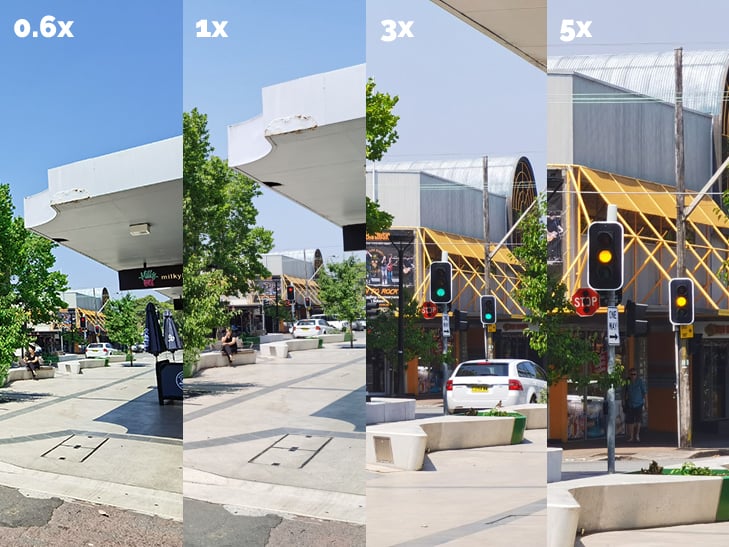
- 8MP telephoto lens with 3x optical zoom, 5x hybrid zoom, and 30x digital zoom
- A Time-of-Flight lens for capturing additional depth information
While the primary lens is identical to the P30 Pro - in other words, excellent -, the ultra-wide lens has had a massive upgrade from 20MP to 40MP. Resolution isn't everything, but the Mate 30 Pro ultra-wide lens produces noticeably better shots when compared to the P30.
The Mate 30 Pro does make some camera trade-offs, however. Its zoom lens is only 3x, rather than 5x as we saw in the P30 Pro. This means you'll get 5x hybrid zoom, and 30x digital zoom, as opposed to the P30 Pro's 10x hybrid zoom and 50x digital zoom. That's still more zoom than you get on most smartphones, however.
Here's a comparison of the the Mate 30 Pro's different zoom factors:
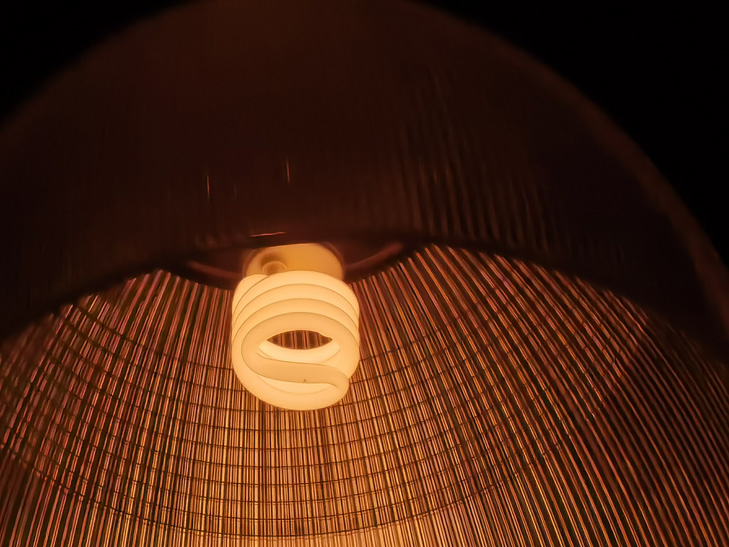
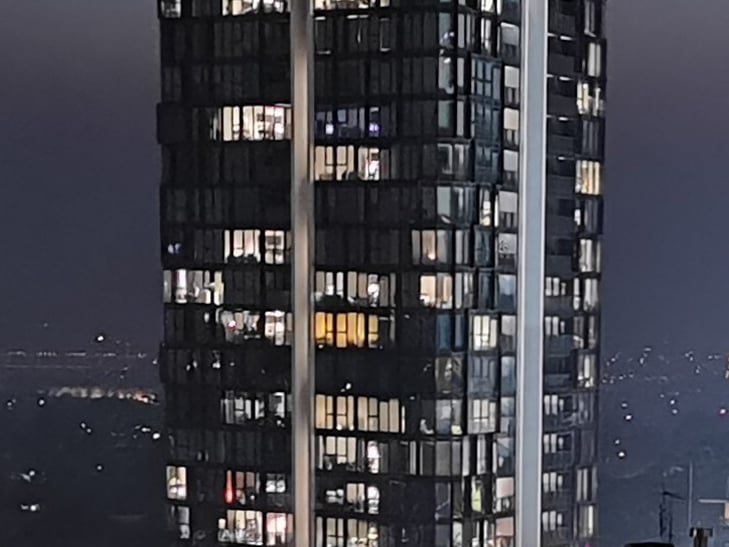
Lowlight photography is still unsurprisingly incredible. The Mate 30 Pro can do more with limited light sources than pretty much any other smartphone, even without needing to rely on a night mode. Strong competition from the latest iPhone and Pixel means Huawei isn't head and shoulders above the crowd anymore, but the Mate 30 Pro is easily one of the best camera phones around.
Here's a shot without night mode:

And here's a shot with night mode on:

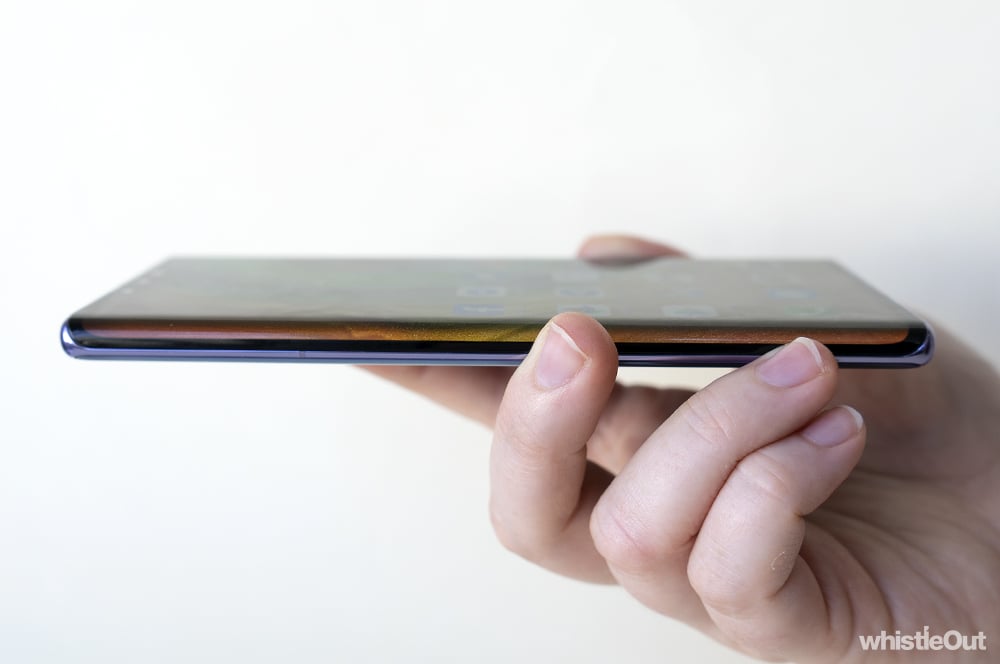
The biggest difference between the Mate 30 Pro and pretty much any other smartphone on the market is an aggressively curved display. The screen is bent by 88 degrees, which makes the rounded edges a lot more pronounced than what we've seen on handsets like the P30 Pro and Galaxy Note 10. To account for this change, Huawei has axed the volume rocker. Instead, double tapping either curved edge will bring up a virtual volume slider

The software volume rocker works well enough, but the Mate 30 Pro needs to be unlocked to adjust volume, and you need to think about what you're doing. It's a lot harder to quickly turn your volume up or down, which is a bit of a trade-off from a physical button.
While the brazenly curved screen sure looks modern, it doesn't really justify its existence. Apps can't make use of the extra space in any meaningful way, and it makes typing harder with some fringe keys landing on the edges. There's a setting that lets you reduce the amount of curved real-estate used by apps, and I'd definitely recommend it. Turning it on makes life much easier.

Huawei Mate 30 Pro - Final Thoughts
In an another reality, the Mate 30 Pro would be easy to recommend. As a piece of hardware, it successfully builds on everything Huawei has been working on over the past two years. The camera is fantastic, the battery life is excellent, performance is top-tier, and the display is gorgeous (even if it's a little too curvy for my tastes). There's not much to complain about.
On the other hand, the whole software situation is tricky. Sure, you can bypass the trade ban and install Google apps and services yourself, but it adds a lot of friction to the experience. And even if you get everything up and running, it's not quite seamless. Issues like stability, the lack of Google Pay, and video streaming troubles quickly add up. While the Mate 30 Pro is still a perfectly usable phone, these quirks are harder to forgive when you consider the premium $1,599 price-tag.
Putting software issues aside, the Mate 30 Pro is testament to just how problematic the trade ban is, especially when it comes to consumer devices. Huawei is making incredible handsets right now, and has been a constant source of innovation in the industry. Huawei had the first dual rear-facing camera smartphone, the first night mode, and the first phone to ship with a periscopic zoom lens. Even if you don't personally want a Huawei phone, Huawei is responsible for a lot of the features we've come to love in modern devices, whether it's a Samsung Galaxy, an iPhone, or a Pixel.
It would be a genuine loss for all of us if Huawei were to disappear from the smartphone market. Sure, Huawei will always be able to keep selling phones in its home market of China, but other manufacturers don't have quite the same incentive to compete with Huawei if the phones aren't available globally. Competition is great for the industry, competition is great for anyone who owns a smartphone, and as of late, Huawei has been fighting harder than most.
It's especially tragic that the trade ban came to be shortly after the launch of the P30 Pro, which is still genuinely one of the year's best smartphones. If not for the dispute, the Mate 30 Pro would almost certainly be on that list too.
In some ways, it's reassuring that Huawei still bothered bringing the Mate 30 Pro to Australia, albeit in an extremely limited manner. Maybe the trade ban will blow over, maybe a change in government will fix it, maybe a continued Western presence is enough to keep Huawei in hearts and minds while waiting for the storm to end, even if not in pockets and bags. After all, it's much harder to rebuild a brand if you disappear entirely. Or at least, that seems to be Huawei's train of thought.
So should you buy a Mate 30 Pro? At this stage, probably not. It's hard to recommend a device where you have to put in so much work just to get it functioning like a normal Android smartphone. Doubly so when there's still so much uncertainty in the Huawei vs. Trump situation.
In the event there's a breakthrough, Huawei says it would be able to upgrade the Mate 30 Pro to the Google-complete version of Android in about two days. I genuinely hope the day Huawei can do that comes sooner than later. For now, the P30 Pro is a much safer bet if you're curious about Huawei's camera sorcery. It's mostly unaffected by the trade ban, and is still an excellent device in its own right.
But as far as the Mate 30 Pro is concerned, it's local launch seems largely symbolic. Sure, some will get sold, but that might not even be the point. It's defiant. It's brave. It's a reminder that Huawei is still here. There's just one big question that still needs answering: what happens next?
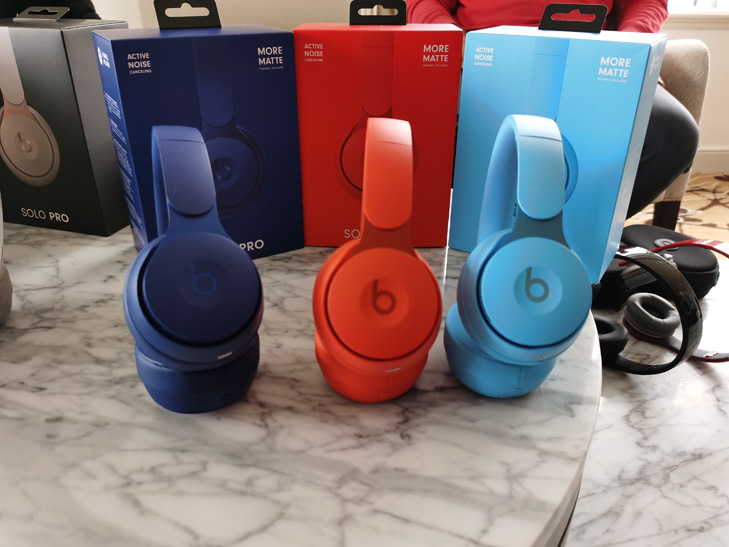
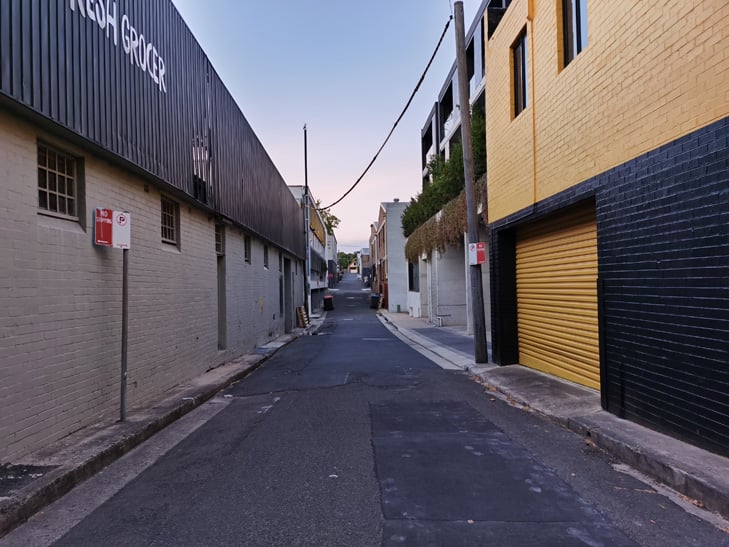
Huawei Mate 30 Pro camera samples















Alex Choros

Related Articles


