

- Excellent battery life
- Lovely display
- New wrist flick gesture is neat
- Expensive
- Small upgrade
- Too big for some wrists
The Apple Watch Ultra 3 asks a simple question. What if the largest Apple Watch with the biggest battery had a larger screen and an even longer battery life? It's not a complicated upgrade; it's probably overkill for most, but hey, sometimes you want overkill.
Improved battery life is the Ultra 3's most significant upgrade - I can comfortably get 50 hours per charge. That includes over an hour of exercise tracking each day, consistent use of the always-on display, and two nights of sleep tracking. This works out to be a ten-hour improvement on what I was getting on the original Ultra and the Ultra. While we're certainly not in Garmin territory, the extra buffer is the kind of thing that could be especially welcome on long hikes or international flights.
The Apple Watch Ultra 3 also charges slightly faster. While the previous two models were able to get from flat to 80% in about an hour, the Ultra 3 can do so in 45 minutes. 15 minutes should be enough for 12 more hours of use, while a five-minute top-up before bed will give you enough for sleep tracking.

A new display is the Apple Watch Ultra 3's other noticeable new upgrade. The screen is ever so slightly larger thanks to smaller bezels, and it now has a 1Hz refresh rate. This allows for a second hand to move even when you're not actively looking at the Watch, which is more of a tech flex rather than a useful feature, but it’s still kinda cool. This can occasionally be helpful for keeping of track of timers when the screen isn't "active", however.
The Apple Watch Ultra 3 has a couple of other new features that are a little harder to test. It technically supports 5G, but no Australian telcos offer 5G smartwatch plans yet. Vodafone has said its interested in offering these, but I wasn't able to get comment from Telstra or Optus around this.
While 5G on a smartwatch may seem unnecessary - it isn't the kind of device you need high-speed internet on - it has better network capacity and less lag. Enhanced capacity can help prevent congestion, and 5G allows for more simultaneous connections than 4G or 3G do.
The Apple Watch Ultra 3 also has satellite connectivity, which can be used to contact emergency services and emergency contacts when out of mobile coverage. Two years of Emergency SOS via satellite are included with the Apple Watch Ultra 3, and this doesn't require an active companion SIM. Users with an active companion SIM can use satellite to share their location.
This isn't something I've had a chance to test outside of a demo, partly because one shouldn't contact emergency services outside of an emergency, and partially because I've not been anywhere without mobile coverage. If you're regularly hiking in area with no mobile coverage, I can see the appeal in having another device that can contact emergency services via satellite (every iPhone from the 14 and up can also do this), but satellite connectivity doesn't feel like the kind of feature that makes someone pick the Ultra over a standard Apple watch for most.

For all that's new with the Apple Watch Ultra 3, some things haven't changed. It's still the chunkiest Apple Watch, and will be too big for some. And while the protrusion that hosts the crown is an interesting design element, it can dig into your wrist at certain angles. I found myself almost shutting down the Watch Ultra 3 several times while bouldering. Wearing the Watch upside down can prevent this, but it makes the crown less accessible.
I'd also love a few more formal band options that aren't silly expensive, like the $319 titanium Milanese loops or Hermes bands that start at $699. Sure, the Apple Watch Ultra has always been aggressively active, but it would be nice to have more ways to dress it up. You can always look at third-party bands, but most I've seen have no effort to colour-match the titanium, and that bugs me.
If you're thinking about upgrading from an original Apple Watch Ultra or a Series 8 or older, you'll benefit from gesture controls. There's double tap which lets you pinch two fingers together in quick succession, you'll trigger the primary function of what app you're in. It's cool to do things on your Watch without touching the screen, but it's not something I've found myself using too often.
There is, however, a new wrist flick gesture in watchOS 26 that I love. Flicking your wrist back and forth hides notifications and can be used to stop things like a timer that's gone off. As someone who uses my Apple Watch for timers all the time when cooking, I've found this super useful.
Apple Watch Ultra 3 - Final Thoughts
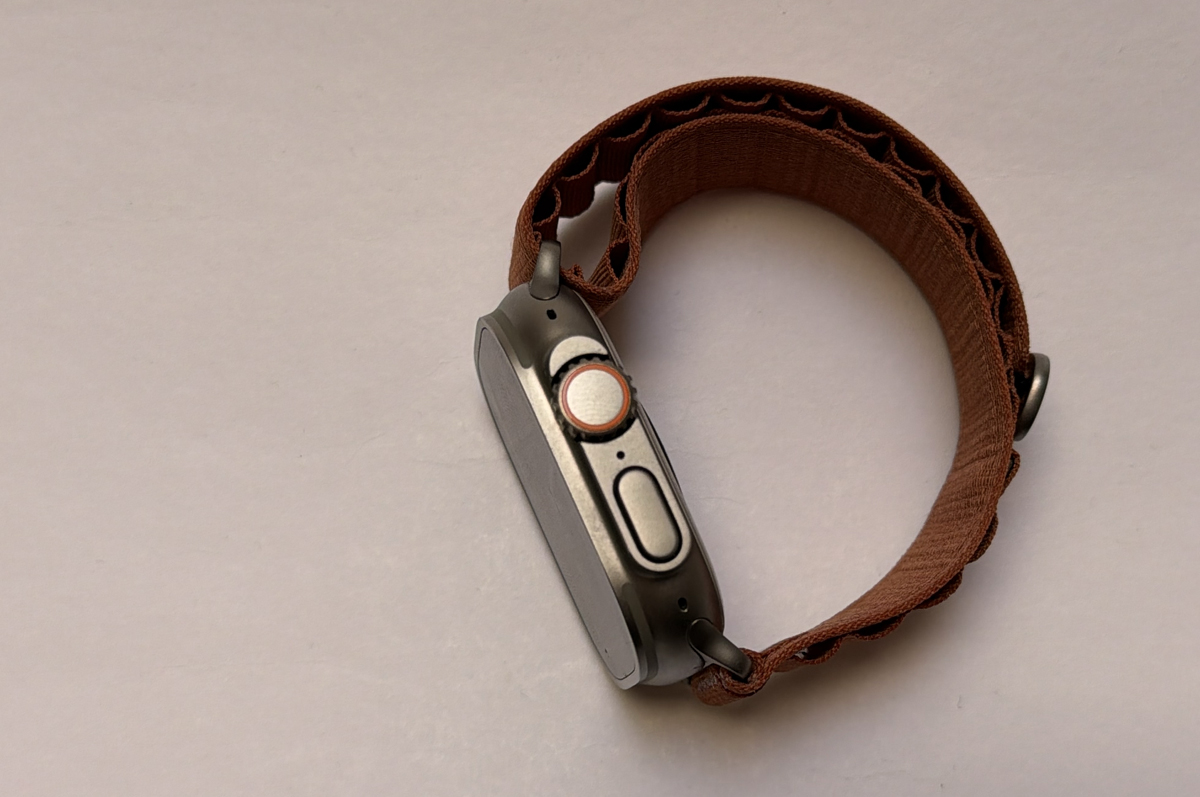
Do you want an Apple Watch where the battery life is measured in days, plural? If you can justify the $1,399 price tag and it's not too bulky for your wrist, the Apple Watch Ultra 3 is for you.
That being said, both of Apple's more affordable Watches have had solid upgrades this year. The Apple Watch SE 3 is the most compelling entry-level wearable yet, thanks to it finally getting an always-on display. And the Apple Watch Series 11 got a nice bump in battery - while it's nowhere near achieving what the Apple Watch Ultra 3 can do, it's more reliable. Given the Apple Watch SE 3 and Apple Watch Series 11 start at $399 and $679, respectively, they're a much easier buy.
While there are other nifty things about the Ultra 3 that will make it appeal to a more specialised audience (a more accurate GPS, better water resistance, or hey maybe you just like the look), the fantastic battery life is its biggest selling point. Not thinking about having to charge the Apple Watch Ultra 3 as often is a win in my book, and for me, that's enough to pick it over any other of Apple's options.
Alex Choros

Related Articles


