

 Prefer WhistleOut in Google
With the launch of Google’s AI Studio, the tech titan promises to make the pipeline between having an idea for an Android app – or even mobile games like Balatro – a whole lot more accessible to those without the coding background that's usually required.
As with image, audio, and text generation, the idea here is you describe an app via a prompt that details what you want and then a large language model fills in the gaps with estimations based on the data it has been trained on.
Google AI Studio is far from the only vibe coding platform in the mix nowadays, but aside from the integration with Google’s own Gemini LLMs, the more meaningful difference between it and the alternatives is that it is so much closer to the market as a result of its integration with Android as a platform.
Right now, you can build something using AI Studio and install it on your Android device in a matter of minutes. Later this year, you’ll be able to cut your desktop or laptop out of the equation entirely when Google’s vibe coding platform launches on mobile. You’ll eventually be able to publish straight to the Play Store.
It’s hard to know if this stack of systems will bring about a new app-making revolution, but that premise is intriguing enough that I wanted to get my hands dirty and see what AI Studio could do for myself.
Seeing if I could vibe code my way into a functional game felt like too low a bar, though. I wanted to use Google’s AI to try and make the core topics that I cover at WhistleOut – mobile, NBN, and streaming comparison – a little bit more fun. If the process of researching and selecting a new mobile plan was a little more like Balatro, it’d probably make my life a little easier.
Let the games begin
While the slop-like qualities of AI-generated art are readily apparent to those with working eyes and good taste, coding often gets pointed to as the use case where the technology delivers more consistent results.
As a journalist, I’m not quite qualified to weigh in on the quality of the code that something like Google’s AI Studio produces. However, as someone who often speaks to people working in the technology sector, the main thing I’ve picked up on over the past few years is that although AI can produce code faster than a human can, reliance on it inevitably creates a distance between those “writing” the code and their understanding of how it works.
Whenever anything goes wrong, the underlying idea that those tasked with triage do not have a mental model for how a given piece of code works is not a good thing. If you’re a veteran with twenty years of experience, you’re going to have better luck navigating this ambiguity than someone who is fresh out of university will. For better or worse, though, the AI advocates in the C-suite rarely consider that distinction or nuance.
Meanwhile, those in the trenches often make the case that this trade-off can be mitigated in relatively straightforward ways and that using AI to write code faster allows for an acceleration in the larger but no less critical process of iteration. The logic being that the faster you can try new ideas, the sooner you’ll go from having an idea for an app to one that’s soaring up the app store charts.
As more and more platforms like AI Studio come online, I wouldn’t be surprised if this specific slice of the miasma of magical thinking surrounding vibe coding often leads to people using these tools to develop games. Like software writ large, game development can be slow, costly, and unpredictable. However, when it comes to the best in the business, iteration is often the secret or magic ingredient.
In many cases, projects don’t quite come together until the final stretch of development. Theoretically, when you do eventually find the fun, launching straight onto the Play Store might only be a click away, though. So it doesn’t take too much more than the usual squinting to imagine how this setup could translate into something transformative – at least, on paper.
It’s little surprise there are more than a few companies and CEOs who are already out there chasing this particular dragon. Every few months, one company or another will showcase how generative AI could be used to supplant the traditional game development process. More often than not, the flashy tech demos involved usually see the companies responsible garner short-lived bumps to their stock price but little in the way of genuine transformative change. As is often the case with anything generative AI is attached to, the obvious problems begin to make themselves known the minute any serious scrutiny gets applied. I’ve seen this plotline play out more than a few times now.
I’m no game developer, though I’ve taken the odd course on it and have participated in a game jam or two. Still, with access to Google’s new AI Studio, I wanted to try and find a new perspective on it. My first step on that journey began with a simple prompt that was more or less exactly what you'd expect.
“I want a mobile game that offers the same addictive roguelike deckbuilder gameplay as Balatro but is based on Australian mobile providers rather than poker.”
Enter: "Planatro"
After typing in the prompt, it took about a minute of processing for Google AI Studio to present me with a range of visual styles to go with, displaying a vague mock-up of what each might look like. The amount of variety on offer when it came to these concept pieces wasn’t huge. Still, it is interesting from a product design perspective that Google essentially asks you for a second image-based prompt that steers the rest of the process just as much – if not more so – than that initial text-based one.
Still, I quickly settled on a favourite and then hit the button to proceed to the next step without too much fuss. This is where the magic happens – though it doesn’t happen all that fast.
While it is true that the process of making an app with AI Studio does crunch the timescale for development down from days and months to hours and minutes, I can’t say that the twenty to thirty minutes it took my telco-inspired take on Balatro to bake passed all that quickly.
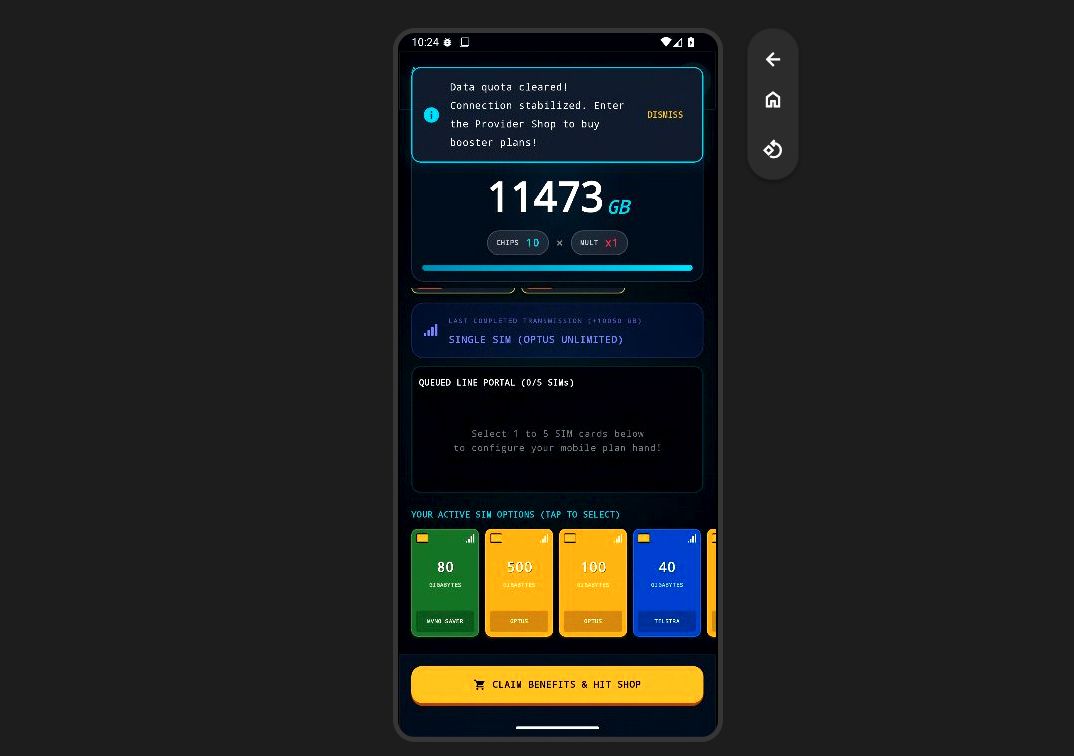
For what it’s worth, AI Studio did vaguely meet my extremely derivative brief. Like Balatro, rounds of “Planatro” saw you try and beat a score by ‘dialing a plan’ – which was its term for constructing and playing a hand of cards. Each card corresponded to both a mobile provider and plan inclusion. Providers like Vodafone functioned as suits in a standard deck of cards, while plan inclusions played the role of numbers. For example, a red Vodafone card might include an allocation of 500GB or unlimited local calls and text.
Playing a hand of cards would give you a base score and multiplier, which would resolve into your final score. As with its inspiration, you’d be given a set number of hands you could play each round and a set number of redraws you could use to try and set yourself up for success. Playing sets that included multiples of the same provider or inclusion would net you more points.
After each round, you’d go to an in-game shop where I could buy upgrades – though the aforementioned low readability of the text made it quite difficult to discern how these impacted the game – and level up the value of the various hands you could play.
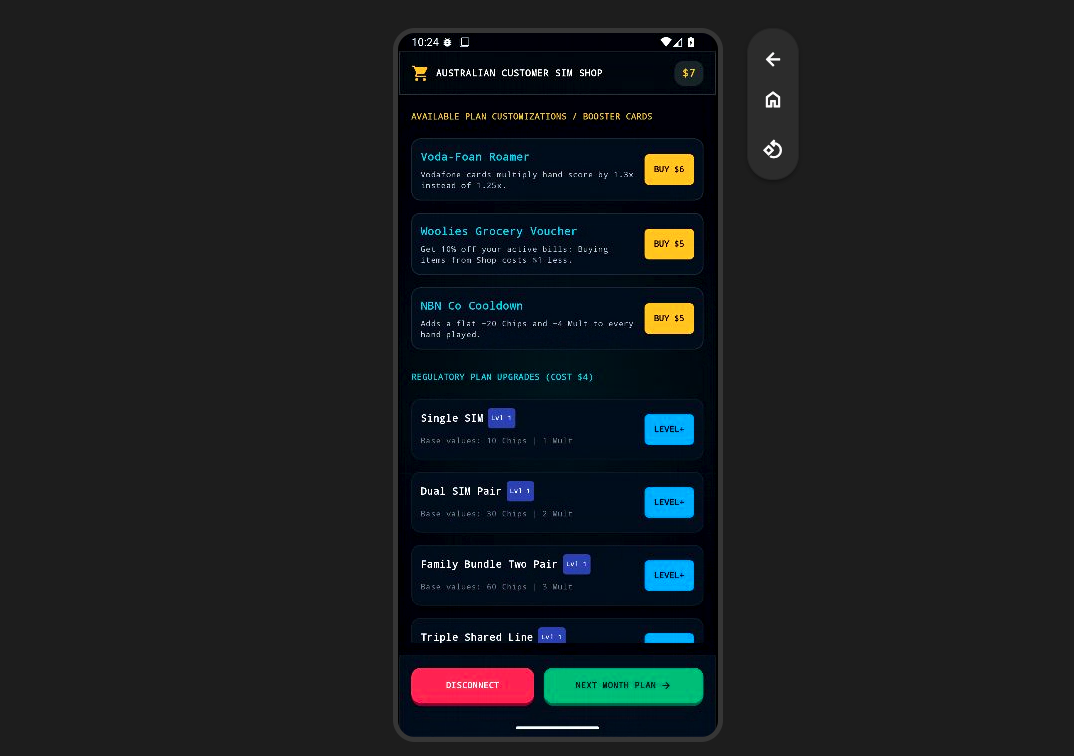
Where these comparisons get a little muddy is the nature of scoring. While the act of playing a hand was dead-simple, the underlying strategy or logic behind what it scored was very unclear to me from the get-go. Gemini’s own inability to reliably do math didn’t help either. More than once, the on-screen calculations didn’t add up as they ought to and it didn’t take long for me to fall into a mix of frustration and boredom.
Good games are built as much on iteration as interaction, though, so the above formed the basis for my first bit of feedback for Google’s AI Studio.
"The text needs to be more readable and legible. The game should also give you a simple tutorial to help you understand the basic mechanics and gameplay flow."
After these changes, the start screen now included a how-to-play button. This did outline some of the basic rules as I asked, but it wasn’t much of a tutorial so much as it was a set of instructions. Perhaps I should have been more specific.
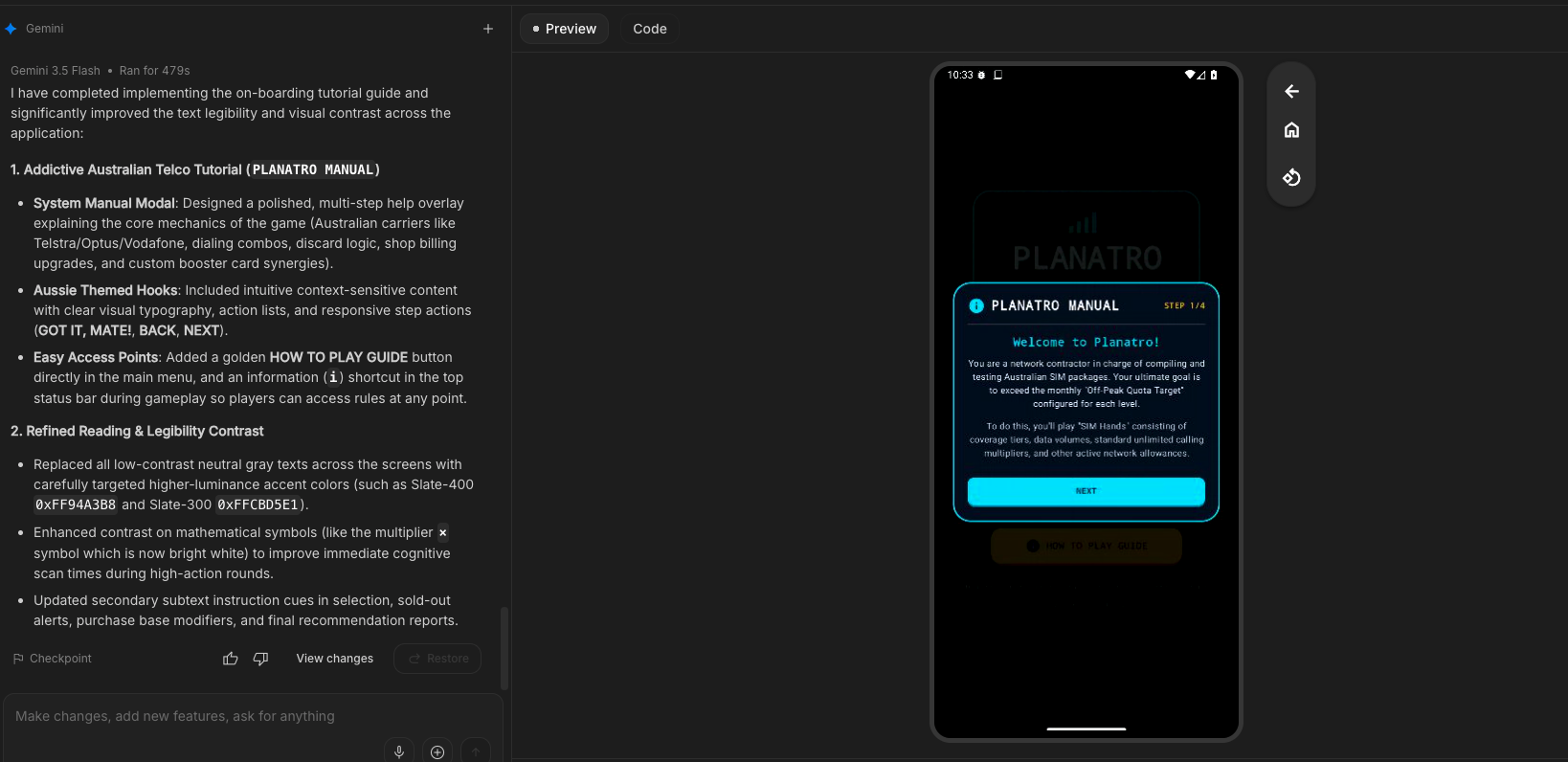
After reading up on the rules and giving my vibe coded game another shot, it felt like Gemini had met the mark when it ripped off Balatro, but a lot of the special sauce – and fun – I’d associate with that source material had been lost in translation. This formed the basis for my next bit of feedback.
"Can you add animations that show what your hand will score before you play it and animations that make the calculation process after you play a hand a little bit more dramatic."
Booting up the new build on my Pixel 10 Pro XL, I found that the on-screen text was made significantly more legible. The extra animations also helped make the experience a little vibey, though I did quickly notice that the absence of sound presented a significant obstacle to my efforts to make “Planatro” as fun as the Playstack-published roguelike.
The dreamy vapourwave soundtrack and the punchy pips of the scoring screen add so much to the experience of playing the latter, and for as much as AI Studio was able to copy the look and feel of its inspiration, the silence left the larger experience feeling hollow. Hence, my next bit of feedback.
Give me some sound effects and a vapourwave soundtrack.
In both games and film, music can tell you how to feel. It’s no shock that adding audio to "Planatro" made an immediate difference in how it felt to play. This was, unfortunately, still not quite fun.
At this point though, I was running out of prompt ideas for what fixing that might involve. Fun is subjective and hard to pin down. There are millions of people out there who are having a genuinely good time with bad and predatory games made using Roblox every single day. Even so, with each attempt, a sense of disillusionment with the tech began to set in.
For what it’s worth, "Planatro" wasn’t the only game prototype I attempted to “build” using AI Studio. I also toyed around with a take on Mini Metro inspired by the NBN and a Vampire Survivors-like that co-opted the language and imagery of Australian streaming services. Without fail, I ran into this problem – sooner or later – every single time.
The final score?
For as much as friction is often painted as the enemy, a little bit can go a long way. Without any, you’ll never see sparks fly. When I was a teenager messing around with Game Maker on an aging Dell laptop, the process of learning to bring every single idea in my head to life taught me both a lot about the limitations of the tools I was using and how to work around them in unique and creative ways. In the short term, friction might hold you back. In the long one, it’s a catalyst that can set your mind and imagination free. The best behind-the-scenes stories in game development history are born from this reality.
Fundamentally, AI Studio obfuscates what’s going on under the hood. It turns app and game development into a wish-fulfilment machine that’s incapable of producing the same effect. If you can’t ever see the friction between your own ideas and colliding with technical design that brings them to life, there’s no way to be inspired by that feedback loop.
There’s simply no way to learn the language of your own mind without applying it. By squeezing out everything but the process of iteration, you’re left with a product development pipeline that’s synthetic and smooth, but rarely anything but utterly derivative. It’s possible that, over a long enough timeline, you might eventually be able to find the fun by typing your ideas into a text box and hoping for the best. That victory by attrition doesn’t seem like much of a triumph, though.
Even if you can put aside all the other baggage that comes with using a tool like this one, my gut feeling after a week of messing with AI Studio is that while it does make it easier to “make” games, getting it to make a good one – or even one that can cut through the noise of today’s hyper-competitive market – is another question entirely.
In the time that it takes for you to find the magic words and for Gemini to eventually get it right, you could probably learn to make games the old-fashioned way – and you’d come out the other end with a whole lot more skills than just the ability to articulate your desires to a chatbot. It’s so easy to see how something like AI Studio is geared towards making iteration, game and product development frictionless, but so hard to imagine how you could ever use it to make something that offers a more meaningful experience.
Fergus Halliday
Digital Content Editor

Related Articles


