

Huawei Mate 20 Pro Review: The Verdict
The Huawei Mate 20 Pro is an everything-but-the-kitchen-sink kind of device. It has every feature you could want in a phone, and more. A high price tag and some software quirks take away from an otherwise stellar package, but if you're willing to splash out $1,599, you won't be disappointed.
What we love
- Excellent photo quality, versatile camera
- Great battery life
- Genuinely feels new and exciting
What could be improved
- Expensive
- Some software quirks
- No headphone jack
The essentials
- Performance: Super fast, no complaints.
- Battery: Best in class. One of the longest lasting smartphones we've tested.
- Screen: Excellent, although you'll notice colour distortion on the edges thanks to the curved screen.
- Camera: Not just one of the best quality smartphone cameras around, but one of the most versatile. It performs well in almost any situation.
90/100
Huawei Mate 20 Pro Plans
The Huawei Mate 20 Pro is a whole lot of phone. You can't buy a phone that's more phone. Huawei has ticked everything off the proverbial checklist.
Top-tier processor. Check.
Excellent display. Check.
Best-in-class battery life. Check.
Stellar cameras. Check.
In-screen fingerprint reader. Check.
Svelte design. Check.
I could keep going, but you get the point. All that's missing is a headphone jack.
Fortunately Huawei isn't just adding features for the sake of padding out a spec sheet: the Mate 20 Pro isn't just 2018's most complete phone, it's one of 2018's best phones.
Everything but the kitchen sink
- 6.39-inch 1440p+ display
- Kirin 980
- 128GB storage, 6GB RAM
- 40MP + 20MP + 8MP rear-facing camera
- 4,200mAh battery
- IP68 water-resistance
The Mate 20 Pro is an everything-but-the-kitchen-sink kind of phone. Other than a headphone jack, there's not a single hardware feature that's missing. You even get an IR blaster, of all things.
Huawei has once again given the camera everything it's got, but the processor is no slouch either. Huawei's in-house Kirin 980 processor is easily the fastest chip you'll find in an Android phone right now. Not necessarily faster to the point where day-to-day usage feels smoother than any other 2018 Android flagship, but it will still save you a second here and there.
One area where the Mate 20 Pro genuinely stands out, however, is battery life. Moderate usage will get you two days per charge. Less demanding users could see their Mate last even longer. But no matter how hard you push the Mate 20 Pro, draining its 4,200mAh battery in a single day is a Sisyphean task. It's the kind of phone you can use with reckless abandon and still have charge to spare when you call it a night.
Some of this longevity can be chalked up to aggressive and occasionally frustrating battery management. For example, the Mate 20 Pro will decrease screen resolution in some situations to conserve battery. You can turn this off, but I didn't encounter any situations where this was overly noticeable.
The operating system is merciless when it comes to terminating apps you're not currently using. This can delay notifications, and more often than not, means most apps open from scratch rather than resume where you left off. You can get around this by 'locking' them (a swipe down in the multitasking menu) which is a must for messaging, email, Google Maps, and any app you use regularly.
Fortunately, reigning in battery management features doesn't seem to have a huge effect on the Mate 20 Pro's battery life. I've dialled down a lot of this functionality and I'm typically ending days with around 60% of charge left.
If you're not quite sure what to do with all this spare capacity, you can always use your Mate 20 Pro to recharge your friends' phones. The Mate 20 Pro acts as a wireless charger and can be used to top up any Qi enabled device. This includes 2017 and 2018 iPhones, the Pixel 3, and Samsung flagships from the Galaxy S6 and up. Reverse wireless charging isn't exactly fast, and you probably won't use it very often, but it's kinda cute. And at the very least, it's a feature that lives up to the Mate name.
A versatile shooter
Huawei got plenty of acclaim for the triple lens camera in the P20 Pro, and impressively, has managed to add meaningful improvements just six months on with the Mate 20 Pro. The Mate 20 Pro's rear-facing camera setup has been rejigged to include a 40MP primary lens, a 20MP ultra-wide angle lens, and an 8MP telephoto lens. When coupled with some clever software that makes them work in tandem, you end up with what's easily the most versatile smartphone camera setup on the market.
There's very few situations in which the Mate 20 Pro will take a bad photo. Just shooting on auto in the standard camera mode is a reliable way to get a good snap, but there's also plenty of advanced functionality that arguably make Huawei's latest device *the* phone for photographers. Here's a few highlights:
Night mode: Night mode uses exposure bracketing to get a more detailed image when shooting in lowlight environments. Essentially, the Mate 20 Pro will take multiple photos at different exposures over a short period of time and stitch them together to provide extra pop. Camera movement is accounted for using 'AI stabilisation', and you'll get a pretty sharp image most of the time. In some cases, the Mate 20 Pro will also compensate for other objects moving in the shot - people, for example - but in others, you'll end up with ghostly blurs.


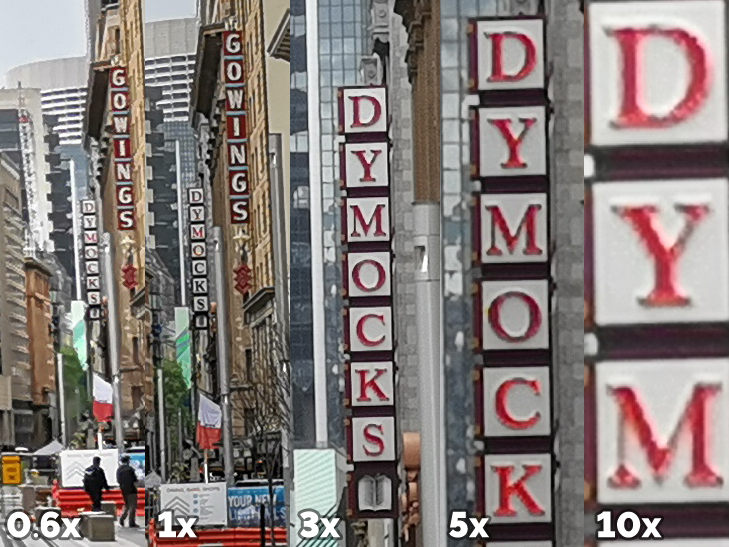
Hybrid zoom: Hybrid zoom uses software to zoom beyond what the Mate 20 Pro's lenses are physically capable of. You lose out on a bit of detail - which becomes more and more apparent as you pass the 5x zoom threshold - but the effect is a significant improvement over traditional digital zoom nonetheless. Here's two photos at about 5x zoom:


And here's a 100% crop of a photo I took at 0.6x zoom, 1x zoom, 3x zoom, 5x zoom, and 10x zoom:
Ultra-wide angle: The ultra-wide angle lens does what the name suggests, zooming out from your primary lens, rather than in. It does have a slight fisheye look to it, but the Mate 20 Pro is able to compensate for the most part. Lowlight image quality isn't quite as good as what you get from the primary lens, but for the most part, you can use the ultra-wide angle lens to get spectacular images. Here's an image from the wide-angle lens followed by the same image from the standard lens:


Super macro: The Mate 20 Pro is also able to use its ultra-wide angle lens for a 'super macro' mode that takes extreme close-ups. You can get as close as 2.5cm away from a subject and still have it appear in focus. The camera's AI will occasionally automatically fire up super macro mode when you get too close to focus on your subject when using the regular camera mode, but this can be a little inconsistent. While you can't technically manually trigger super macro mode, zooming out to the ultra-wide angle lens will have the same effect. Here's a super macro shot, and a 100% crop.


Video filters: Photography isn't all that the Mate 20 Pro's camera has got going for it; Huawei has added a couple of nifty video tricks this time around. There are two new filters that can be used to blur the background behind your subject while shooting video, or alternatively, make it black and white. These are a touch gimmicky and don't handle fast movement well, but they're nonetheless a cool technology showcase that's sure to impress friends.

Futuristic as heck
The Mate 20 Pro is the first phone to launch locally with an in-screen fingerprint reader, and it actually works surprisingly well - almost as well as a physical fingerprint reader embedded in a home button or on the back of a phone. It's a tiny bit slower and a touch less reliable, but the futuristic vibe almost makes up for it. At least, after you get past the learning curve. Only a small part of the display recognises your fingerprints, so you need to be quite precise. This makes unlocking the Mate 20 Pro without looking at it - when you're pulling it out of your pocket, for example - next to impossible.
If the in-screen fingerprint reader doesn't sound like your thing, the Mate 20 Pro is also packing iPhone XS-style 3D facial recognition. Rather than just using the camera to unlock your phone, there's a whole array of other sensors packed in that chunky notch to improve security and ensure it's actually you trying to access your device. The Mate 20 Pro is actually only the second Android smartphone to use this kind of recognition (OPPO's Find X was the first). In most cases, facial recognition is faster than the fingerprint reader, but Huawei's implementation isn't quite as reliable as Apple's. While it worked well for the most part, I found the tech could struggle when I was wearing sunglasses and occasionally when I had my hair out.
One small design detail I absolutely adore is the Mate 20 Pro's bottom firing speaker. It's the USB Type-C port. The same port you use to charge your Mate 20 Pro is also a speaker. It's clever design, and the lack of a speaker grill just looks very clean. Impressively, plugging a cable in doesn't noticeably muffle the sound. And as is standard in 2018, the USB Type-C port is also the headphone jack. You get a pair of USB Type-C buds in the box, as well as a USB Type-C to 3.5mm dongle in the box.
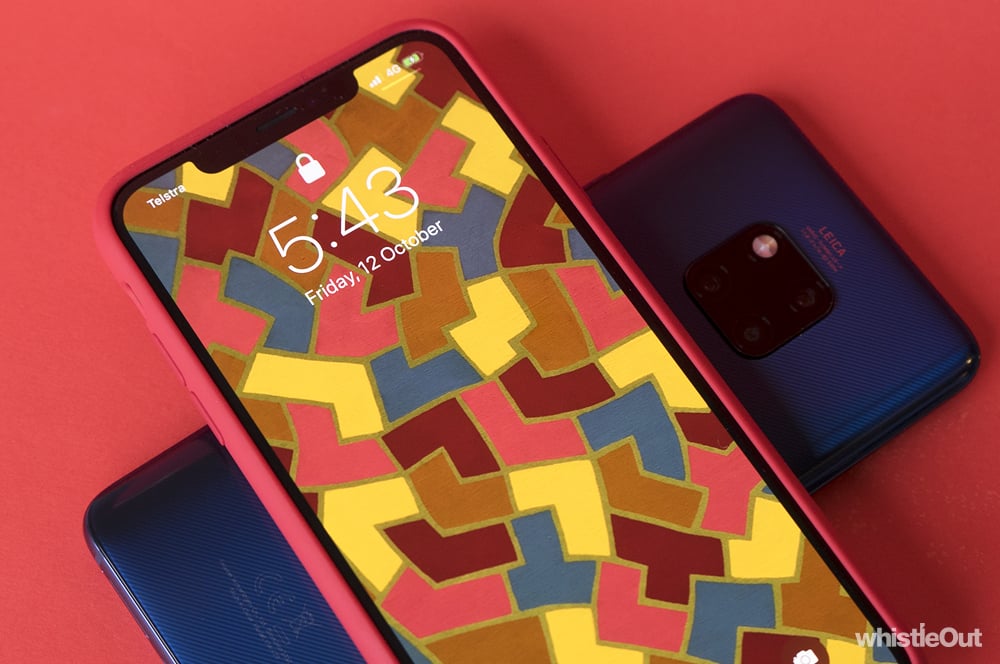
If you pick up the midnight blue Huawei Mate 20 Pro variant, you'll get what Huawei calls a 'Hyper Optical' finish on the back. In reality, this refers to the shallow grooves cut into the rear glass. They'll help mask some fingerprints, and make a cool vinyl sound if you scratch them. The finish also gives the Mate 20 Pro a little more grip, especially when compared to the standard black variant which doesn't get the Hyper Optical treatment. Unless you have a weird aversion to slightly colourful phones, midnight blue is definitely the Mate 20 Pro model you should pick up.
In some cases, the Mate 20 Pro is too futuristic for its own good. The curved display and new storage format are a matter of taste at best and inconvenience at worst.
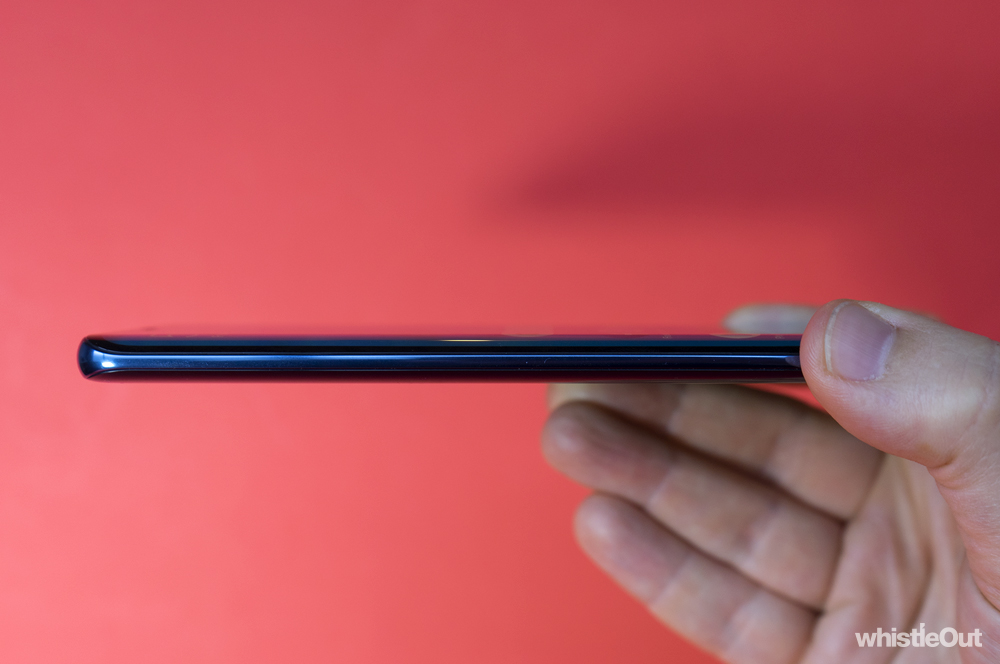
Much as we've seen from Samsung's flagship phones over the past couple of years, the Mate 20 Pro display is subtly curved, falling off on either side. There's no real reason for this, other than aesthetic. It makes the left and right bezels look a little thinner and it sure is modern. At the same time, the curved screen results in some colour distortion on either side of the display when looking at light backgrounds. This makes the display look less uniform, which is a shame, because it's gorgeous otherwise.
And while most Android phones use microSD for expandable storage, Huawei has moved to its own format called NM Card. NM cards are identical in size to a nano SIM, which allows a more elegant SIM tray design. One side takes your SIM, the other takes your NM Card.
However, NM Card is still very new to the point where we're not sure when you'll be able to buy one. It can't be too far off, as Huawei Australia has told us that you'll pay $139 for a 128GB NM Card when they go on sale here. But $139 is quite a bit more expensive than what you'd pay for a microSD card with the same capacity. At the very least, the Mate 20 Pro has 128GB out of the box.

Software blues
If there's anything that lets the Mate 20 Pro down, it's software. Huawei is notorious for its Android customisations, and while they're less egregious than on past devices, there's still room for improvement.
As mentioned earlier, the Mate 20 Pro is very aggressive when it comes to battery management. It will force apps you're not currently using to close almost as soon as you leave them, which can get frustrating quickly. It can delay push notifications and force you to load apps from scratch every time you open one. This can be particularly painful when it comes to navigation apps; I was using Google Maps for public transport info on the weekend, and I had to re-enter my destination every single time I reopened the app. There's a quick fix for this, but it's a 'feature' that can easily come across as a bug to anyone not familiar with how Huawei's take on Android works.
Fortunately, this the most frustrating quirk left in Huawei's often divisive software. While the operating system definitely isn't 'stock' Android, it's reasonably easy to toggle 'personal taste' preferences like the app drawer or gesture navigation on or off.
You'll also find the Mate 20 Pro comes with too many pre-loaded apps out of the box, with more than a few double ups. Thankfully, most can be deleted or disabled. It's not a big deal, but the app glut - especially when it comes to pre-loading third party apps like eBay and Booking.com - cheapens what should be an otherwise premium experience.

Who is the Huawei Mate 20 Pro for?
The Huawei Mate 20 Pro is one of the best flagship phones you can buy right now, and definitively proves that Huawei should be taken as seriously as Apple and Samsung.
It's a phone for techies, it's a phone for photographers, it's a phone for anyone who wants high-end specs without paying for them with a short battery life. It's a hell of a handset that can do anything you'd want and more.
The strength of the battery and camera alone make the Mate 20 Pro worth considering, and nifty features like reverse wireless charging, the in-screen fingerprint reader, and 3D facial recognition are icing on the cake. Smartphones are rarely exciting these days, but Huawei has managed to elicit that feeling with the Mate 20 Pro.
There is, however, the matter of price. Coming in at $1,599, the Mate 20 Pro is a big step up from the flagship-beating prices Huawei has been known for locally. The iPhone XS is the only other phone with a higher starting price on the Australian market.
While the abundance of cool new tech helps justify the Mate 20 Pro's price tag, it still is a lot of money to spend on a phone. It's expensive to the point where it's important to ask questions about what exactly you're paying for and just how much phone you need. But if you can stomach the cost, your $1,599 will buy you A LOT of phone.

More Huawei Mate 20 Pro camera samples












I don't want a Huawei Mate 20 Pro, what else can I buy?

Huawei Mate 20
The standard Mate 20 might share most of its name with the Pro, but it's actually a significantly different phone. The Mate 20 has a more traditional 16:9 screen with no curves, there's no 3D facial recognition or in-screen fingerprint reader, and the cameras are lower resolution. You'll pay $500 less for a Mate 20 though, it's powered by the same high-end hardware as the Pro, and while the camera quality isn't quite as good, it's still great.
Huawei P20 Pro
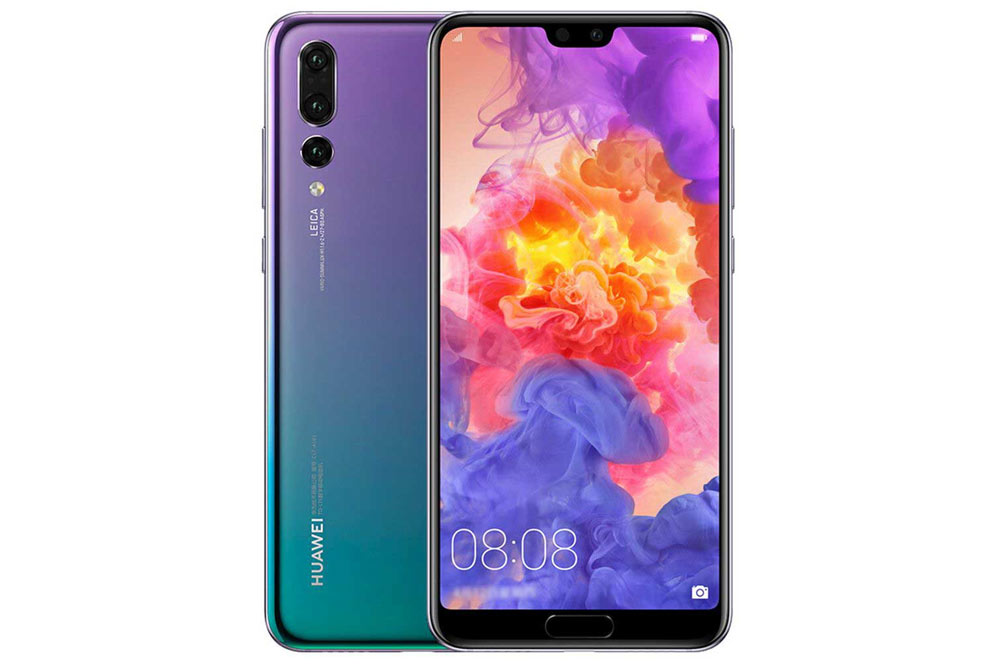
The P20 Pro is about six months old now, but it's definitely worth considering. You don't get an ultra-wide angle lens, but the phone's triple camera setup is still up there with the best. While the Mate 20 Pro may feel like a more modern device, opting for the P20 Pro will save you $500.

Google Pixel 3
If you'd prefer a phone running a clean version of Android, the Pixel 3 or Pixel 3 XL are your best bet. They're a little less flashy, but they're great devices with a top-tier camera. And since they start at $1,199, you'll save yourself as much as $400.
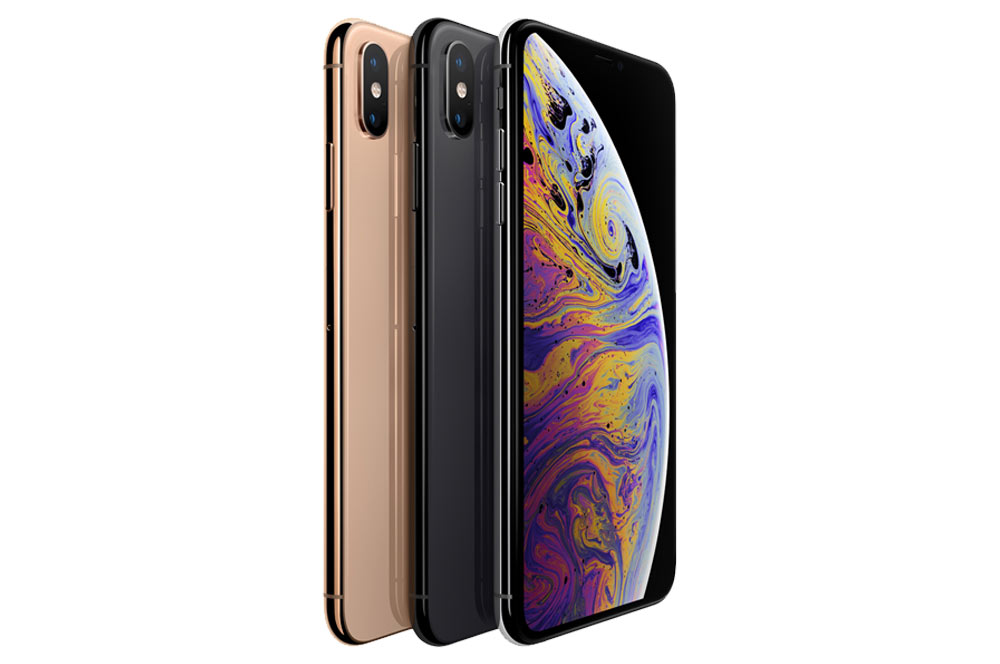
Apple iPhone XS
If you want a smartphone with a great camera but don't want an Android-powered device, an iPhone is really your only other option. The iPhone XS might be pricey, but it's also the best iPhone around, with the best iPhone camera thanks to the dual lens setup. And it's a great phone in general, if you can stomach the cost.
Alex Choros

Related Articles


