Samsung Galaxy Z Flip7 5G 512GB Prices On Telstra Plans
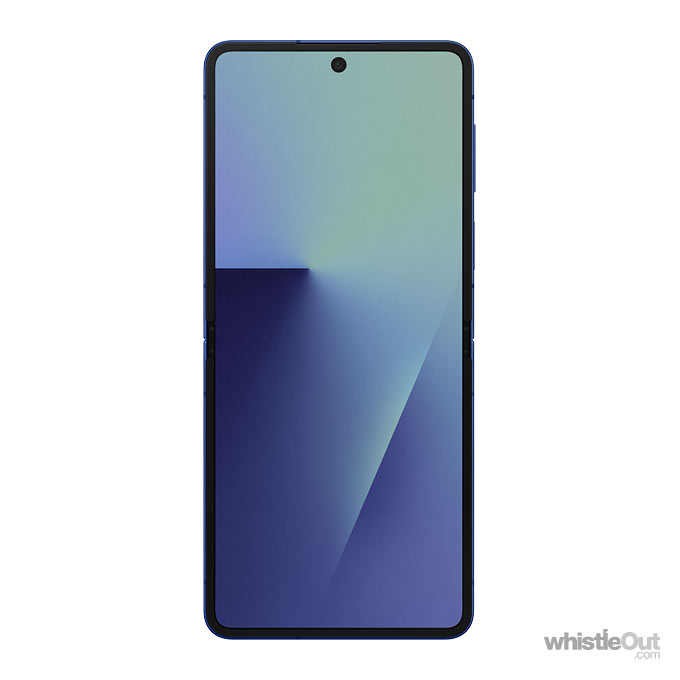
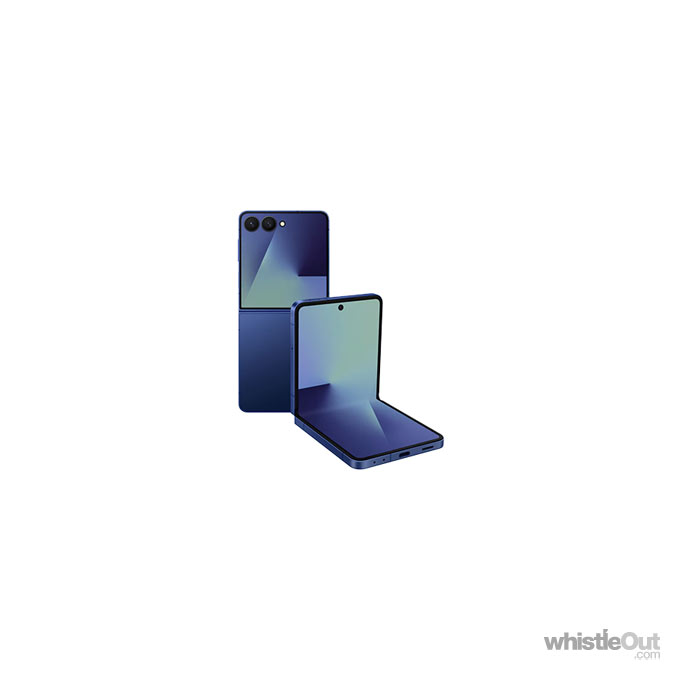
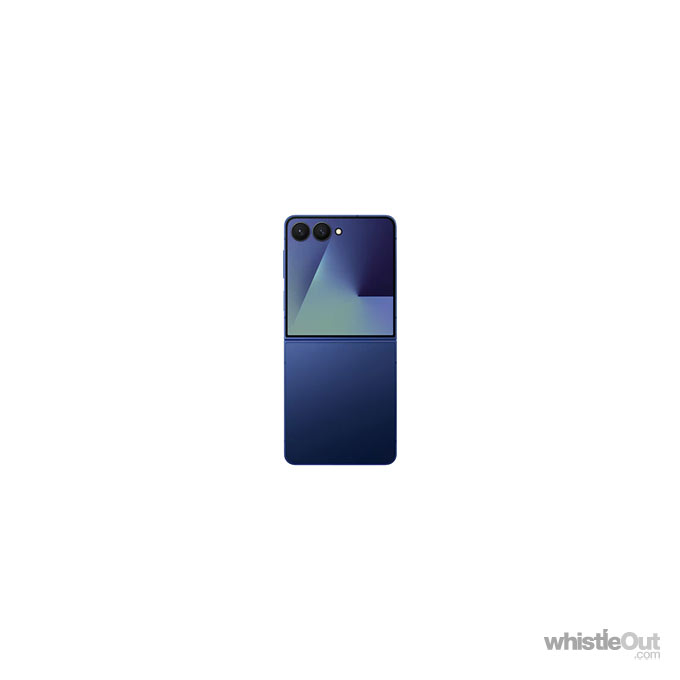

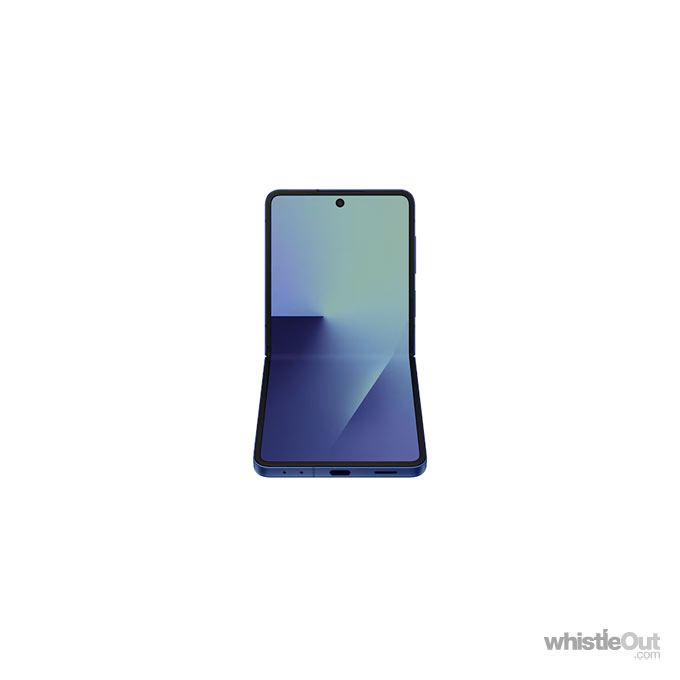
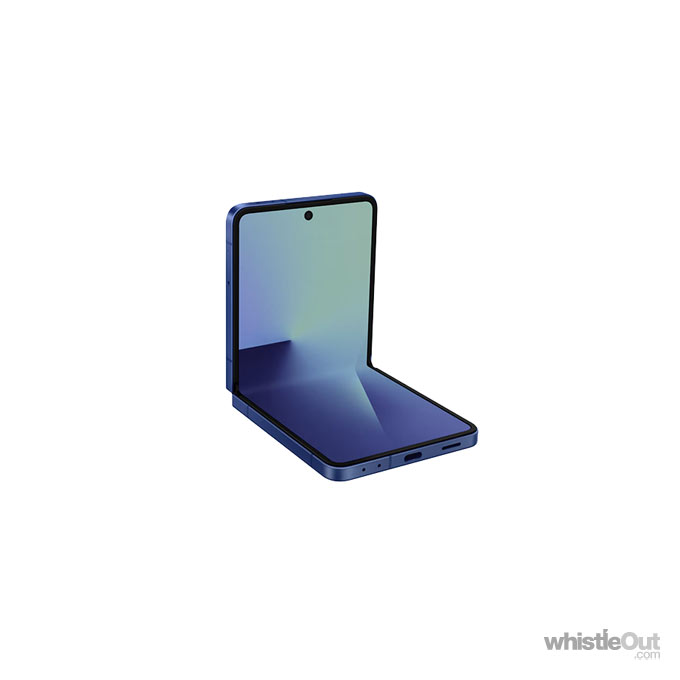

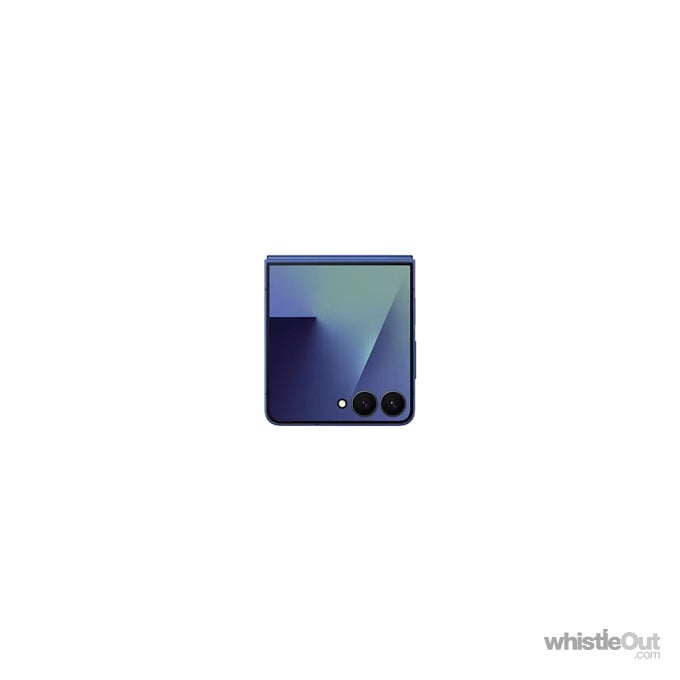

Features
- 6.9 inch display
- Rear Cameras: 50MP, 12MP
- Front Camera: 10MP
- Android 16
- 5G Capable
- 512GB int. memory (useable capacity will be less)
- Water and Dust Resistance IP48 dust and water resistant
- Released in July 2025
- View full specs
Average Score
75/100
Samsung has finally given Galaxy Z Flip a larger external display this time around, but photo quality still doesn't matc...
WhistleOut
Read our full review
Compare Telstra Plans for the Samsung Galaxy Z Flip7 5G 512GB
 Samsung Galaxy Z Flip7 5G 512GB




$84 Essential Upfront Mobile Plan
- Telstra 5G Network in selected areas with 5G devices
- Uncapped 5G speeds. eSIM available
- No excess data charges in Australia
- Pay by AutoPay + Data Sharing for up to 10 eligible services
- Deal: Get $10 off for first 12 months on new Upfront Essential Mobile Plan. New services only. Ends 05.10.26
(1mth plan cost + 36mth device repayments)
$74 Basic Upfront Mobile Plan
- Telstra 5G Network in selected areas with 5G devices
- Uncapped 5G speeds. eSIM available
- No excess data charges in Australia
- Pay by AutoPay + Data Sharing for up to 10 eligible services
(1mth plan cost + 36mth Device repayments)
$99 Premium Upfront Mobile Plan
- Telstra 5G Network in selected areas with 5G devices
- Uncapped 5G speeds. eSIM available
- No excess data charges in Australia
- Pay by AutoPay + Data Sharing for up to 10 eligible services
- Deal: Get $15 off for first 12 months on new Upfront Premium Mobile Plan. New services only. Ends 05.10.26
(1mth plan cost + 36mth device repayments)
$84 Essential Upfront Mobile Plan
- Telstra 5G Network in selected areas with 5G devices
- Uncapped 5G speeds. eSIM available
- No excess data charges in Australia
- Pay by AutoPay + Data Sharing for up to 10 eligible services
- Deal: Get $10 off for first 12 months on new Upfront Essential Mobile Plan. New services only. Ends 05.10.26
(1mth plan cost + 24mth device repayments)
$74 Basic Upfront Mobile Plan
- Telstra 5G Network in selected areas with 5G devices
- Uncapped 5G speeds. eSIM available
- No excess data charges in Australia
- Pay by AutoPay + Data Sharing for up to 10 eligible services
(1mth plan cost + 24mth Device repayments)
$99 Premium Upfront Mobile Plan
- Telstra 5G Network in selected areas with 5G devices
- Uncapped 5G speeds. eSIM available
- No excess data charges in Australia
- Pay by AutoPay + Data Sharing for up to 10 eligible services
- Deal: Get $15 off for first 12 months on new Upfront Premium Mobile Plan. New services only. Ends 05.10.26
(1mth plan cost + 24mth device repayments)
$84 Essential Upfront Mobile Plan
- Telstra 5G Network in selected areas with 5G devices
- Uncapped 5G speeds. eSIM available
- No excess data charges in Australia
- Pay by AutoPay + Data Sharing for up to 10 eligible services
- Deal: Get $10 off for first 12 months on new Upfront Essential Mobile Plan. New services only. Ends 05.10.26
(1mth plan cost + 36mth device repayments)
$74 Basic Upfront Mobile Plan
- Telstra 5G Network in selected areas with 5G devices
- Uncapped 5G speeds. eSIM available
- No excess data charges in Australia
- Pay by AutoPay + Data Sharing for up to 10 eligible services
(1mth plan cost + 36mth Device repayments)
$99 Premium Upfront Mobile Plan
- Telstra 5G Network in selected areas with 5G devices
- Uncapped 5G speeds. eSIM available
- No excess data charges in Australia
- Pay by AutoPay + Data Sharing for up to 10 eligible services
- Deal: Get $15 off for first 12 months on new Upfront Premium Mobile Plan. New services only. Ends 05.10.26
(1mth plan cost + 36mth device repayments)
$84 Essential Upfront Mobile Plan
- Telstra 5G Network in selected areas with 5G devices
- Uncapped 5G speeds. eSIM available
- No excess data charges in Australia
- Pay by AutoPay + Data Sharing for up to 10 eligible services
- Deal: Get $10 off for first 12 months on new Upfront Essential Mobile Plan. New services only. Ends 05.10.26
(1mth plan cost + 24mth device repayments)
$74 Basic Upfront Mobile Plan
- Telstra 5G Network in selected areas with 5G devices
- Uncapped 5G speeds. eSIM available
- No excess data charges in Australia
- Pay by AutoPay + Data Sharing for up to 10 eligible services
(1mth plan cost + 24mth Device repayments)
$99 Premium Upfront Mobile Plan
- Telstra 5G Network in selected areas with 5G devices
- Uncapped 5G speeds. eSIM available
- No excess data charges in Australia
- Pay by AutoPay + Data Sharing for up to 10 eligible services
- Deal: Get $15 off for first 12 months on new Upfront Premium Mobile Plan. New services only. Ends 05.10.26
(1mth plan cost + 24mth device repayments)
$84 Essential Upfront Mobile Plan
- Telstra 5G Network in selected areas with 5G devices
- Uncapped 5G speeds. eSIM available
- No excess data charges in Australia
- Pay by AutoPay + Data Sharing for up to 10 eligible services
- Deal: Get $10 off for first 12 months on new Upfront Essential Mobile Plan. New services only. Ends 05.10.26
(1mth plan cost + 36mth device repayments)
$74 Basic Upfront Mobile Plan
- Telstra 5G Network in selected areas with 5G devices
- Uncapped 5G speeds. eSIM available
- No excess data charges in Australia
- Pay by AutoPay + Data Sharing for up to 10 eligible services
(1mth plan cost + 36mth Device repayments)
$99 Premium Upfront Mobile Plan
- Telstra 5G Network in selected areas with 5G devices
- Uncapped 5G speeds. eSIM available
- No excess data charges in Australia
- Pay by AutoPay + Data Sharing for up to 10 eligible services
- Deal: Get $15 off for first 12 months on new Upfront Premium Mobile Plan. New services only. Ends 05.10.26
(1mth plan cost + 36mth device repayments)
$84 Essential Upfront Mobile Plan
- Telstra 5G Network in selected areas with 5G devices
- Uncapped 5G speeds. eSIM available
- No excess data charges in Australia
- Pay by AutoPay + Data Sharing for up to 10 eligible services
- Deal: Get $10 off for first 12 months on new Upfront Essential Mobile Plan. New services only. Ends 05.10.26
(1mth plan cost + 24mth device repayments)
$74 Basic Upfront Mobile Plan
- Telstra 5G Network in selected areas with 5G devices
- Uncapped 5G speeds. eSIM available
- No excess data charges in Australia
- Pay by AutoPay + Data Sharing for up to 10 eligible services
(1mth plan cost + 24mth Device repayments)
$99 Premium Upfront Mobile Plan
- Telstra 5G Network in selected areas with 5G devices
- Uncapped 5G speeds. eSIM available
- No excess data charges in Australia
- Pay by AutoPay + Data Sharing for up to 10 eligible services
- Deal: Get $15 off for first 12 months on new Upfront Premium Mobile Plan. New services only. Ends 05.10.26
(1mth plan cost + 24mth device repayments)
$84 Essential Upfront Mobile Plan
- Telstra 5G Network in selected areas with 5G devices
- Uncapped 5G speeds. eSIM available
- No excess data charges in Australia
- Pay by AutoPay + Data Sharing for up to 10 eligible services
- Deal: Get $10 off for first 12 months on new Upfront Essential Mobile Plan. New services only. Ends 05.10.26
(1mth plan cost + 36mth device repayments)
$74 Basic Upfront Mobile Plan
- Telstra 5G Network in selected areas with 5G devices
- Uncapped 5G speeds. eSIM available
- No excess data charges in Australia
- Pay by AutoPay + Data Sharing for up to 10 eligible services
(1mth plan cost + 36mth Device repayments)
$99 Premium Upfront Mobile Plan
- Telstra 5G Network in selected areas with 5G devices
- Uncapped 5G speeds. eSIM available
- No excess data charges in Australia
- Pay by AutoPay + Data Sharing for up to 10 eligible services
- Deal: Get $15 off for first 12 months on new Upfront Premium Mobile Plan. New services only. Ends 05.10.26
(1mth plan cost + 36mth device repayments)
$84 Essential Upfront Mobile Plan
- Telstra 5G Network in selected areas with 5G devices
- Uncapped 5G speeds. eSIM available
- No excess data charges in Australia
- Pay by AutoPay + Data Sharing for up to 10 eligible services
- Deal: Get $10 off for first 12 months on new Upfront Essential Mobile Plan. New services only. Ends 05.10.26
(1mth plan cost + 24mth device repayments)
$74 Basic Upfront Mobile Plan
- Telstra 5G Network in selected areas with 5G devices
- Uncapped 5G speeds. eSIM available
- No excess data charges in Australia
- Pay by AutoPay + Data Sharing for up to 10 eligible services
(1mth plan cost + 24mth Device repayments)
$99 Premium Upfront Mobile Plan
- Telstra 5G Network in selected areas with 5G devices
- Uncapped 5G speeds. eSIM available
- No excess data charges in Australia
- Pay by AutoPay + Data Sharing for up to 10 eligible services
- Deal: Get $15 off for first 12 months on new Upfront Premium Mobile Plan. New services only. Ends 05.10.26
(1mth plan cost + 24mth device repayments)
$84 Essential Upfront Mobile Plan
- Telstra 5G Network in selected areas with 5G devices
- Uncapped 5G speeds. eSIM available
- No excess data charges in Australia
- Pay by AutoPay + Data Sharing for up to 10 eligible services
- Deal: Get $10 off for first 12 months on new Upfront Essential Mobile Plan. New services only. Ends 05.10.26
(1mth plan cost + 36mth device repayments)
$74 Basic Upfront Mobile Plan
- Telstra 5G Network in selected areas with 5G devices
- Uncapped 5G speeds. eSIM available
- No excess data charges in Australia
- Pay by AutoPay + Data Sharing for up to 10 eligible services
(1mth plan cost + 36mth Device repayments)
$99 Premium Upfront Mobile Plan
- Telstra 5G Network in selected areas with 5G devices
- Uncapped 5G speeds. eSIM available
- No excess data charges in Australia
- Pay by AutoPay + Data Sharing for up to 10 eligible services
- Deal: Get $15 off for first 12 months on new Upfront Premium Mobile Plan. New services only. Ends 05.10.26
(1mth plan cost + 36mth device repayments)
$84 Essential Upfront Mobile Plan
- Telstra 5G Network in selected areas with 5G devices
- Uncapped 5G speeds. eSIM available
- No excess data charges in Australia
- Pay by AutoPay + Data Sharing for up to 10 eligible services
- Deal: Get $10 off for first 12 months on new Upfront Essential Mobile Plan. New services only. Ends 05.10.26
(1mth plan cost + 24mth device repayments)
$74 Basic Upfront Mobile Plan
- Telstra 5G Network in selected areas with 5G devices
- Uncapped 5G speeds. eSIM available
- No excess data charges in Australia
- Pay by AutoPay + Data Sharing for up to 10 eligible services
(1mth plan cost + 24mth Device repayments)
$99 Premium Upfront Mobile Plan
- Telstra 5G Network in selected areas with 5G devices
- Uncapped 5G speeds. eSIM available
- No excess data charges in Australia
- Pay by AutoPay + Data Sharing for up to 10 eligible services
- Deal: Get $15 off for first 12 months on new Upfront Premium Mobile Plan. New services only. Ends 05.10.26
(1mth plan cost + 24mth device repayments)
$84 Essential Upfront Mobile Plan
- Telstra 5G Network in selected areas with 5G devices
- Uncapped 5G speeds. eSIM available
- No excess data charges in Australia
- Pay by AutoPay + Data Sharing for up to 10 eligible services
- Deal: Get $10 off for first 12 months on new Upfront Essential Mobile Plan. New services only. Ends 05.10.26
(1mth plan cost + 24mth device repayments)
$74 Basic Upfront Mobile Plan
- Telstra 5G Network in selected areas with 5G devices
- Uncapped 5G speeds. eSIM available
- No excess data charges in Australia
- Pay by AutoPay + Data Sharing for up to 10 eligible services
(1mth plan cost + 24mth Device repayments)
$99 Premium Upfront Mobile Plan
- Telstra 5G Network in selected areas with 5G devices
- Uncapped 5G speeds. eSIM available
- No excess data charges in Australia
- Pay by AutoPay + Data Sharing for up to 10 eligible services
- Deal: Get $15 off for first 12 months on new Upfront Premium Mobile Plan. New services only. Ends 05.10.26
(1mth plan cost + 24mth device repayments)
$84 Essential Upfront Mobile Plan
- Telstra 5G Network in selected areas with 5G devices
- Uncapped 5G speeds. eSIM available
- No excess data charges in Australia
- Pay by AutoPay + Data Sharing for up to 10 eligible services
- Deal: Get $10 off for first 12 months on new Upfront Essential Mobile Plan. New services only. Ends 05.10.26
(1mth plan cost + 36mth device repayments)
$74 Basic Upfront Mobile Plan
- Telstra 5G Network in selected areas with 5G devices
- Uncapped 5G speeds. eSIM available
- No excess data charges in Australia
- Pay by AutoPay + Data Sharing for up to 10 eligible services
(1mth plan cost + 36mth Device repayments)
$99 Premium Upfront Mobile Plan
- Telstra 5G Network in selected areas with 5G devices
- Uncapped 5G speeds. eSIM available
- No excess data charges in Australia
- Pay by AutoPay + Data Sharing for up to 10 eligible services
- Deal: Get $15 off for first 12 months on new Upfront Premium Mobile Plan. New services only. Ends 05.10.26
(1mth plan cost + 36mth device repayments)
Samsung Galaxy Z Flip7 5G 512GB Specs
Display
| Type | 6.9" full rectangle / 6.8" rounded corners main display. Dynamic AMOLED 2X. |
|---|---|
| Screen Resolution | 1080 x 2520 pixels |
| Screen Size | 6.9 inch (17.5 cm) |
| Touch Screen | Yes |
Camera
| Front |
|
|---|---|
| Rear |
|
| Flash Type | LED Flash |
| Video Recording | UHD 4K (3840 x 2160)@60fps |
General
| Release Date | July 2025 |
|---|---|
| Operating System | Android 16 |
| Processor Type | Exynos 2500 |
| Processor Speed | 3.3 GHz |
| Graphics Processor Type | Xclipse 950 |
| SIM Card | Nano-SIM, eSIM |
| Battery Capacity | 4300 mAh |
| Battery Features | - |
| RAM | 12GB |
| Internal | 512GB |
| Expandable | - |
Physical
| Width | 75.2 mm |
|---|---|
| Height | 166.7 mm |
| Thickness | 6.5 mm |
| Weight | 188 grams |
| Material | Plastic front (unfolded), glass back (Gorilla Glass Victus 2), aluminum frame |
| Colours | - |
| Water and Dust Resistance | Yes, IP48 dust and water resistant |
Features
| Intelligence | Bixby |
|---|---|
| NFC | Yes, Samsung Pay |
| GPS | Yes |
| Sensors | Accelerometer, Barometer, Fingerprint scanner, Gyrometer, Hall sensor, Proximity sensor |
| Audio Formats | MP3, M4A, 3GA, AAC, OGG, OGA, WAV, AMR, AWB, FLAC, MID, MIDI, XMF, MXMF, IMY, RTTTL, RTX, OTA, DFF, DSF, APE |
| Video Formats | MP4, M4V, 3GP, 3G2, AVI, FLV, MKV, WEBM |
Connectivity
| Maximum Data Speed | - |
|---|---|
| WiFi | 802.11a/b/g/n/ac/ax/be 2.4GHz+5GHz+6GHz, EHT320, MIMO, 4096-QAM |
| USB | USB Type-C 3.2 Gen 1 |
| Networks | 5G / 4G |
| Frequencies |
|
| Headphone jack | No |
| Connectivity Features | Bluetooth, Voice over LTE (VoLTE), Wifi-Calling |
Samsung Galaxy Z Flip7 5G 512GB Reviews
|
Mixed
|
WhistleOut Review
Alex Choros (WhistleOut) |
|---|
Samsung Galaxy Z Flip7 5G 512GB Review

- Larger external display is nice
- Improved battery life
- Camera performance doesn't match the price tag
- Running apps on the external display isn't straightforward
The Galaxy Z Flip 7 is the phone Samsung should have shipped last year. While it's a welcome refresh, the Z Flip 7 is a case of Samsung playing catch-up rather than breaking new ground in the flip-style foldable space. It's easy to see how the Z Flip 7 could have been more, but it is nonetheless the most compelling this category has been for Samsung so far.
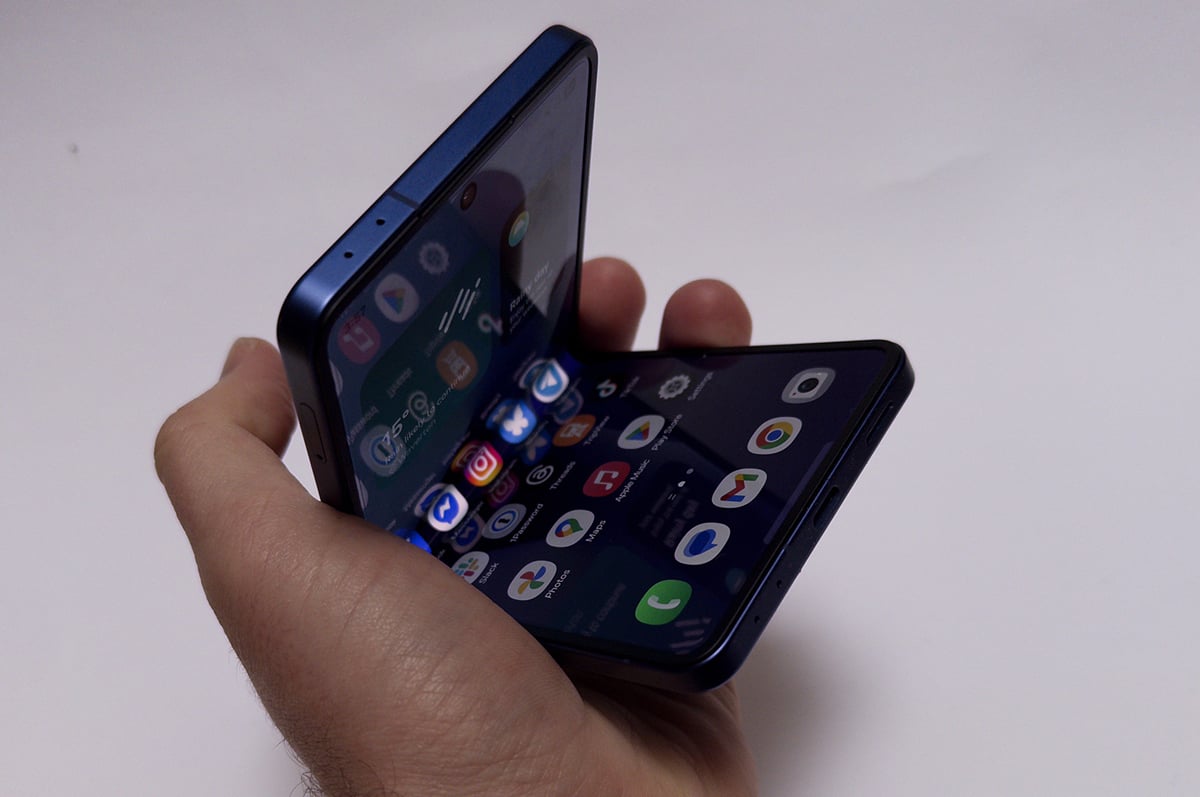
When compared to its tablet-style sibling, the Galaxy Z Fold 7, the Z Flip 7 is a little more underwhelming. While it's a tad slimmer, the Z Flip 7 didn't get as much of a radical redesign. On one hand, that's understandable. There's less physical volume to work with on the Z Flip 7. On the other hand, an even slimmer Z Flip 7 would be very welcome given Samsung's engineering flexes with both the Z Fold 7 and Galaxy S25 Edge.
The key change this year is larger displays, both on the inside and out. The Z Flip 7 now has a 4.1-inch cover display, up from a 3.4-inch panel on the Galaxy Z Flip 6. The increased size brings Samsung to parity with what Motorola has been doing with its Razr foldables over the last few years, and is a welcome change.
For one, the larger screen is much easier to type on if you want to quickly reply to a message without opening your phone. It also means some apps become perfectly usable on the cover display, but you need to put a little bit of work in to actually get them running.
While Motorola's taken the approach of letting users run any app they want on the external display on its Razr foldables, by default, the Z Flip 7 uses what I like to call "smartwatch logic". Instead of apps, you've got widgets like the weather, a calculator, and your calendar. It's a stripped-down experience.
To actually use apps on the cover display, you'll need to dig deep into the settings. Buried under advanced features, there's an option to install "MultiStar", which is a Samsung-made app that creates a launcher widget, allowing you to open whatever you want when the Z Flip 7 is shut.
Many apps work great. I had no trouble using Apple Music, Messenger, and Google Maps on the cover display, for example. But not every app will play nicely; don’t expect to be running games on it. Slay the Spire opens, but I was unable to get further than the opening menu. Social media apps are a middle ground where they'll open, but look pretty cramped. A tiny square screen isn't the best way to experience Instagram.
In addition to being larger, Samsung has upped the cover display's refresh rate to 120Hz. That's a welcome decision, given it's a screen you might now spend more time using.
The Z Flip 7's internal display is also a little larger, having grown from a 6.7-inch panel to a 6.9-inch. While some might find the extra screen real estate useful, it’s a much less significant change. The Z Flip 7's internal display is lovely for the most part, but I found it a little challenging to use in bright light.
Most importantly, unflipping and closing the Z Flip 7 is still a lot of fun. I found it a little too easy to absent-mindedly start opening and shutting the phone when it was on my desk. You simply don't get this from most other phones.
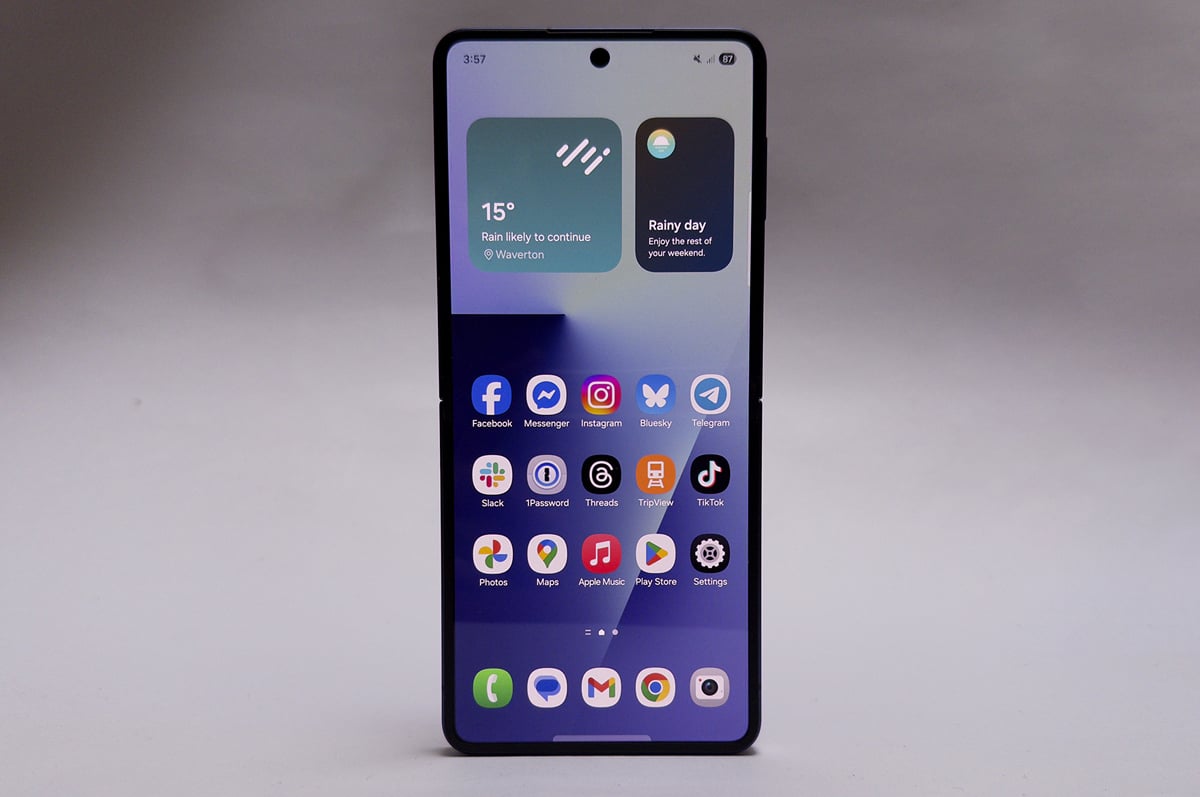
When it comes to internal changes, one that may seem notable on paper is a chipset swap. Instead of using a top-end Snapdragon chip like past Z Flip models, the Z Flip 7 uses an in-house Samsung Exynos chip. Exynos chips are often thought of as less powerful than equivalent Snapdragon models, but I didn't have any performance issues when testing the Z Flip 7. I didn't experience any stuttering or hitches, and the phone can even handle more demanding games like Diablo Immortal on high settings comfortably.
The Galaxy Z Flip 7 performs reliably when it comes to battery life. You can expect between five and six hours of screen time per charge, which is a full day of moderate usage with a comfortable buffer. One thing to note, however, is fairly sluggish charging speeds. While fast charging is now the norm for flagship devices, the Z Flip 7 doesn't even get to 50% charged in half an hour if you're topping it up from flat.
Photo quality is the only real area of concern with the Z Flip 7 - results can be quite inconsistent. While you can get nice photos, low-light environments can result in noisy photos, especially when shooting at night outside. This issue is magnified on the ultra-wide lens, where you lose a surprising amount of detail. Motion can also be an issue - even in bright light - which can lead to blurry shots if you've got moving subjects.
It's worth noting there's no zoom lens on the Z Flip 7. This makes sense given the form-factor, but it is all but standard on other phones in this price bracket.
Samsung Galaxy Z Flip 7 camera samples
Check out these camera samples taken on the Galaxy Z Flip 7. Click or tap on any photo to see a larger version.













Samsung Galaxy Z Flip 7 - Final Thoughts
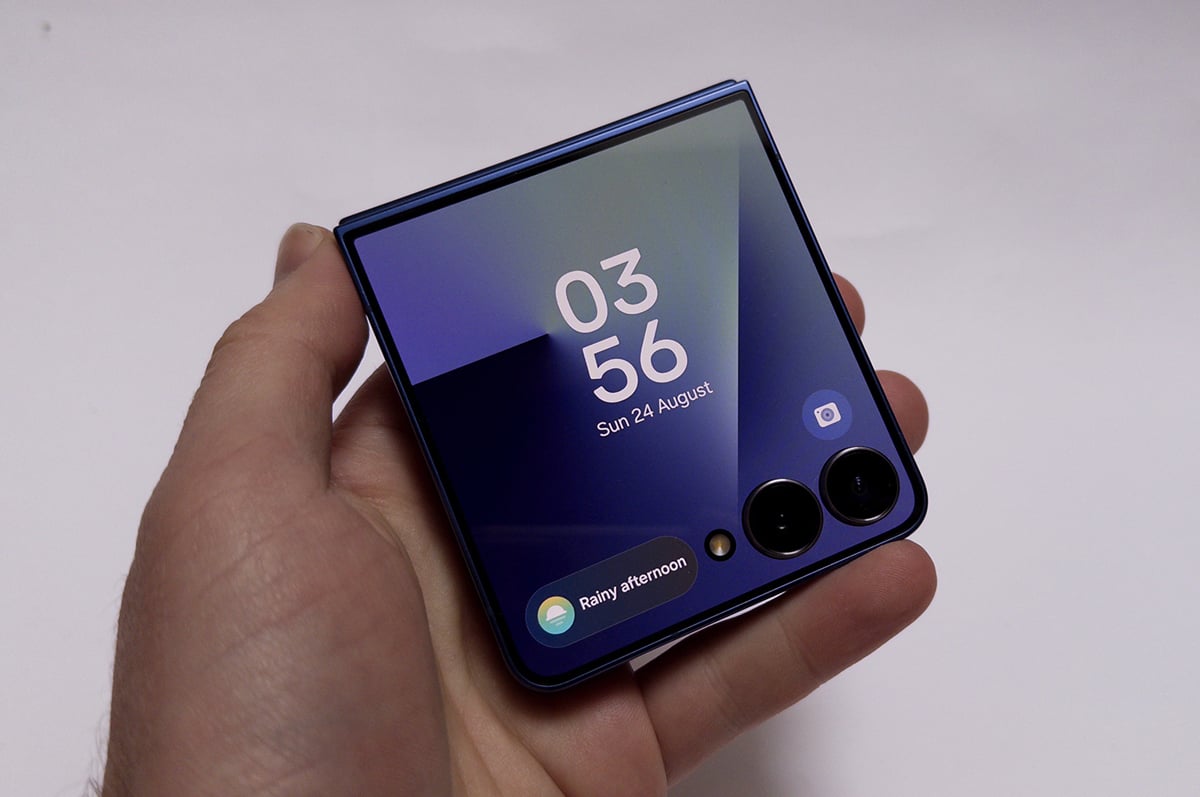
The Galaxy Z Flip 7 is easier to recommend thanks to its larger external display and more reliable battery, but it isn't without its compromises. Camera quality isn't on par with other phones in this price bracket, and running apps on the external display could be simpler. But at the end of the day, the Galaxy Z Flip 7 is a fun device, and maybe a slightly worse camera isn't the biggest trade-off for a more interesting phone.
These are the most popular NBN 50 plans with WhistleOut users this week:
-
 Samsung Galaxy Z Flip7 5G 256GB6.9" / Android75/100
 -
 Samsung Galaxy Z Flip8 256GB6.9" / Android
 -
 Samsung Galaxy Z Flip8 512GB6.9" / Android
 -
 Samsung Galaxy Z Flip7 FE 5G 256GB6.7" / Android
 -
 Samsung Galaxy Z Flip6 5G 256GB6.7" / Android
 -
 Samsung Galaxy Z Flip6 5G 512GB6.7" / Android
 -
 Samsung Galaxy Z Flip5 5G 256GB6.7" / Android80/100
 -
 Samsung Galaxy Z Flip5 5G 512GB6.7" / Android80/100
 -
 Samsung Galaxy S26 FE 128GB6.7" / Android
 -
 Samsung Galaxy S26 FE 256GB6.7" / Android
 -
 Samsung Galaxy S25 FE 5G 128GB6.7" / Android
 -
 Samsung Galaxy S25 FE 5G 256GB6.7" / Android
-
 Samsung Galaxy S26 Ultra 256GB6.9" / Android80/100
 -
 Samsung Galaxy A16 5G6.7" / Android
 -
 Samsung Galaxy Z Fold8 256GB7.6" / Android
 -
Samsung Galaxy S26 FE 256GB6.7" / Android
-
Samsung Galaxy S26 FE 128GB6.7" / Android
-
 Samsung Galaxy S26 256GB6.3" / Android
 -
 Samsung Galaxy S26 512GB6.3" / Android
 -
 Samsung Galaxy S26 Ultra 512GB6.9" / Android80/100
 -
Samsung Galaxy Z Flip8 256GB6.9" / Android
-
 Samsung Galaxy S25+ 256GB6.7" / Android
 -
 Samsung Galaxy S25 512GB6.2" / Android
 -
 Samsung Galaxy Z Fold8 1TB7.6" / Android
 -
 Samsung Galaxy Z Fold8 Ultra 512GB8" / Android
 -
 Samsung Galaxy Z Fold8 Ultra 1TB8" / Android
 -
 Samsung Galaxy S26+ 512GB6.7" / Android
 -
Samsung Galaxy Z Flip7 5G 256GB6.9" / Android75/100
-
 Samsung Galaxy Z Fold7 5G 256GB8" / Android80/100
 -
 Samsung Galaxy A56 5G6.7" / Android
 -
 Samsung Galaxy S25 Edge 512GB6.7" / Android
 -
 Samsung Galaxy S25 Ultra 256GB6.9" / Android80/100
 -
 Samsung Galaxy S25 Ultra 512GB6.9" / Android80/100
 -
 Samsung Galaxy S25+ 512GB6.7" / Android
 -
 Samsung Galaxy S23 Ultra 256GB6.8" / Android
 -
 Samsung Galaxy A34 5G6.6" / Android80/100
 -
 Samsung Galaxy S23 FE 5G 128GB6.4" / Android
 -
 Samsung Galaxy A15 5G6.5" / Android
 -
 Samsung Galaxy Z Fold6 5G 256GB7.6" / Android70/100
 -
Samsung Galaxy Z Flip8 512GB6.9" / Android
-
 Samsung Galaxy Z Fold8 512GB7.6" / Android
 -
 Samsung Galaxy A37 5G6.7" / Android
 -
 Samsung Galaxy A57 5G 128GB6.7" / Android
 -
Samsung Galaxy S25 FE 5G 128GB6.7" / Android
-
 Samsung Galaxy S26+ 256GB6.7" / Android
 -
 Samsung Galaxy Z Fold6 5G 1TB7.6" / Android70/100
 -
Samsung Galaxy Z Flip5 5G 256GB6.7" / Android80/100
-
Samsung Galaxy Z Flip7 5G 512GB6.9" / Android75/100
-
 Samsung Galaxy A17 5G6.7" / Android
 -
 Samsung Galaxy A33 5G6.4" / Android
 -
 Samsung Galaxy A35 5G6.6" / Android85/100
 -
 Samsung Galaxy A36 5G6.7" / Android
 -
 Samsung Galaxy A55 5G6.6" / Android80/100
 -
 Samsung Galaxy S21 5G 256GB6.2" / Android70/100
 -
 Samsung Galaxy S22 5G 128GB6.1" / Android70/100
 -
 Samsung Galaxy S22 5G 256GB6.1" / Android70/100
 -
 Samsung Galaxy S23 128GB6.1" / Android
 -
 Samsung Galaxy S23 256GB6.1" / Android
 -
 Samsung Galaxy S23 FE 5G 256GB6.4" / Android
 -
 Samsung Galaxy S23 Ultra 512GB6.8" / Android
 -
 Samsung Galaxy S23+ 256GB6.6" / Android
 -
 Samsung Galaxy S23+ 512GB6.6" / Android
 -
 Samsung Galaxy S24 FE 5G 128GB6.7" / Android
 -
 Samsung Galaxy S24 FE 5G 256GB6.7" / Android
 -
 Samsung Galaxy S24 Ultra 256GB6.8" / Android80/100
 -
 Samsung Galaxy S24 Ultra 512GB6.8" / Android80/100
 -
 Samsung Galaxy S24+ 256GB6.7" / Android75/100
 -
 Samsung Galaxy S24+ 512GB6.7" / Android75/100
 -
 Samsung Galaxy S25 256GB6.2" / Android
 -
 Samsung Galaxy S25 Edge 256GB6.7" / Android
 -
Samsung Galaxy S25 FE 5G 256GB6.7" / Android
-
 Samsung Galaxy S25 Ultra 1TB6.9" / Android80/100
 -
 Samsung Galaxy S26 Ultra 1TB6.9" / Android80/100
 -
 Samsung Galaxy XCover76.6" / Android
 -
Samsung Galaxy Z Flip5 5G 512GB6.7" / Android80/100
-
Samsung Galaxy Z Flip6 5G 256GB6.7" / Android
-
Samsung Galaxy Z Flip6 5G 512GB6.7" / Android
-
Samsung Galaxy Z Flip7 FE 5G 256GB6.7" / Android
-
 Samsung Galaxy Z Fold5 5G 256GB7.6" / Android
 -
 Samsung Galaxy Z Fold5 5G 512GB7.6" / Android
 -
 Samsung Galaxy Z Fold6 5G 512GB7.6" / Android70/100
 -
 Samsung Galaxy Z Fold7 5G 1TB8" / Android80/100
 -
 Samsung Galaxy Z Fold7 5G 512GB8" / Android80/100
 -
 Samsung Galaxy Z Fold8 Ultra 256GB8" / Android


