
 Prefer WhistleOut in Google
The Australian Government will be testing the new AusAlert emergency warning system, one week from today, on July 27. At the time of the test, every AusAlert-compatible phone will receive a critical alert, which will send a notification and a loud siren-like sound and vibration.
Most phones will receive the alert. While there isn't a definitive list, iPhone 11 and up running iOS 26.4 or newer are compatible with AusAlert, as are Android devices running Android 12 or newer. Cellular Apple Watches may also get the test notification.
Here is the test time in each time zone:
| State | Local test time |
|---|---|
| Australian Capital Territory | 2:00pm AEST (UTC+10:00) |
| New South Wales | 2:00pm AEST (UTC+10:00) |
| Queensland | 2:00pm AEST (UTC+10:00) |
| Tasmania | 2:00pm AEST (UTC+10:00) |
| Victoria | 2:00pm AEST (UTC+10:00) |
| South Australia (incl. Broken Hill) | 1:30pm ACST (UTC+9:30) |
| Northern Territory | 1:30pm ACST (UTC+9:30) |
| Western Australia | 12:00pm AWST (UTC+8:00) |
| Christmas Island | 11:00am CXT (UTC+7:00) |
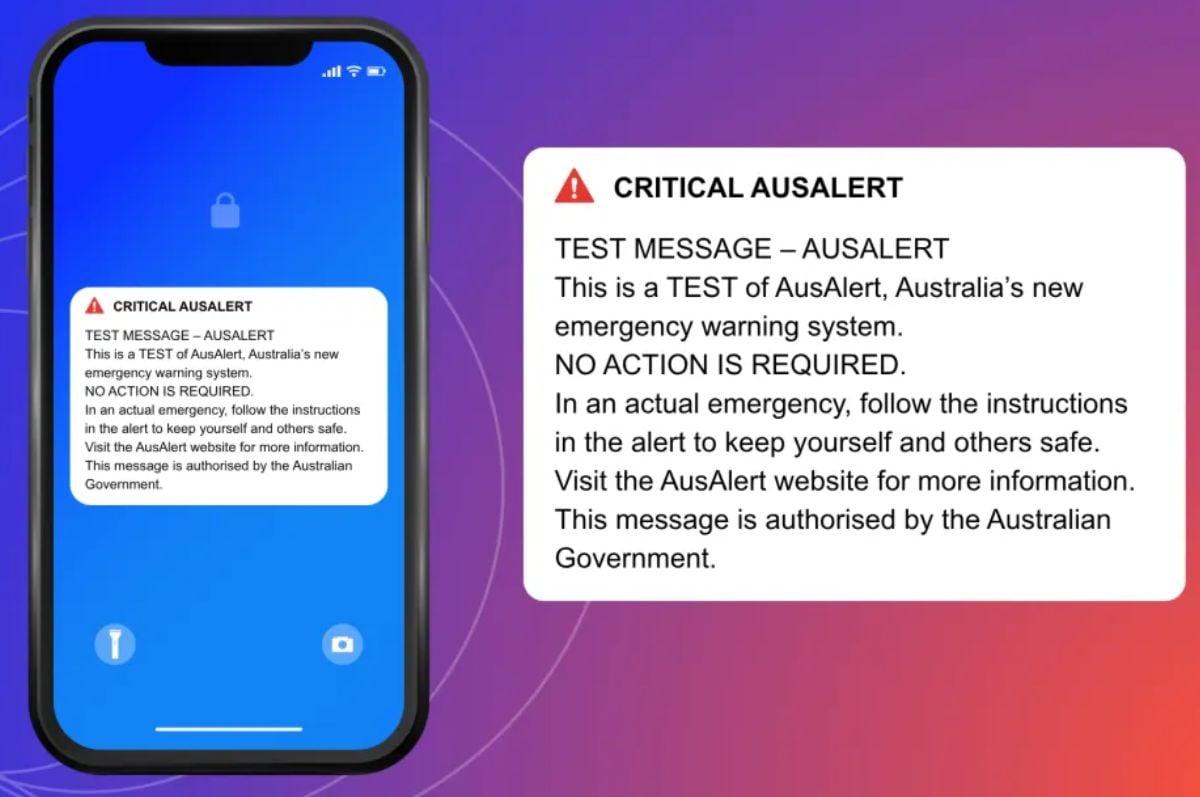
On the day, the critical alert test may read something like this:
TEST MESSAGE - AUSALERTThis is a TEST of AusAlert, Australia's new emergency warning system.
NO ACTION IS REQUIRED.
In an actual emergency, follow the instructions in the alert to keep yourself and others safe. Visit the AusAlert website for more information. This message is authorised by the Australian Government.
The new system is similar to systems already in place overseas that allow some Government agencies and emergency services to send out alerts for natural disasters and public safety incidents.
When the system goes live in October, Critical Alerts will provide warnings with instructions to act immediately. Priority Alerts will be issued when conditions are changing and instructions to watch and act.
Critical AusAlerts and this critical AusAlert test will bypass "silent" and "do not disturb" settings on your device.
If receiving the alert may put you or a loved one at risk, you can disable the alert by completely turning off your device or switching it to aeroplane mode. You should keep the device off for at least one hour following the test. The alert may still come through when switched back on, if you can take it out of earshot before turning it back on.
If you or someone you know is experiencing domestic and family violence, 24/7 support is available at:
- 1800RESPECT on 1800 737 732
- 13YARN on 13 92 76
- MensLine on 1300 789 978
- Kids Helpline on 1800 551 800
- Full Stop on 1800 385 578
Dylan Crismale
Digital Content Editor

Related Articles


.png?w=160&h=160&usm=20&usmrad=0.8&fit=crop "Telstra and Optus’ Starlink mobile coverage might come at a cost")


