
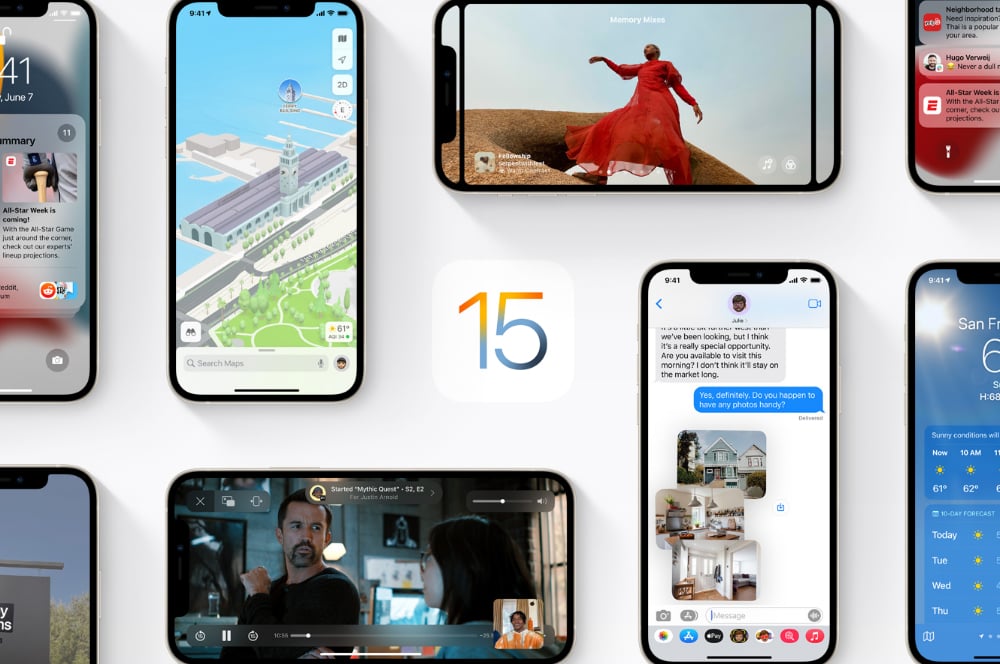
Apple today announced the latest version of its iPhone operating system, iOS 15. Key new features include a FaceTime overhaul, "Focuses" that show and hide apps and notifications based on what you're doing, and Google Lens-like Live Text and Visual Lookup functionality.
We're expecting to see the final version of iOS 15 in September this year, with a developer beta shortly and a public beta in July. In the meantime, here's a more detailed look at what's new.
FaceTime is going to be more like Zoom
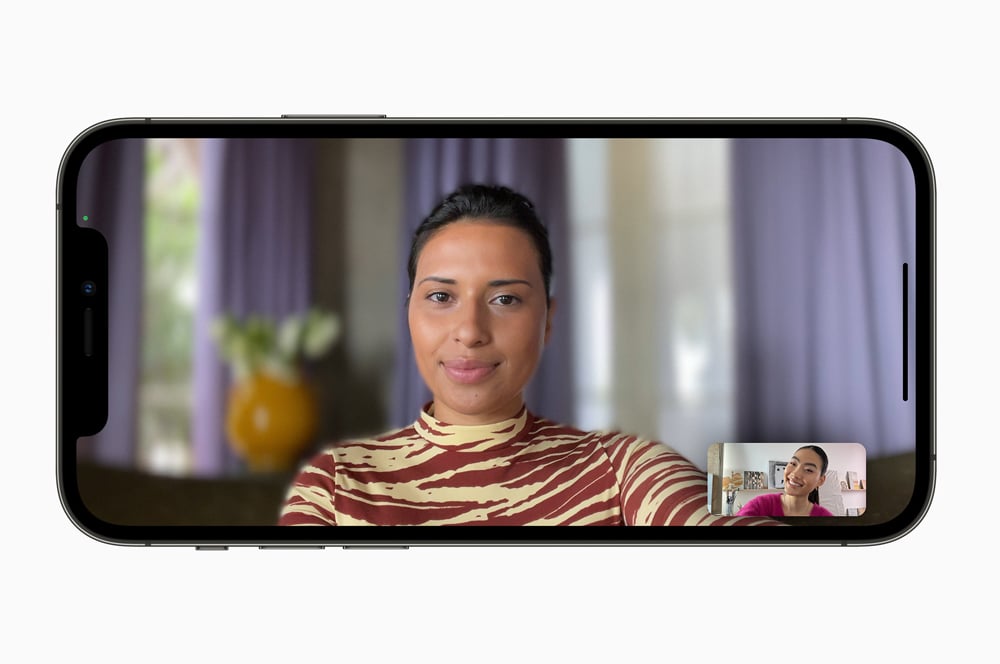
FaceTime is getting a big upgrade to make it "more natural, comfortable, and lifelike". In short, to make it a bit more like Zoom. The biggest change is you'll be able to make a FaceTime link ahead of a call which can be shared ahead of time. And for the first time ever, non-Apple devices will be able to use FaceTime links to join FaceTime calls in their browser. Even on Android and Windows.
Spatial Audio is coming to FaceTime to try and make conversations flow better. Sound will be mixed to make it sound like audio is coming from the speaker's position on the screen.
To further improve audio quality, FaceTime will be able to better isolate your voice. Machine learning analyses background noise and blocks it out. You can toggle this off for times when you want environmental sound in your calls, however.
On multi-person calls, you'll be able to switch to grid view, which puts people in the same size tiles rather than the floating bubbles associated with FaceTime.
Portrait mode is also coming to FaceTime, which blurs your background behind you.
The new FaceTime also features SharePlay, which allows you to listen to music or watch video with everyone on your call, in sync. With music, anyone can add music to the playlist.
If you want to share video, it's a simple case of jumping on a streaming service and hitting play. This can be watched picture-in-picture, or even extended to Apple TV. SharePlay will also work with third-party apps, not just Apple's. To start, Disney+, Paramount+, and TikTok are all confirmed to support SharePlay.
FaceTime is also getting screen sharing as part of SharePlay.
Focus modes could save you from yourself
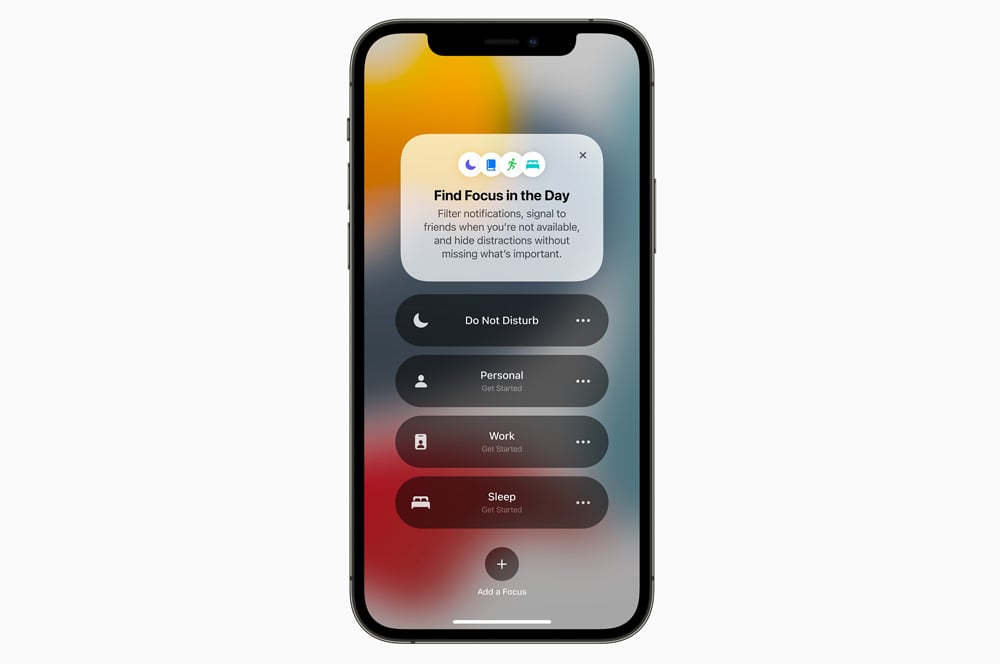
Focuses are ostensibly new filter modes for your iPhone that extend Do Not Disturb. They let you customise notifications based on what you're doing, and will sync across your iPhone, iPad, and Mac. For example, a work Focus could be configured so that you only get notifications from apps related to your job and from workplace contacts. In addition, Focuses can adjust what apps show on your home screen to further reduce temptation.
Your Focus status will also show up like the away messages of days gone by in iMessage. It's unclear whether third-party apps will be able to pull your Focus status yet.
Notifications as a newsletter
iOS 15 notifications will be a little bit bigger. You'll get a contact photo for messages, and larger icons for apps in general.
If you're finding your notifications overwhelming, iOS 15 will be able to give you a Notification Summary instead. As the name suggests, the name is a summary of your notifications that can be delivered at a fixed time. In the morning and in the evening, for example. It's like a newsletter for your notifications. This will be sorted by how you interact with your apps. The more your use an app, the more prominently it will focus in your summary.
You'll also be able to mute any app or messaging thread temporarily.
Live Text & Visual Lookup are like Google Lens for iPhone

iOS 15 will feature Apple's own take on Google Lens. Live Text will let you select text in photos and then interact with it. You'll be able to copy it into emails, interact with phone numbers, or tap restaurant signs to get more details.
Visual Kookup is able to recognise objects in your photos, and provide further information. Breeds of dogs, types of flowers, landmarks, and books will all be sorted initially, among others.
Nominate a legacy contact for when you cark it
While not strictly an iOS 15 change, you'll finally be able to nominate contacts for your Apple ID who'll be able to request access to your iCloud data in the event of your death, untimely or otherwise.
You'll also be able to nominate a recovery contact who can't access your account, but can give you a code if you forget your password or device passcode.
Weather is coming for the BOM Radar
The iPhone Weather app will get a redesign, with new animations and more current condition features. There are also new full-screen weather maps (similar to what you'd get on the Bureau of Meteorology website) but it's unclear whether this will be available worldwide.
Shared With You will keep track of all the stuff your mates send you
Apple's first-party apps will pull content shared to you via iMessage so you can catch up later. For example, you'll see links shared with you in Safari, tunes in Apple Music, stories in the News app.
Photos will be brought into the Photos app, and filtered into both a Shared With You view. Apple says the system is smart enough to only add Photos where you were there. It won't just fill your library with screenshots and memes.
Photos is getting Apple Music integration so you can set all your memories to Sandstorm
The Photos app will have Apple Music integration in iOS 15. Your iPhone will automatically be able to cut together photo montages to songs, with the feel changing to match your chosen tune. This could be the pacing, as well as the overall look. There's a set of songs chosen by Apple Music curators, but your own music taste will also be taken into account. Alternatively, you'll be able to search for whatever song you like, presuming it's on Apple Music. This naturally requires an Apple Music subscription.
Australia is getting redesigned Apple Maps later this year
Apple has slowly revamping Maps to feature richer details such as roads, parking lots, parks, and buildings using its own vehicles to capture this data. Aussie cities will support this fancier breed of map later this year.
Apple is however also working on even fancier maps for iOS 15, which feature an enhanced 3D experience with details like turning lanes, bus and taxi lanes, better elevation, and customised designs for landmarks like the Golden Gate. This style will only be applied to certain cities during 2021, including San Francisco and London.
Maps will also be able to send you notifications on when to disembark public transport and augmented reality directions when you leave a station.
Everything else
iOS 15 has plenty of other new features. These include
- Siri will finally work without an internet connection for certain tasks
- You'll be able to store your driver's license in the Wallet app, at least in the US
- You can store house keys in the Wallet app, assuming you have a compatible lock at home
- Safari is getting support for desktop-grade extensions
- You'll be able to translate text anywhere, such as when reading an email, without needing to swap to a different app
- You'll be able to share health data, trends, and alerts with family members - for example, you can get a high heart rate alert for your mum and dad, for example, and then get in touch to see if they're okay
- iCloud subscriptions will include Apple's take on a VPN and a random email generator for newsletters and services. This will be part of your iCloud subscription, if you're already paying for one
- The Find My network will be able to find your device, even after it is erased, in the event of theft
- Your iPhone will be able to generate verification codes needed for two-factor authentication without the need for an additional app, like Google Authenticator or Authy. These can be set up under the Password menu in Settings, and once done, will autofill when you visit the site
- Transferring from iPhone to iPhone should be easier; you'll be able to temporarily backup your iPhone to iCloud - even if you don't have a subscription - when moving to a new handset
Can I update to iOS 15?
If your iPhone or iPod touch can run iOS 14, you'll be able to upgrade to iOS 15. Once again, Apple didn't drop support for any devices this time around. As such, devices as old as the iPhone 6s will be able to upgrade to iOS 15. Some features won't be available on all devices, however.
You can install iOS 15 on the following iPhones:
iPhone 12, Phone 12 mini, iPhone 12 Pro, iPhone 12 Pro Max, iPhone 11, iPhone 11 Pro, iPhone 11 Pro Max, the new iPhone SE, iPhone XS, iPhone XS Max, iPhone XR, iPhone X, iPhone 8, iPhone 8 Plus, iPhone 7, iPhone 7 Plus, iPhone 6s, iPhone 6s Plus, and the original iPhone SE.
iOS 15 is also compatible with the 7th generation iPod touch.
Alex Choros

Related Articles


