

The Google Pixel 4, the latest version of Google's signature smartphone, has just dropped in Australia, and one of the nifty new features you'll find in it is an astrophotography mode. If you take your Pixel 4 into a dark enough environment, it's possible to get striking photos of the night sky that feature more detail than you can see with your eyes.
The feature itself is a little bit niche - most of us weren't clamouring for an astrophotography smartphone - but the fact it exists is incredible. It's just one of those of those things a smartphone shouldn't be able to do. And when it works, it feels like magic. It's enough to make you want to drive out to the mountains and lose yourself in nature.
With that in mind, we've taken a look at how the Pixel 4's astrophotography mode works, how to get the best results, and at some excellent tripods.
How Pixel 4 astrophotography works
If you're interested in playing around with the Pixel 4 astrophotography mode, you'll need three things: a Pixel 4 or Pixel 4 XL (duh), a tripod or some other way to prop up your phone, and darkness.
Astrophotography is part of the Pixel 4's Night Sight camera mode. Typically, Night Sight captures a number of photos over a few seconds and combines them into a final - brighter - photo. However, if you're somewhere dark enough and your Pixel 4 is completely still, it will go into astrophotography mode instead. Rather than just capturing a photo over a few seconds, the Pixel 4 will take up to four-and-a-half minutes when you're shooting the night sky. This allows the Pixel 4 to capture A LOT more light.
For the best results, you'll want a tripod. Because while you can just prop up your Pixel 4 against something, a tripod will give you a lot more freedom in terms of composing a shot. If you don't have one, we've got a few tripod recommendations later in this piece.
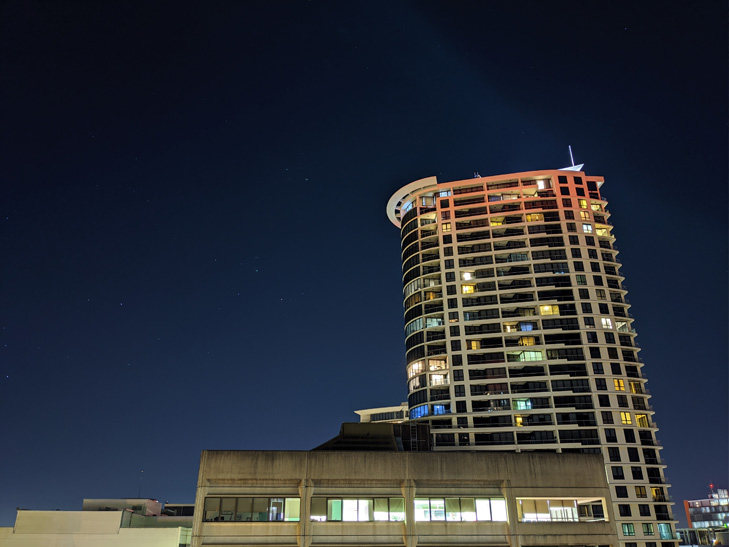
Most importantly, you need darkness. Literal darkness. The darker, the better. You'll want to wait for at least 90 minutes after sunset and shoot on a night with minimal cloud cover. You'll also want to get as far away from city lights as you can. So far we've only been able to test the Pixel 4 within striking distance of Brisbane and Sydney, but we've already found that there can be a big difference between shooting somewhere inner city, somewhere more suburban, and somewhere further on the outskirts.
The following picture was taken off a balcony in inner-city Sydney. You can see a few stars - more than you could with your own eyes - but it's not spectacular. Thanks, Gladys.
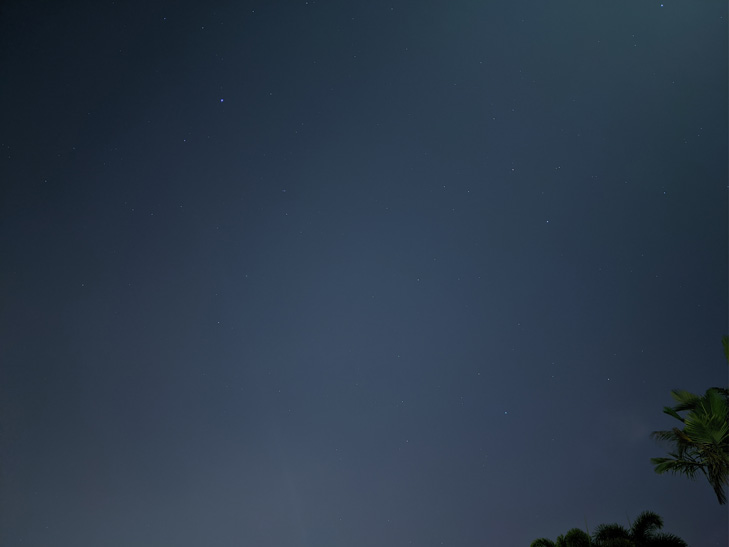
The following picture was taken in suburban Brisbane. You can see stars, but light pollution and streetlight definitely compromise the shot.
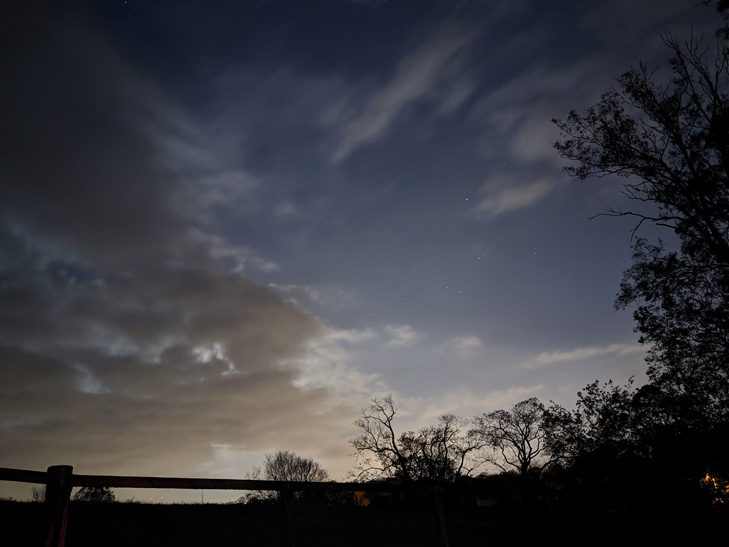
The following picture was taken at 11pm in semi-rural Brisbane, away from streetlights and even further outside of town. It was a cloudy evening which doesn't help with star visibility, but that blue sky colour demonstrates just how much light a photo in astrophotography mode can capture: it certainly doesn't look like a photo that was taken at close to midnight.
Here is a 100% crop (a fragment of the full-sized image, at its original resolution) of the same photo:

The following picture was taken on a clear night at an observation site at Terrey Hills, about 25 km from the Sydney CBD. The effect would likely be more pronounced further away from the city, but it's kind of incredible this shot came from a smartphone.

Here's a 100% crop of the same photo:

Here's another:
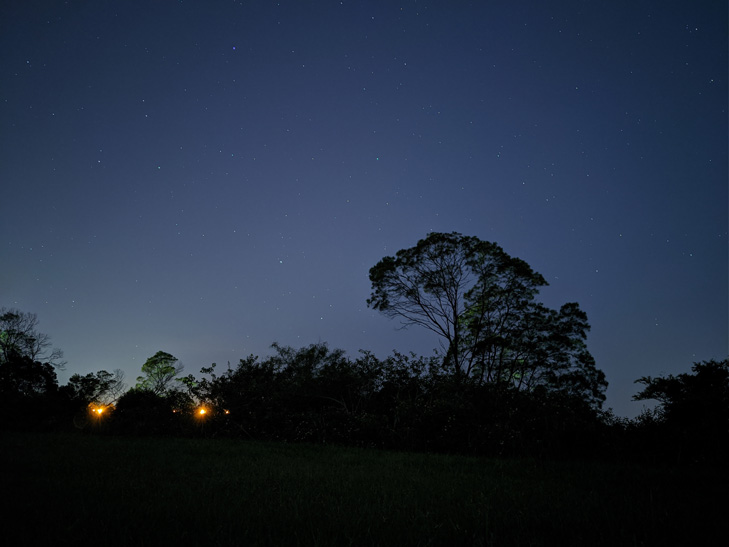
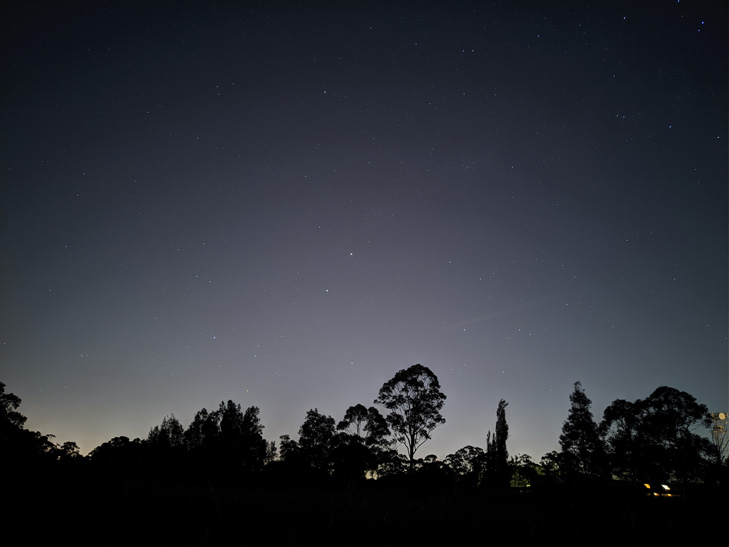
We found that aiming directly at the sky often resulted in better photos, whereas including the horizon in the image could drastically brighten a photo. This is a photo shot against the horizon:
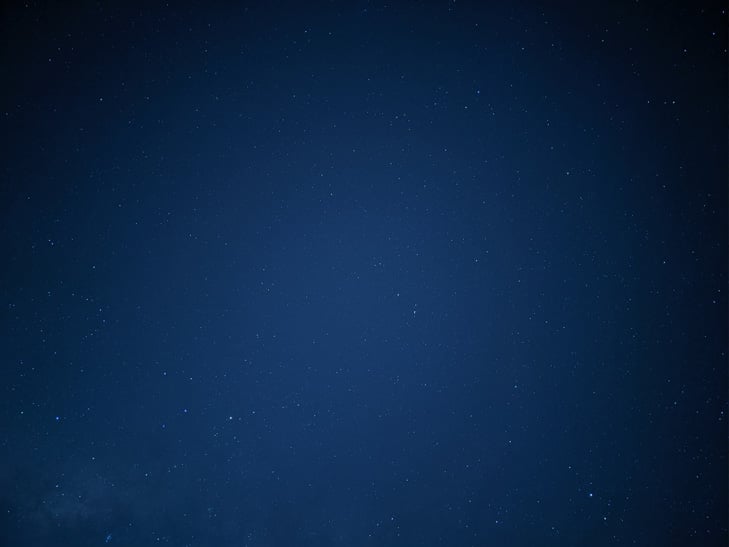
In this photo we aimed up at the sky:
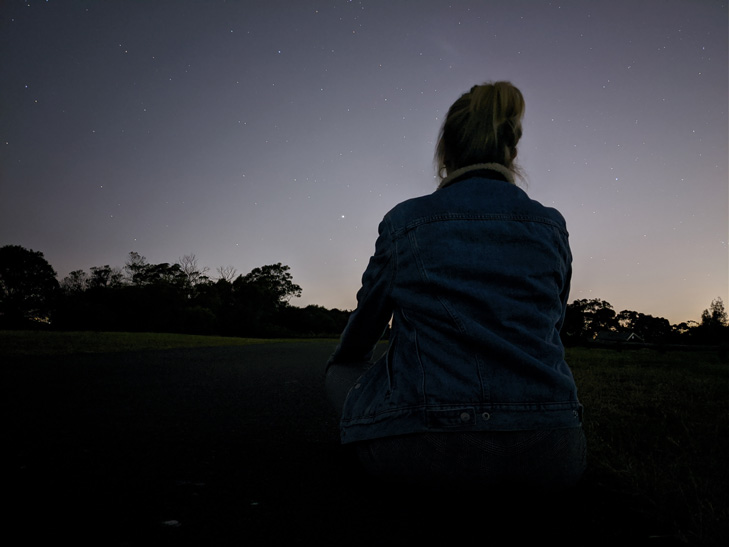
Meanwhile, adding a subject to your photo is great for showing scale and humanity's insignificance against the backdrop of a vast, uncaring universe:

Tripod Recommendations
Xiaomi Mi Tripod
If you're just after a basic tripod, Xiaomi's Mi Tripod is a great option. It's small, lightweight, and collapses down to a very compact form factor. It even has a Bluetooth remote for triggering the shutter button. The one catch is that it's a fixed unit. It doesn't have a standardised tripod screw, so you can't attach it or the phone clamp to a larger tripod.
Check out the Xiaomi Mi Tripod on Amazon here. It will set you back about $40.
Manfrotto Pixi
If you're after a small phone tripod that can also be used with a regular tripod, the Manfrotto Pixi is a good choice. It's a small tripod, but its phone clamp is detachable. This means you can pop your phone onto any other tripod with a standardised screw. However, the Manfrontto Pixi doesn't have a Bluetooth remote.
Check out the Manfrotto Pixi on Amazon here. It will set you back about $50.
Joby GorillaPod
And if you're after something a little fancier, the Joby GorillaPod is easy to recommend. It's a little larger and heavier than the previous two options, but incredibly versatile. It has flexible legs that can be contorted any which way (and even wrapped around railings or tree branches), and a ball head with a 360-degree pan and 90-degrees of tilt. The GorillaPod itself doesn't come with a phone clamp, so you'll need to pair it something like the Manfrotto MCLAMP.
Check out the GorillaPod on Amazon here, and the Manfrotto MCLAMP here. The GorillaPod will set you back about $90, and the MCLAMP goes for about $20.
Can you use any other smartphones from astrophotography?
Google says astrophotography mode will also become available on the Pixel 3 and Pixel 3a as part of a software update shortly, but we haven't been able to test this out yet. Results almost certainly won't be as good, but hey, it's always nice to see a newer feature on an older device.
With a tripod, the night mode on iPhone 11 family phones can be extended by up to 30 seconds, as opposed to the three or so seconds you typically get when holding one of these phones in your hand. This can help get a brighter picture of the night sky, but the quality is often inconsistent and images aren't quite as dramatic due to the shorter exposure time.
Here's a photo from the iPhone 11 Pro taken with a 30 second exposure:

And here's the same shot from the Pixel 4 XL taken with a four minute exposure:

While the iPhone shot is impressive for a smartphone, it was taken it complete darkness, and the difference between it and the Pixel 4's dedicated astrophotography mode is like night and day. The stars may look a little bigger in the iPhone shot, but the Pixel 4 photo is clearer, sharper, and more detailed.
A big thank you to Tegan Jones from Gizmodo Australia and Fergus Halliday from PC World Australia for assistance in collecting camera samples for this story!
Alex Choros

Related Articles


.jpg?w=160&h=160&usm=20&usmrad=0.8&fit=crop "Google Pixel 11 vs. Pixel 11 Pro: Which should you buy?")
Related Topics
Google smartphone Photography PixelPopular Topics
Android smartphone iPhone Apple Samsung Telstra Optus Vodafone Deals Oppo


