
- Easy to set up and use
- Light and compact design
- Impressive 5Ghz range
- Speeds aren't particularly flash
- Slow to recharge
- Battery life could be better
As smartphones get smarter and more versatile, it's getting harder and harder to justify other gadgets that were once essential for roaming connectivity. For instance, mesh WiFi systems have effectively made WiFi extenders go the way of the Dodo, while dedicated mobile hotspots are less common in the age of smartphone tethering.
But there are still some reasons to buy a dedicated mobile hotspot, like the D-Link DWR-933M. These compact devices help preserve smartphone battery life and plan data caps by offering a dedicated pocket modem-router that can slip into a bag or pocket.
What we like about the D-Link DWR-933M
The price is right for the D-Link DWR-933M. If you, like me, are scratching your head at the place of dedicated mobile hotspots in the world of straightforward smartphone tethering, the DWR-933M's $99.95 RRP certainly helps. This D-Link modem is impressively small, too, around half the size of a Google Pixel 7 Pro.
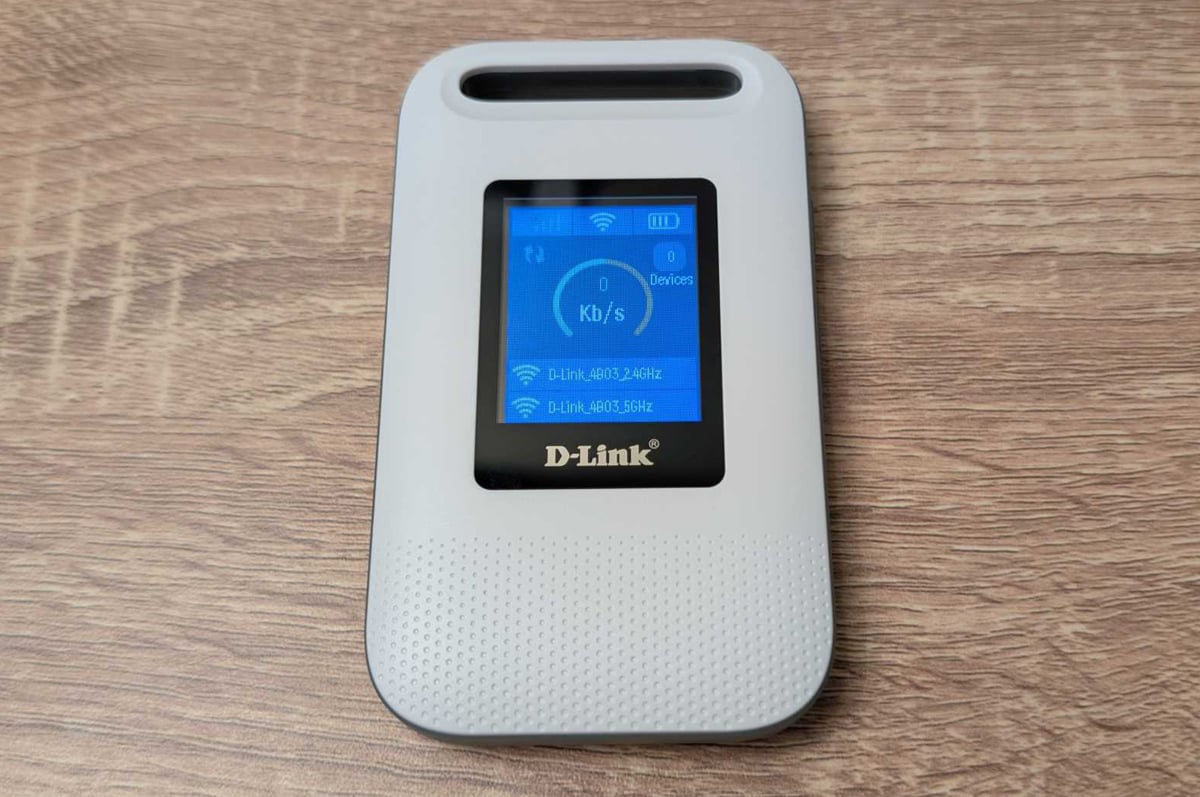
The DWR-933M comes with a quick-start guide, but you won't really need it. On the front is a 1.77-inch TFT display below a decent-sized travel loop for strapping it to luggage or a backpack. Given its compact design, the DWR-933M can also happily slide into your bag, purse, or even a pocket. And at around 114g, you won't really notice any heft.
That weight is inclusive of the battery, which comes in its own bag inside the box. Inserting the battery is as easy as taking off the back case. There's a groove on the back cover to pop it open, and that back cover sits firmly when attached, albeit without being so rigid that you risk breaking a nail when removing it.
The battery sits atop the easy-to-use SIM card slot. You'll want to take a pic of the info inside before placing the battery so you know the WiFi SSID and default password for the 2.4GHz and 5GHz bands. Once powered on, my review unit had three of four battery bars showing, so I could've feasibly used it straight away if I needed to.
With SIM card and battery inserted, you're good to go. Connect to either the longer-range (but slower) 2.4GHz WiFi band or the faster (but shorter-range) 5GHz band with your WiFi devices to get online. There is a decent companion app, but you'll get most of the at-a-glance info you need from the DWR-933M's display: mobile signal strength, battery indicator, number of connected devices, and the current speed that your devices are using.
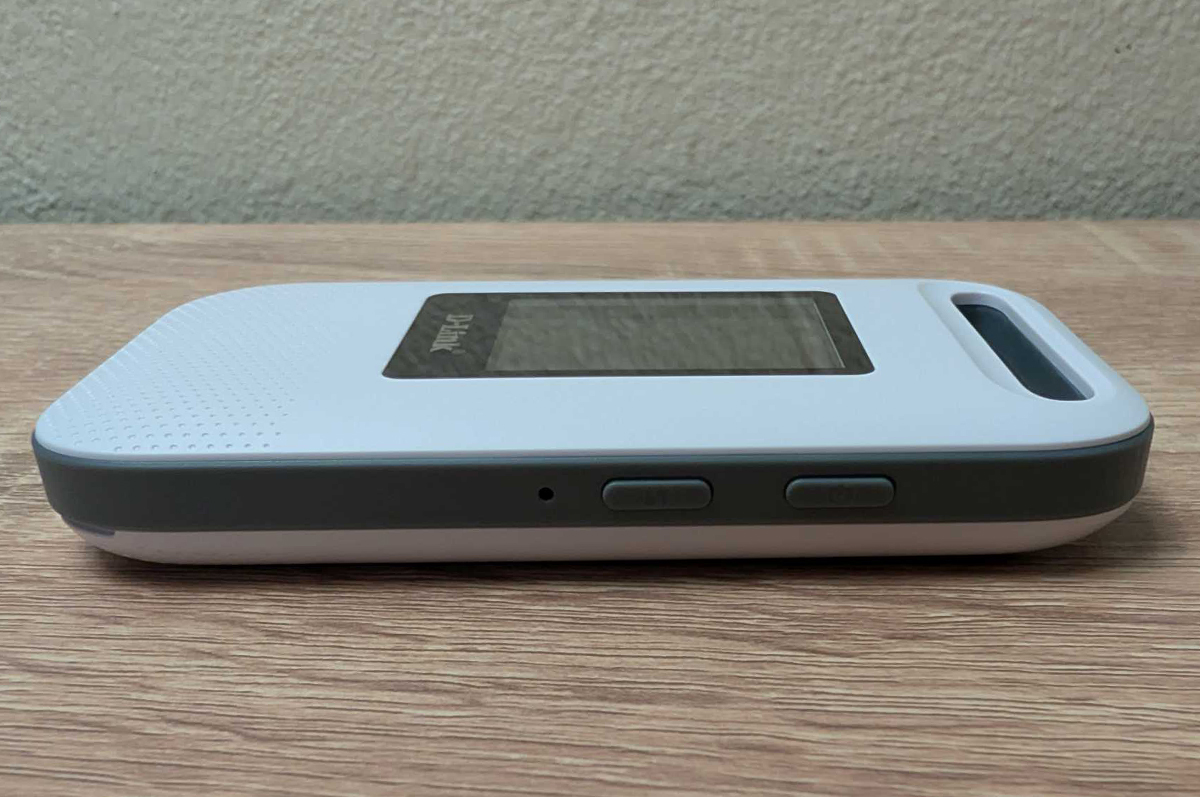
If you're low on juice, connect the included USB-C to USB-A cable to a power adaptor, computer, or power bank to recharge. The only other button on the DWR-933M is a WPS button for quick connections to the hotspot with supported devices. For everything else, just punch in the password from the sticker inside the DWR-933M.
The user and password info on the sticker is what you'll need to access the DWR-933M settings via the companion app or web portal. Using the companion app gives a percentage indicator for battery remaining (rather than just the four bars), plus a few basic settings to tweak, including device password, as well as the WiFi SSID names and passwords. While the companion app logs you out after a few minutes of inactivity, mercifully, it remembers the username and password so you can log back in with one touch.
Despite its compact size, the DWR-933M has some serious range. Testing with the 5GHz WiFi band, I was impressed with how well the D-Link modem-router maintained signal throughout my interference-prone apartment. The front of my apartment had either 'Excellent' or 'Good' signal strength according to my Pixel 7 Pro, even through multiple thick internal walls. In the back part of my apartment, the signal strength stuck to 'Fair', never reaching 'Poor', putting the DWR-933M's 5GHz band ahead of some of the dedicated routers I've tested.
What we dislike about the D-Link DWR-933M
While it's smaller than a smartphone, the D-Link DWR-933M follows the unfortunate smartphone trend of not including a wall charger. You can use the included USB-C cable to charge from any USB-A outlet that provides power, but it isn't particularly fast. According to my Anker 737 Power Bank, at best, the DWR-933M pulled a max of 7.6W charge, at times dropping to 4.6W.
While that charge eventually dropped to below 2W at the end of charging, it took more than two hours to go from 0% to 100% during my recharge tests. Day-to-day battery life is okay but not amazing. D-Link claims you'll get "all day usage", which it translates to 12 hours from the 3000mAh battery. In my battery-drain test, it only lasted around 9.5 hours. That was with pretty conservative testing, too, with minimal display use and only a single device connected.
Practically speaking, that longevity is good enough for the average workday, but it's not enough for a full waking day. You'll want a power bank on hand if you need more than around nine or so hours. While the DWR-933M's latency never cracked 30ms, the download speeds were all over the place in my tests. D-Link claims up to 300Mbps mobile speeds and up to 600Mbps WiFi 6 speeds, assumedly via the 5GHz band.
According to the WiFiman Android app, best-case download and upload speeds from the DWR-933M didn't really get beyond 229Mbps. With three out of four signal bars inside my apartment using a Telstra prepaid mobile broadband SIM card, I recorded best-case 24.7Mbps download speeds and 15.5Mbps upload speeds on the 5GHz band. On the 2.4GHz band, download and upload speeds hung around 10Mbps.
According to Opensignal, average Telstra 4G download speeds are 53Mbps and upload speeds are 6.9Mbps. Effectively, the DWR-933M was pulling in better-than-average upload speeds but lagging behind in terms of the all-important download speeds. My tests outside didn't result in noticeably better speeds, either.
As a WiFi 6 device, I'd prefer if the DWR-933M had bandsteering, so it would automatically pick the 5GHz or 2.4GHz band based on your device's distance from the mobile hotspot. Better still, the hotspot could potentially work better as a single-band device, ditching the ageing 2.4GHz band for the practical realities of a 5GHz band whose range can be controlled by shifting devices closer to the mobile hotspot.
You really shouldn't need much more than the monitoring and basic settings tweaks inside the companion app. If you do want more, there is the web portal, but it's a clunky interface, more so if you're accessing it from a smaller mobile screen and not, say, a laptop. The DWR-933M seemingly has automated firmware update capabilities, and while mine was up to date, I did note that the last firmware update was more than a year before testing.
If you do want to tweak settings, definitely use a computer to make changes. You may also need to update the system time because, if it's like my review unit, it's set to a region outside of Australia.
Dedicated mobile hotspot devices are built for a very particular niche. Like, the kind of people who need more data than their monthly allowance and/or have daily battery-life concerns for their smartphone. That's really the only two pros a mobile hotspot offers: isolated battery life and data.
But even in those pros are cons. Using the DWR-933M as an example, the battery life is restricted to under 10 hours, which isn't ideal if you want an actual full day of data. Recharging takes two hours to go from 0% to full, so you need to plan charging around time out (no fast charging here). But by far the biggest con is the extra cost for data, as you'll need a dedicated data-only mobile broadband plan to even use a mobile hotspot.
If that's you, we'd advise tracking your monthly data usage and investing in a SIM-only or prepaid plan with more data. There are plans with hundreds of gigabytes of monthly data nowadays. If not, go with the felix Unlimited Mobile Plan for speed-capped limitless data. And if battery life is a concern for your hotspotting smartphone, grab a power bank.
D-Link DWR-933M – Final Thoughts
While dedicated mobile hotspots are a tough recommendation nowadays, if you are in the market for one, the D-Link DWR-933M is well worth considering. For a reasonable RRP, you'll get an easy-to-use device that's lightweight and compact. It can happily work out of the box, but you'll get more out of it with a few set-and-forget tweaks. It's a shame the battery life and download speeds aren't up to snuff, but considering you only really need 15Mbps download speed for most mobile use cases (including 4K streaming), the DWR-933M can comfortably tackle that. Just stick to the 5GHz band.
We consider several factors when reviewing networking equipment, including:
- Type: 4G or 5G. Number of WiFi bands, and whether those bands are separate or use a single SSID.
- Design: Size, weight, and buttons. Transportability.
- Setup: Plug-and-play configurations vs laborious setup. Companion apps and guided setups are a plus.
- Performance: Ease of access to battery and/or SIM slot. Companion app and web portal configuration.
- Versatility: Companion app and web portal settings. Number of connected devices. Other functionality outside of hotspotting (e.g. power bank).
These are the most popular NBN 50 plans with WhistleOut users this week:
|
#1
|
Dodo

All Fixed Line nbn®
Editor's Pick
nbn50 Unlimited Plan
$57.99/mth
Min. cost $57.99
|
|
#2
|
amaysim

All Fixed Line nbn®
NBN50
$45/mth
Min. cost $45
|
|
#3
|
Tangerine Telecom

All Fixed Line nbn®
Value Plus NBN 50/20
$64.90/mth
Min. cost $64.90
|
|
#4
|
TPG

All Fixed Line nbn®
nbn50 Unlimited Plan
$69.99/mth
Min. cost $69.99
Link not supplied
|
|
#5
|
Aussie Broadband

All Fixed Line nbn®
Value nbn - Unlimited
$70/mth
Min. cost $70
Link not supplied
|
|
#6
|
Superloop

All Fixed Line nbn®
Extra-value nbn50/20
$69/mth
Min. cost $69
|
|
#7
|
iiNet

All Fixed Line nbn®
nbn50 Liimitless
$69.99/mth
+ $10 Upfront
Min. cost $79.99
Link not supplied
|
|
#8
|
Belong

All Fixed Line nbn®
NBN Standard Plus – Unlimited
$55/mth
Min. cost $55
|
|
#9
|
Kogan Internet

All Fixed Line nbn®
Silver Unlimited
$69.90/mth
Min. cost $69.90
|
|
#10
|
Flip

All Fixed Line nbn®
Unlimited Family nbn50
$68/mth
Min. cost $68
|
Nathan Lawrence
Freelance Contributor

Find a better internet plan
Thousands of internet plans unpacked. All the facts. No surprises.

Related Articles


Internet Plans by State
- Internet Plans in ACT
- Internet Plans in NSW
- Internet Plans in NT
- Internet Plans in QLD
- Internet Plans in SA
- Internet Plans in TAS
- Internet Plans in VIC
- Internet Plans in WA


![[Hand-Picked] Best internet providers in Australia](https://r3.whistleout.com.au/public/images/articles/2026/07/man-and-woman-with-laptop-on-green-couch.jpg?w=280&h=280&usm=20&usmrad=0.8&fit=crop "[Hand-Picked] Best internet providers in Australia")

